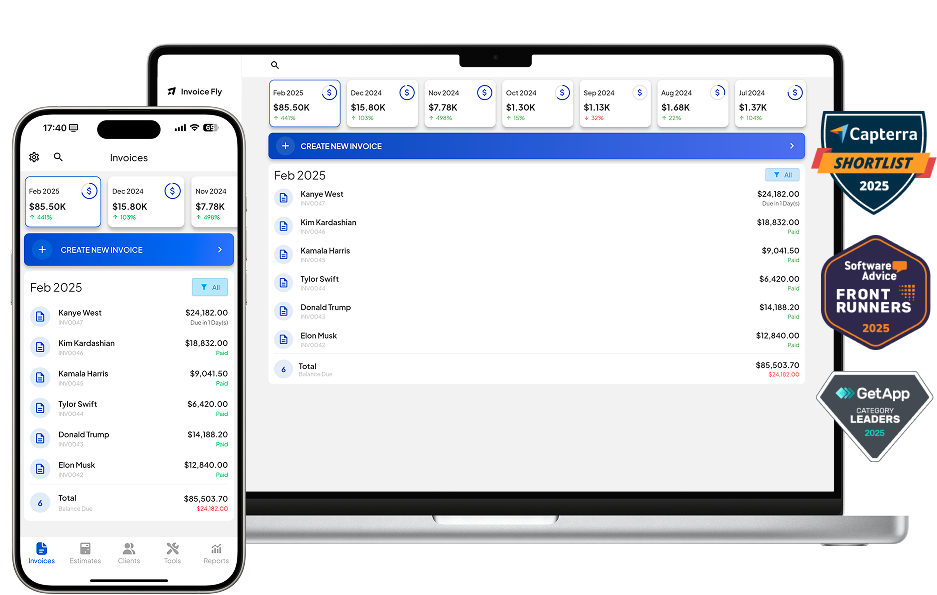
- Inicio
- »
- Recursos Gratuitos para Pequeñas Empresas
- »
- Herramientas empresariales gratuitas
- »
- Generador de Estimaciones Gratuitas
Generador gratuito de presupuestos en línea
Cuando se trata de presupuestar trabajos, la primera impresión es la que cuenta. Tanto si eres fontanero, autónomo, contratista o agencia creativa, Generador de presupuestos en línea de Invoice Fly le ayuda a destacar con presupuestos rápidos y profesionales que convierten clientes potenciales en clientes de pago.
Nada de hojas de cálculo desordenadas. Nada de formularios genéricos. Sólo presupuestos limpios y de marca elaborados en menos de 60 segundos - y siempre de uso gratuito.
Lista de artículos
Cómo utilizar el generador de presupuestos de Invoice Fly
Tabla de contenidos
¿Quién utiliza el creador de presupuestos de Invoice Fly?
Invoice Fly está diseñado para pequeños empresarios, comerciantes y profesionales independientes que lo necesitan:
- Envíe presupuestos rápidamente desde cualquier dispositivo
- Dar un aspecto pulido y profesional a los clientes potenciales
- Seguimiento de quién ha visto, aceptado o ignorado su presupuesto
- Manténgase organizado y evite la falta de comunicación en los proyectos
- Ahorre tiempo sin tener que contratar a un contable ni utilizar programas complicados
Desde paisajistas y técnicos de climatización hasta consultores y fotógrafos, Invoice Fly se adapta perfectamente a su día a día.
Cómo hacer un presupuesto a medida con el creador de presupuestos en línea de Invoice Fly
Creación de un presupuesto profesional y preciso con Invoice Fly en menos de un minuto. Tanto si es usted contratista, autónomo, propietario de una pequeña empresa o profesional de cuello azul, nuestro generador gratuito de presupuestos en línea le ayuda a crear presupuestos totalmente personalizados, descargables e imprimibles en unos pocos clics.
Sólo tiene que introducir los datos clave, como la información de su empresa, los datos del cliente, las fechas de emisión y entrega, los precios desglosados, los tipos impositivos y un número de presupuesto. A continuación, personalice el documento con su logotipo y combinación de colores antes de enviarlo directamente por correo electrónico o descargarlo como archivo PDF. PDF - 100% gratis.
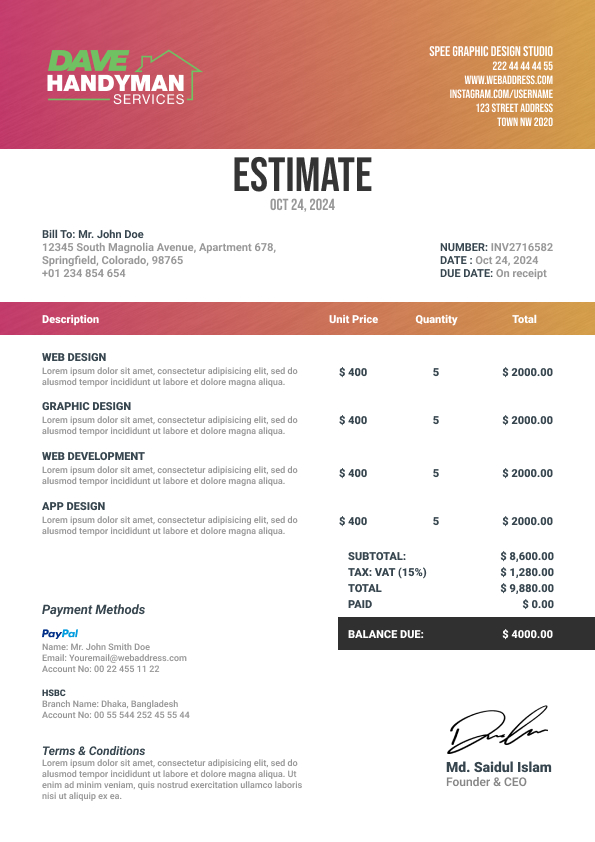
Muestra del generador de estimaciones

¿En qué consiste un presupuesto de alto impacto?
Para crear un presupuesto de alto impacto con Invoice Fly, necesitará:
- Cabecera: Número de presupuesto y logotipo de la empresa
- Datos de la empresa: Nombre de la empresa, dirección e información de contacto para identificar al remitente.
- Información del cliente: Nombre, dirección y datos de contacto y comerciales (sólo si es obligatorio).
- Fecha de emisión, fecha de vencimiento: Cuándo se emite el presupuesto y cuándo debe pagarse.
- Costes desglosados: Un desglose claro de los productos o servicios, la mano de obra y cualquier coste asociado, calculado por horas o cantidad.
- Tipo impositivo y descuentos: Añada el impuesto sobre las ventas aplicable para que sus cifras sean precisas y conformes.
- Saldo pendiente: Importe total pendiente de pago por el comprador (cliente). Si el cliente pagó un depósito por adelantado, deberá descontarse del saldo pendiente.
Cómo hacer un presupuesto a medida con el creador de presupuestos en línea de Invoice Fly
Creación de un presupuesto profesional y preciso con Invoice Fly en menos de un minuto. Tanto si es usted contratista, autónomo, propietario de una pequeña empresa o profesional de cuello azul, nuestro generador gratuito de presupuestos en línea le ayuda a crear presupuestos totalmente personalizados, descargables e imprimibles en unos pocos clics.
Sólo tiene que introducir los datos clave, como la información de su empresa, los datos del cliente, las fechas de emisión y entrega, los precios desglosados, los tipos impositivos y un número de presupuesto. A continuación, personalice el documento con su logotipo y combinación de colores antes de enviarlo directamente por correo electrónico o descargarlo como archivo PDF. PDF - 100% gratis.

Plantillas de presupuestos que puede crear con nuestro generador de presupuestos gratuito en línea
¿Preparado para dejar atrás las aburridas estimaciones en blanco y negro?
Con el generador de presupuestos de Invoice Fly, puede elegir entre 3 plantillas modernas, diseñados para impresionar a sus clientes y reforzar su imagen de marca. Personalice el diseño y la paleta de colores directamente con la herramienta, sin necesidad de conocimientos de diseño gráfico.


Características del generador de presupuestos de Invoice Fly
Invoice Fly se creó pensando en el crecimiento de las pequeñas empresas. Esto es lo que hace que nuestros presupuestos trabajen más para usted:
Creación rápida
No se necesita cuenta. Comience, termine y envíe en cuestión de minutos.
Mobile-firendly
Crea o edita presupuestos directamente desde tu teléfono.
PDF descargables
Perfecto para enviar por correo electrónico o imprimir.
Plantillas de marca
Impresione a sus clientes y destaque.
Edición en directo
¿Necesita ajustar el precio antes de cerrar un trato? Hágalo al instante.
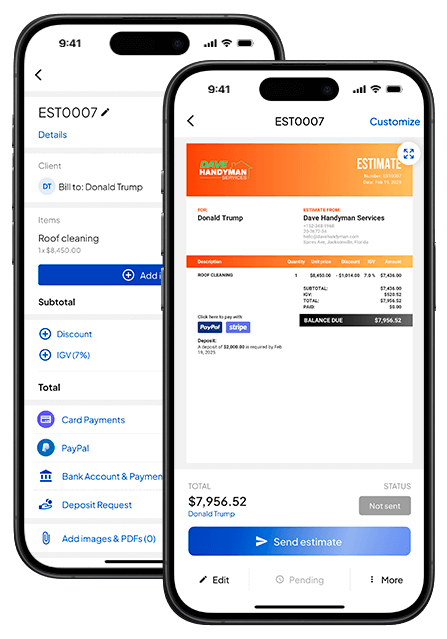
Seguimiento de presupuestos y notificaciones a clientes en tiempo real
¿Alguna vez ha enviado un presupuesto y se ha preguntado si el cliente lo ha visto?
Con Invoice Fly, sabrá exactamente cuándo se abre, acepta o ignora su presupuesto, en tiempo real. Eso significa que se acabaron las conjeturas de seguimiento y que sus clientes tomarán decisiones más rápidamente.
Los presupuestos aceptados pueden convertirse en facturas con un solo clic, para que su flujo de trabajo sea fluido y sin papeles.
Su negocio se basa en la confianza, y ésta comienza con un presupuesto claro y profesional. Invoice Fly le ayuda a presupuestar de forma más inteligente, conseguir más trabajos y mantener contentos a sus clientes con herramientas que no le ralentizan.
Tanto si estás presupuestando una reforma, un trabajo como autónomo o un anticipo mensual, Invoice Fly te ayuda a dar una imagen impecable y a cobrar más rápido.
Preguntas frecuentes sobre el generador de presupuestos gratuitos en línea
A continuación te explicamos cómo hacer un presupuesto profesional en 5 sencillos pasos:
- Discuta el alcance del proyecto con su cliente.
- Calcule el plazo y la entrega.
- Calcule los honorarios de materiales, mano de obra y subcontratistas.
- Añade los gastos generales de tu empresa y el margen de beneficios.
- Compárelo con las tarifas del mercado y envíelo a través de Invoice Fly.
Sin embargo, Invoice Simple, Wave, Jobber y FreshBooks ofrecen excelentes generadores de facturas, la mejor opción es Invoice Fly's generador de facturas gracias a su sencillez y facilidad de uso.
Sí, Google Sheets ofrece sus propias plantillas de presupuestos. También puedes probar Invoice Fly plantillas de presupuestos en google sheets que sean fáciles de usar, en diferentes formatos y colores para que encajen con la identidad de su marca.
Un presupuesto es una proyección preliminar de los costes de bienes o servicios, mientras que una factura es una solicitud formal de pago una vez finalizado el trabajo o entregados los bienes. Los presupuestos no son jurídicamente vinculantes y pueden ajustarse en función de las necesidades. Las facturas suelen ser definitivas y constituyen una solicitud de pago basada en el trabajo realizado o los bienes suministrados.
Sí, una vez que termine de crear su presupuesto con nuestro creador de presupuestos, podrá descargarlo rápidamente en formato PDF con un solo clic.
Recursos gratuitos
Recursos para gestionar su empresa con fluidez y eficacia.


Plantillas gratuitas
Explore plantillas gratuitas y cree presupuestos, cotizaciones, facturas, recibos y facturas.

Generadores gratuitos
Generar Estimaciones, Cotizaciones, Facturas, Recibos y Proformas en línea.

Calculadoras gratuitas
Utilice nuestras calculadoras gratuitas: Precio de servicio, Margen de beneficio, Salario neto, IVA, Punto de equilibrio...

Prueba Invoice Fly hoy mismo
- Envía presupuestos y facturas en segundos
- Recopila pagos con tarjeta y en línea
- Recibe notificaciones instantáneas
- Consigue más trabajo