- Home
- »
- Glossary Of Terms
- »
- Digital Invoice
Digital Invoice Definition
Digital Invoicing
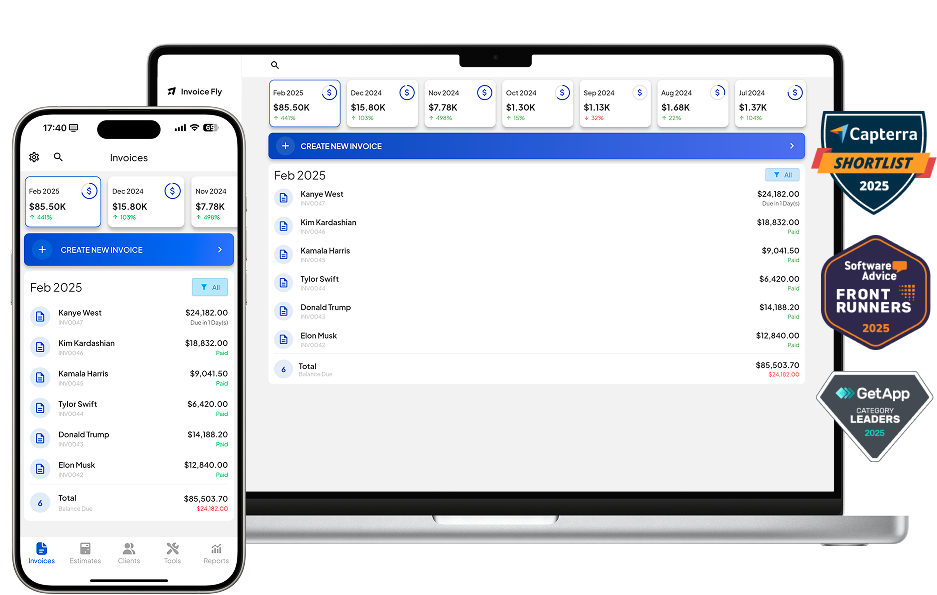
Digital invoicing is the end-to-end process of creating, sending, receiving, approving, paying, and archiving invoices in a fully digital format—no paper required. It typically uses invoicing software or an invoice maker to generate a professional invoice from a reusable template, deliver it by email or secure link, collect online payments, and store records for compliance.
In practice, a digital invoice is an invoice you can view and process digitally (for example, a PDF or Word file, or a scanned paper invoice uploaded to the system). That makes it different from electronic invoicing (e-invoicing), which uses structured data formats (e.g., XML/EDI/UBL) that flow directly between systems and can be posted automatically without human re-keying. While every e-invoice is digital, not every digital invoice is an e-invoice.
Why it matters for eCommerce & Marketing teams
- Faster cash flow: one-click card or bank payments, automated reminders, and partial/retainer billing.
- Fewer errors: standardized tax invoice formats, item libraries, and client defaults reduce manual entry.
- Professional branding: logo, color, and layout controls plus electronic signatures on approval or payment.
- Audit-ready records: centralized storage with searchable history for finance reviews and tax audits.
What a modern digital invoice includes
- Unique invoice number, issue date, due date
- Seller & customer details (address, tax/VAT IDs)
- Line items (quantity, rate), subtotals, discounts, shipping
- Taxes (e.g., sales tax/VAT/GST) with compliant labeling
- Payment options (card, ACH, wallets), and payout terms
- Notes, scope statements, terms, and e-signature blocks
Examples & common templates
E-commerce invoice templates automatically pull order items, tax, and shipping; a digital marketing invoice sample might break out monthly retainers, media spend, and campaign fees. Both can be saved as reusable templates or created instantly with a free invoice generator.
Basic workflow
- Create from a saved template or quote → invoice in one click.
- Customize branding, taxes, and payment methods.
- Send via email/link; enable electronic signature if required.
- Customer pays online (card/ACH/wallet); status updates in real time.
- Archive automatically for reporting and export to the general ledger.
FAQs Digital Invoice
A digital invoice is an invoice you can create, send, and process electronically—commonly as a PDF/Word file or a scanned paper invoice stored in your system. It’s readable by humans and easy to archive and connect to accounting software.
Yes. Use a invoice generator to choose a template, add your logo and client details, itemize services or products, set taxes/discounts, and send/download the invoice instantly.
From your invoicing software, open the invoice and select Download (usually as PDF). Many systems also let you export CSV/XML for bookkeeping.
Create it from a template, add items/taxes, set payment terms, and send via email or secure link. Enable online payment and (optionally) electronic signature for approvals. After payment, the invoice is marked “Paid” and archived.
Click the payment link on the invoice and choose a method (credit/debit card, ACH/bank transfer, or digital wallet). You’ll receive a receipt automatically.
E-invoicing rules (formats, thresholds, platforms) are country-specific and change over time. Check your local tax authority or accounting advisor for current requirements (e.g., UBL/XML mandates or clearance networks). If your region requires e-invoicing, your provider should support compliant structured data.
Adopt invoicing software, standardize a tax invoice format, create branded templates, set automated reminders, and connect payments. For scale, add approval workflows and integrate with your accounting/ERP.
An e-invoice uses structured data (like XML/EDI/UBL) sent system-to-system so the buyer’s finance software can read and post it automatically—no manual re-keying.
Usually yes. Most modern systems support card payments and other online methods. You’ll see a “Pay now” button on the invoice.
No. An invoice requests payment; a receipt confirms payment was received.
Other Free Resources





Try Invoice Fly Today
- Send quotes & invoices in seconds
- Collect card & online payments
- Receive instant notifications
- Win more jobs