
Billing Information: What It Is and What to Include
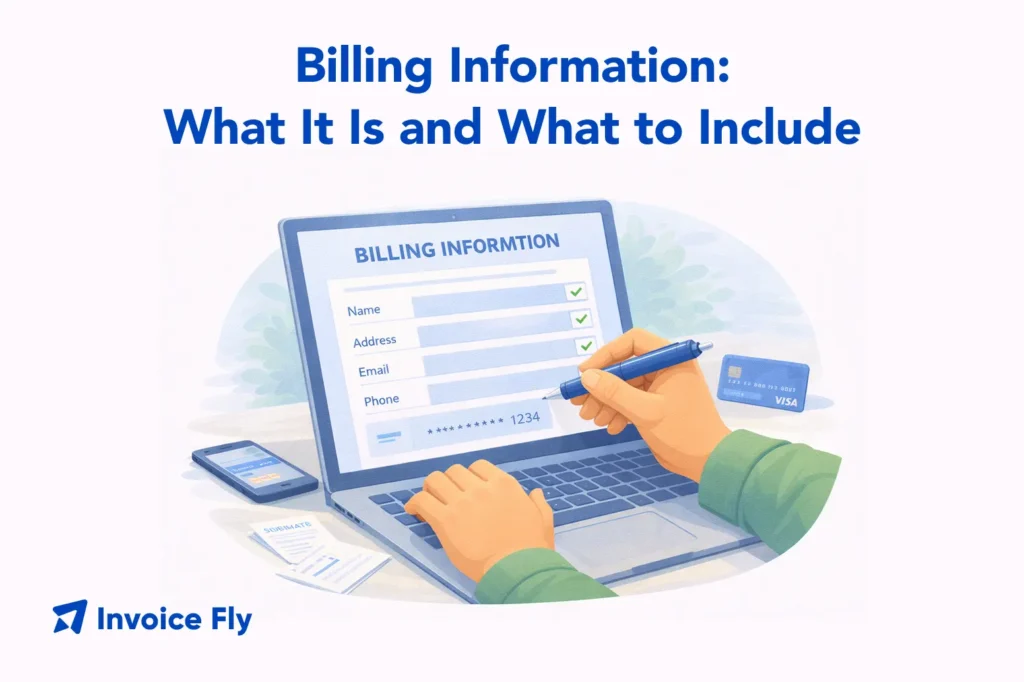
Table of Contents
Billing information is the set of details needed to bill a customer correctly, usually including their full name, billing address, and payment method details like card number and expiry date. These details help businesses issue accurate invoices, match payments to the right customer account, and verify identity through tools like address verification systems to reduce fraud.
Whether you send invoices by email, use a mobile app, or take payments through an online checkout page, having clear, up-to-date billing information is essential for getting paid on time and keeping client data secure. In this guide, you’ll learn what billing information includes, when you need it, where to add it, and simple steps to collect it from your clients without confusion.
What is billing information?

Billing information refers to the data used to process payments and identify who is responsible for a transaction. It typically includes a customer’s name, billing address, and payment method details.
For example, when a freelancer sends a $1,200 invoice for a project, the billing information ensures the invoice is linked to the correct client. It also ensures the payment can be processed without delays.
Billing information is also used for verification. Payment systems often check whether the billing address matches the card issuer’s records. If it doesn’t match, the payment may be declined.
In real-world terms, if a customer enters the wrong ZIP code during checkout, the system may flag the transaction as suspicious. This helps prevent fraud and protects both businesses and customers.
To better understand how billing connects to invoicing workflows, you can review and also explore related processes like what is a PO number.

What billing information includes
Billing information includes several key components that work together to process and verify payments.
These typically include:
- Full name (individual or business)
- Billing address (street, city, state, ZIP code)
- Payment details (credit/debit card number, expiry date, CVV)
- Contact information (email or phone number)
For example, when a customer buys a product online for $75, they must enter their billing name, card number, and billing address. This ensures the payment goes through correctly.
Billing information may also include:
- Company name for B2B transactions
- Tax identification numbers
- Invoice reference numbers
For instance, a contractor billing a company for $5,000 may include both the company billing address and a purchase order number to match internal records.
It’s important to note that billing information is different from shipping information. The billing address must match the card issuer’s records, while the shipping address is where the product is delivered.
Using an invoice maker helps ensure billing details are always included correctly on invoices and payment requests.
Why billing information is important

Billing information plays a critical role in business operations, especially when it comes to payments and recordkeeping.
- It ensures accurate payments. If billing details are incorrect, payments can fail or be delayed. For example, entering the wrong card number or billing address can cause a transaction to be declined.
- It supports fraud prevention. According to the FTC, verifying billing details helps protect businesses and consumers from unauthorized transactions.
- It improves financial tracking. When billing information is consistent, businesses can match payments to invoices quickly and avoid accounting errors.
For example, a small business processing 50 invoices per month relies on accurate billing data to reconcile payments efficiently. Without it, tracking becomes time-consuming and error-prone.
- It builds professionalism. Clear billing information shows clients that your business is organized and trustworthy.
Who needs billing information?
Billing information is used by a wide range of individuals and businesses.
Common users include:
- Freelancers sending invoices
- Small business owners managing payments
- Contractors billing clients
- E-commerce businesses processing online orders
For example, a freelance designer charging $800 for a project needs billing information to ensure the invoice reaches the correct client and payment is processed properly.
Businesses also rely on billing information for internal processes. For instance, accounting teams use billing data to track revenue and generate reports.
Even customers need billing information when making purchases. They must enter accurate details to complete transactions successfully.
When to use billing information
Billing information is used whenever a payment is requested or processed.
Common situations include:
- Sending invoices to clients
- Processing online payments
- Setting up subscriptions or recurring billing
- Recording transactions for accounting
For example, a contractor may request billing information before starting a $3,000 project. This ensures the invoice can be issued and paid without delays.
Billing information is also important for recurring payments. For instance, a monthly service costing $100 requires stored billing details to charge the customer automatically.
Inconsistent or missing billing data can cause delays, especially in subscription-based services. You can also explore billable expense income to understand how billing ties into revenue tracking.
Where do I add billing information?
Billing information is added in several key places depending on how your business operates.
Common locations include:
- Invoice documents
- Online checkout pages
- Payment forms
- Accounting software
- Customer account profiles
For example, when creating an invoice, billing details are usually placed at the top of the document under the client’s name and address.
In e-commerce, billing information is entered during checkout. Customers input their details before completing payment. Businesses also store billing information in dashboards or CRM systems. This allows quick access for future transactions.
Using tools like a free invoice generator or a free bill template helps ensure billing details are always structured correctly and easy to access. For related processes, you can also revisit what is a PO number to strengthen your billing workflow.
How can I find billing information?

Finding billing information depends on where it was originally entered or stored.
You can typically find it in:
- Online account settings (profile or payment section)
- Past invoices or receipts
- Bank or credit card statements
- Payment apps or digital wallets
For example, if you purchased software for $50, your billing information will appear in your account dashboard and on your payment confirmation email.
On mobile devices, billing details can often be found in app store settings. For example, iPhone users can check billing information under Apple ID settings.
Keeping billing information updated is important. If your address or payment method changes, updating it prevents failed transactions.
Simplify billing and get paid faster
Billing information is a key part of any payment process. It ensures transactions are accurate, secure, and properly recorded.
By understanding what billing information includes and how to use it, you can avoid payment issues, reduce errors, and improve your overall workflow.
Using an invoice maker allows you to create professional invoices with complete billing details, while a free invoice generator helps you quickly issue invoices and keep records consistent.
For freelancers and small business owners, a simple system that connects billing information, invoices, and payments can save hours each month and reduce the risk of missed or delayed payments.
