Top 12 Accounts Payable Automation Software for 2025

Table of Contents
- Why Small Businesses Need Accounts Payable Software
- Tips for Picking the Best Accounts Payable Automation Software
- Accounts Payable Automation Software Comparison
- Best Accounts Payable Software for Small Businesses in 2025
- How to Choose the Best Accounts Payable Software for Your Business
- Choose an Accounts Payable Automation Software Confidently
- FAQs about Accounts Payable Software
Managing vendor bills, payment approvals, and due dates quickly becomes overwhelming when AP teams rely on spreadsheets, emails, and scattered PDFs. These accounts payable processes often slow down workflows, create inconsistent records, and lead to issues like duplicate payments, late fees, and mismatched data inside your accounting systems.
The right accounts payable automation software helps small businesses reduce manual processes, process invoices accurately, complete PO match, and streamline payment processes from end to end.
This guide will cover:
- why small businesses benefit from AP automation software
- essential AP features that matter in 2025
- the top accounts payable tools (with features, pricing, pros, and best use cases)
- a comparison chart of leading tools
- how to choose the right AP automation solution for your workflow
- FAQs about accounts payable automation
Before we get into the details: Many managers use the Client Portal to securely store documents, track communications, and organize records, making AP tasks and vendor coordination smoother and more compliant.
Why Small Businesses Need Accounts Payable Software
Growing businesses deal with an increasing number of vendors, subscriptions, purchase orders, and incoming bills and manually handling all of it takes time. A recent report from Enterprise Times found that 66% of finance professionals saw manual workloads rise in the past year, and 70% of finance leaders say limited automation will restrict growth. Problems usually start when:
- invoices get buried in inboxes
- approvals stall
- vendor payment dates are missed
- PO match isn’t completed
- errors show up in accounting software
- AP workflows differ from person to person
- reconciling against existing systems becomes messy
Manual processes also raise compliance risks. The IRS requires businesses to maintain accurate records of payments, invoices, and approval history.
A well-designed AP automation tool helps small business owners:
- eliminate data entry
- streamline payment processes
- reduce errors and catch duplicates
- centralize vendor communication
- support approval workflows
- connect to ERP or accounting systems
- track all bills and time payments in one place
- standardize PO match and invoice routing
With this structure in place, AP teams can confidently keep up with vendor payment cycles and maintain accurate, audit-ready financials.
Important Accounts Payable Software Features
When evaluating tools, look for AP automation solutions that include:
- automated invoice capture and data extraction
- PO match and approval routing
- vendor payment scheduling
- controls to prevent duplicate payments
- ERP integration and compatibility with existing systems
- supplier management dashboards
- strong reporting for finance leaders
- seamless sync with accounting software
- clear audit trails
These features reduce manual workload, improve accuracy, and allow finance teams to move quicker without sacrificing oversight.
Tips for Picking the Best Accounts Payable Automation Software
Choosing the right AP automation solution starts with understanding your workflow challenges. Start by asking:
- What slows down your current AP processes?
- Do you need better visibility, or more automation?
- Does your accounting system integrate well with external tools?
- How complex are your approval chains?
- Do you need vendor self-service or supplier management features?
Small businesses often choose flexible tools. Something simple enough for one person to manage, but strong enough to support growth. Finance leaders should focus on reducing errors, eliminating manual tasks, and improving time payments without blowing up the budget.
Accounts Payable Automation Software Comparison
A quick look at the top tools for 2025:
| Tool | Best For | Key Features | Price |
| Invoice Fly | Small businesses needing simple bill tracking (not full AP automation) | Bill tracking, vendor payments, expenses, invoicing | Affordable monthly plans starting at $12.99/month. |
| Tipalti | Scaling global payments | Supplier management, global payment processing, ERP integration | Starts at $99/month. |
| Stampli | AP teams needing collaboration | Invoice chat, approvals, fraud controls, duplicate payment checks | Custom pricing (quote required) |
| BILL (Bill.com) | Small business accounting sync | Invoice capture, ACH payments, approval automation | Starts at approx. $45/month |
| Airbase | Spend management + AP | Multi-step approvals, virtual cards, ERP sync | Custom pricing (usage-based) |
| AvidXchange | High-volume AP | Invoice routing, PO match, vendor payment automation | Custom pricing (enterprise quote required) |
| Melio | Simple vendor payments | ACH payments, card-to-check options, accounting sync | $0-$0/month. Custom pricing for enterprise |
| SAP Concur | Enterprise-level controls | Invoice capture, AP workflows, ERP integration | Custom pricing, quote required |
| Pleo | SME spend control | Invoice automation, virtual cards, receipt capture | Starts at approx. $39/month |
| Ramp | Free AP + spend automation | Vendor management, multi-step approvals, ERP integration | Plans start from $0/month and require custom quotes for enterprise |
| Zoho Books | SMB accounting + AP | Bill automation, vendor management, PO match | Start at free to $20–$70/month depending on plan |
| QuickBooks Online AP | Existing QBO users | Bill scanning, approvals, vendor payment scheduling | Starts at approx. $38/month |
Best Accounts Payable Software for Small Businesses in 2025
Below are the top 12 tools, each explained in a way that matches real small business needs. Especially where AP teams, finance leaders, or growing companies want to tighten controls and reduce manual work.
1. Invoice Fly
Best for small businesses needing simple bill tracking + vendor payments
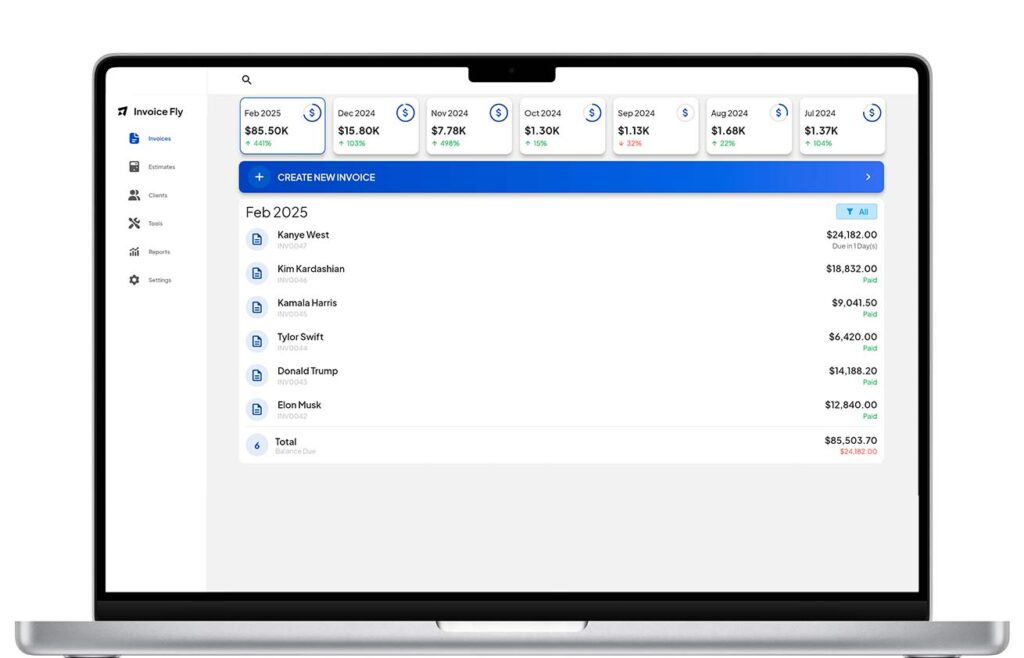
Invoice Fly is designed for small businesses that want an easier way to track bills, manage expenses, and send vendor payments, without the complexity or high cost of large AP systems.
It works well for small teams who don’t require advanced AP workflows like PO match, multi-step approval routing, or ERP integration, but still want a fast way to organise bills, check vendor balances, and keep accounting records clean.
- Best use case: small businesses, independent contractors, and teams managing light AP workflows
- Pricing: low-cost monthly plans
- Key features: bill tracking, vendor payment support, expense logging, accounting-friendly export options
- Why it works: simple, affordable, and easy to use for teams that don’t need full AP automation
2. Tipalti
Best for businesses handling global supplier payments

Tipalti offers a robust AP automation solution built for companies that work with international vendors, require advanced tax compliance, and need support for multi-currency payment workflows. It’s more advanced than what most small businesses need, but ideal for teams managing larger payment volumes or global supplier networks.
- Best use case: companies with international vendors, multi-entity operations, or global AP workflows
- Pricing: starts at $99/month
- Key features: global vendor payments, tax compliance tools, supplier onboarding, multi-currency support, ERP integration
- Why it works: strong for finance teams that need structured AP processes with tax and compliance controls built in
3. Stampli
Best for AP teams needing stronger collaboration and invoice communication
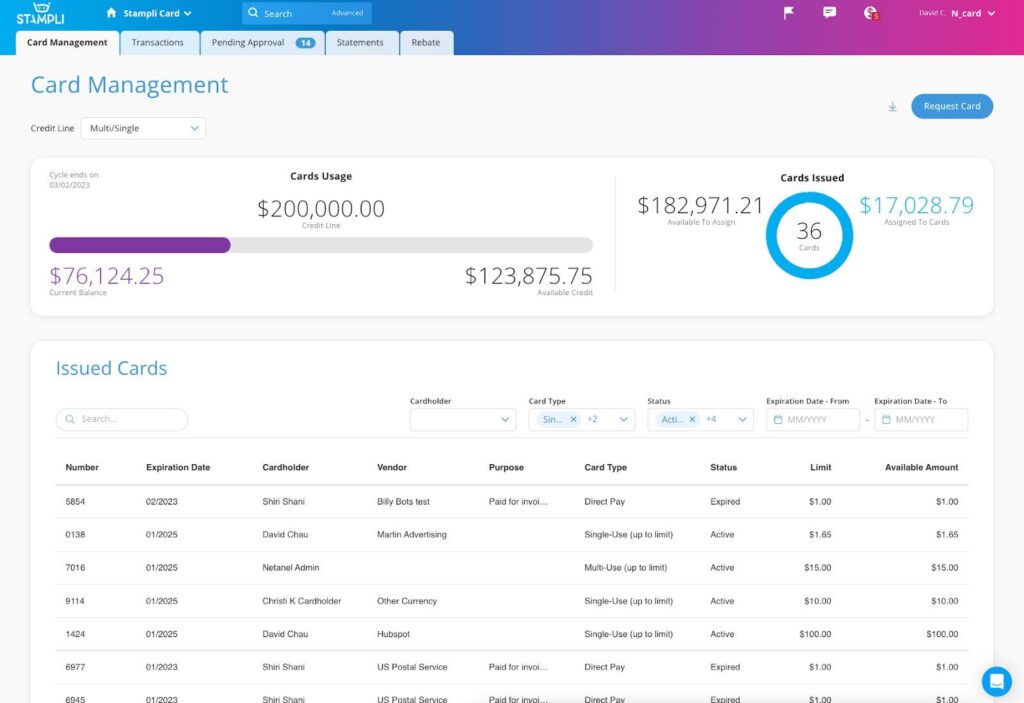
Stampli focuses on collaboration, making it easier for AP teams, managers, and stakeholders to communicate directly on invoices. Its “conversation-first” design reduces approval bottlenecks and gives finance leaders clearer visibility into every invoice.
- Best use case: AP teams with multiple approvers or communication delays
- Pricing: custom pricing (quote required)
- Key features: invoice messaging, approval routing, AI-powered capture, duplicate payment alerts
- Why it works: improves workflow clarity and speeds up invoice approvals for growing businesses
4. BILL (Bill.com)
Best for small businesses wanting seamless accounting integration
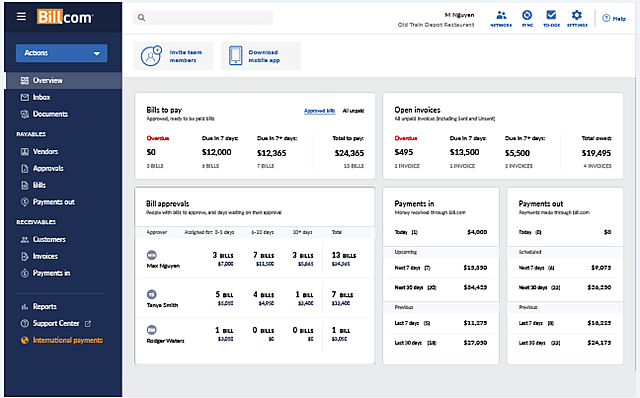
BILL is widely used by small businesses because it syncs directly with QuickBooks Online, Xero, and other accounting systems. It automates data capture and supports ACH vendor payments, making it a strong fit for teams that want AP automation built into their existing financial workflow.
- Best use case: small businesses wanting accounting-friendly AP automation
- Pricing: starts around $45/month (plan-based)
- Key features: invoice capture, ACH vendor payments, approval routing, accounting system sync
- Why it works: reduces manual entry and keeps accounting records clean with reliable sync
5. Airbase
Best for teams that want AP automation + spend management in one platform
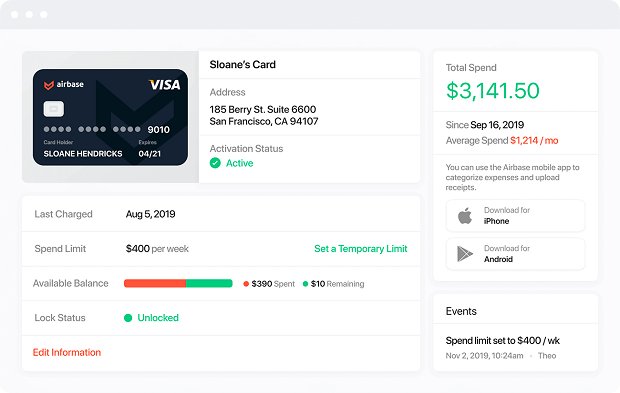
Airbase blends AP automation, spend control, and corporate card functionality. It’s best for small businesses that want tighter control of company purchases while automating their invoice and approval workflows.
- Best use case: finance leaders managing AP + card spend
- Pricing: custom pricing (usage-based)
- Key features: multi-step approvals, spend controls, virtual cards, ERP integration
- Why it works: unifies AP and spend management so finance teams can manage bills and employee purchases in one place
6. AvidXchange
Best for businesses processing a large volume of invoices
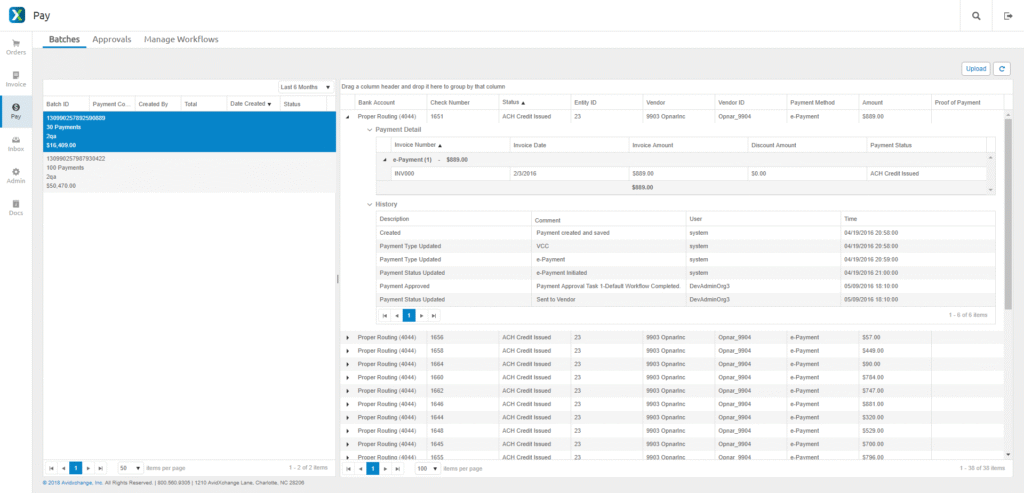
AvidXchange is built for companies with heavy AP workloads. It automates the invoice lifecycle from capture to payment and integrates with mid-market accounting systems and ERPs. While enterprise-leaning, some larger SMBs use it for predictable invoice processing.
- Best use case: companies managing high invoice volumes or complex vendor networks
- Pricing: custom pricing (enterprise quote required)
- Key features: PO match, automated routing, vendor payment automation, ERP integration
- Why it works: handles high-volume AP processes efficiently with deep automation
7. Melio
Best for small businesses needing simple, affordable vendor payments
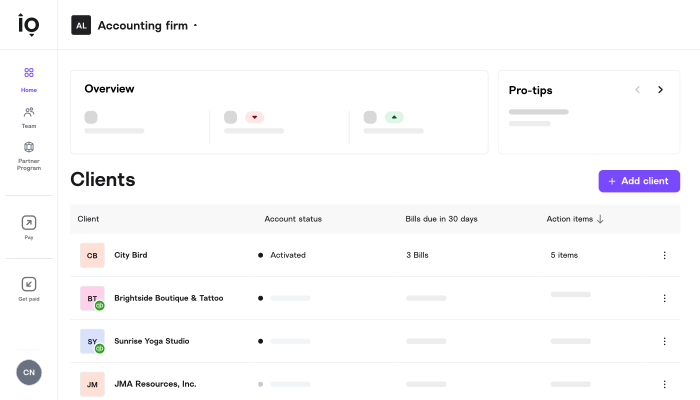
Melio is ideal for small businesses that want an easy way to pay vendors by bank transfer or card, without adopting full AP automation. It’s simple, intuitive, and often used by contractors, sole traders, and micro businesses with light AP needs.
- Best use case: very small AP teams needing simple bill pay
- Pricing: no monthly fee (transaction fees apply)
- Key features: ACH payments, credit card-to-check payments, QuickBooks sync
- Why it works: gives small businesses a low-cost way to manage vendor payments with minimal setup
8. SAP Concur
Best for businesses wanting enterprise-grade AP controls
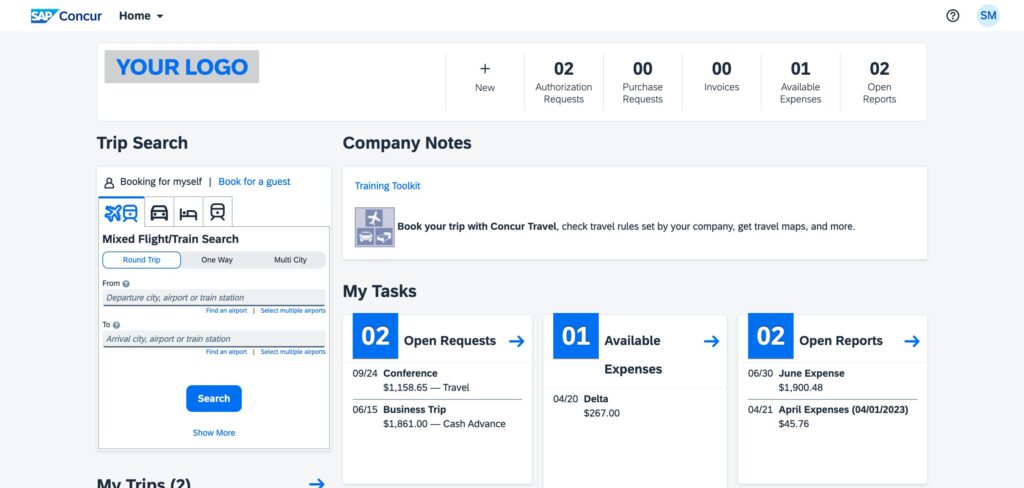
SAP Concur offers powerful invoice automation and compliance workflows typically used by mid-sized or enterprise companies. It’s best suited for teams with structured approval chains, complex policies, or regulatory requirements.
- Best use case: businesses requiring strict controls and enterprise-level compliance
- Pricing: custom pricing
- Key features: invoice capture, multi-level approvals, expense + AP automation, ERP integration
- Why it works: ideal for businesses that need tight financial controls and custom AP workflows
9. Pleo
Best for small and mid-sized teams that want spend management + AP
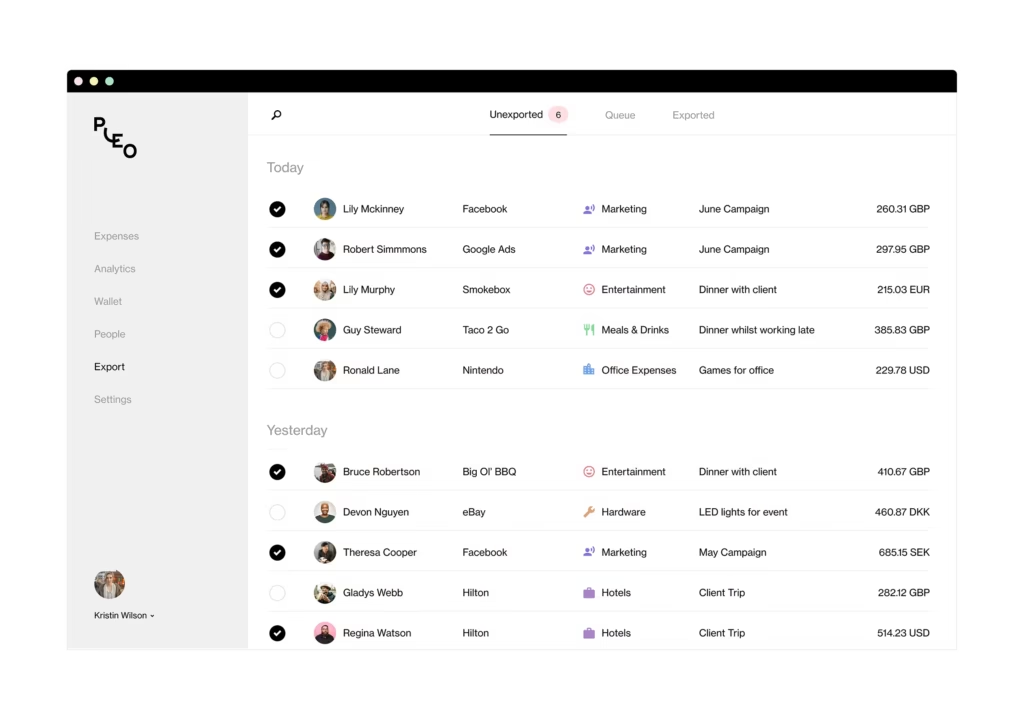
Pleo gives businesses a way to manage invoices alongside corporate cards and employee expenses. It’s a good fit if your AP workload overlaps with team spending or if you need stronger oversight on purchases.
- Best use case: SMEs wanting unified invoice + card spend workflows
- Pricing: starts at approximately $39/month
- Key features: invoice automation, virtual cards, receipt capture, spend limits
- Why it works: combines AP processing with smart spend controls to centralize company payments
10. Ramp
Best free AP + spend automation platform

Ramp is one of the only platforms offering AP automation at no monthly cost. It’s strong for small businesses that need invoice approvals, vendor management, and spend tracking—all without subscription fees.
- Best use case: lean AP teams wanting automation with zero software cost
- Pricing: Plans start from $0/month and require custom quotes for enterprise
- Key features: invoice capture, approval workflows, vendor management, ERP sync
- Why it works: powerful automation without the price tag, ideal for small teams scaling up
11. Zoho Books
Best all-in-one accounting + AP system for small businesses
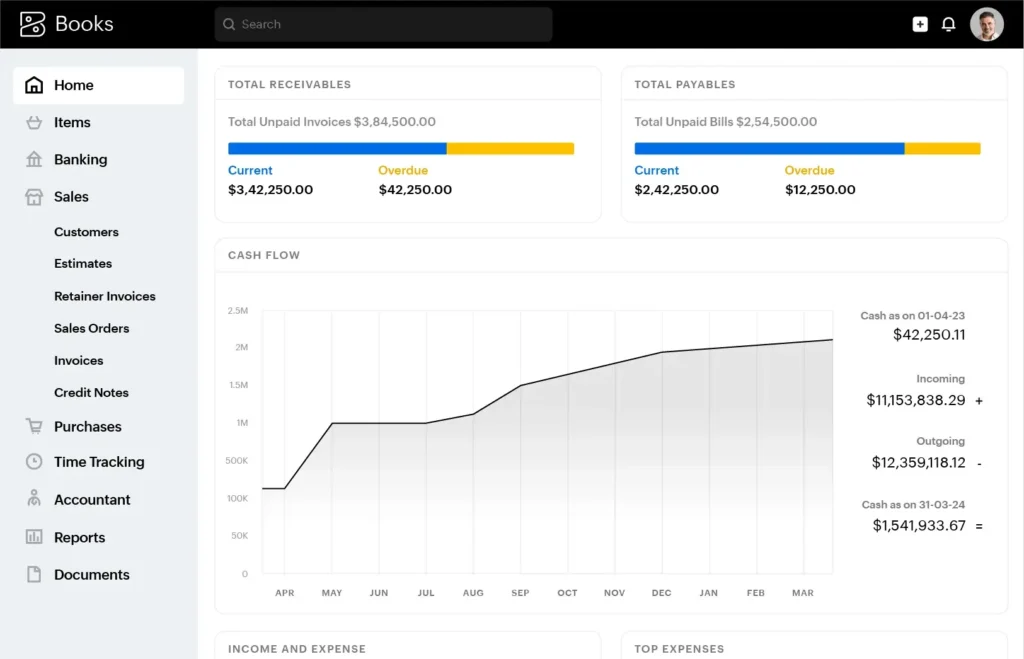
Zoho Books gives small businesses an affordable combination of accounting software and AP functionality. It includes bill processing, vendor management, POs, and payment scheduling without requiring separate systems.
- Best use case: small offices wanting integrated accounting + AP
- Pricing: Start at free to $20–$70/month depending on plan
- Key features: bill automation, PO match, vendor payments, audit trails
- Why it works: budget-friendly way to manage AP inside a full accounting suite
12. QuickBooks Online (AP Module)
Best for small businesses already using QuickBooks
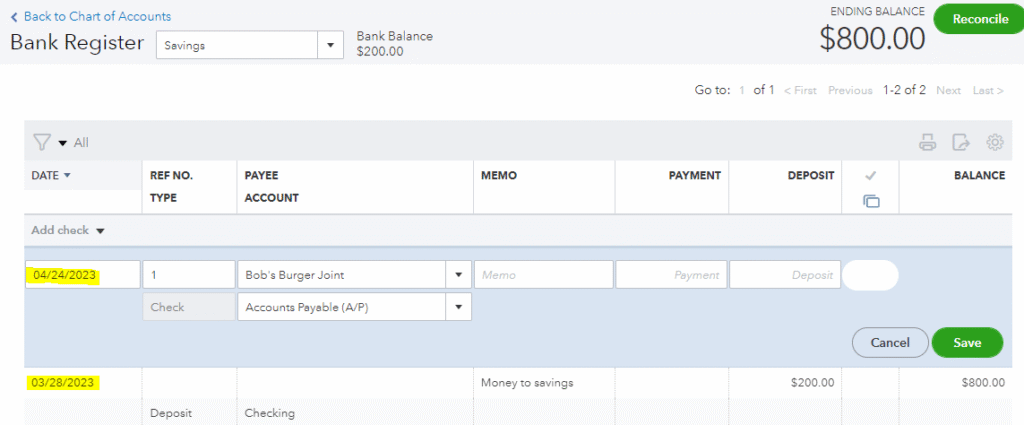
QuickBooks’ built-in AP features make it easy for small businesses to capture bills, process vendor payments, and keep everything synced in one accounting system. It’s not a standalone AP tool, but it’s effective for teams already using QBO.
- Best use case: QuickBooks users wanting simple AP tools
- Pricing: starts at approx. $38/month
- Key features: bill capture, approvals, PO match, vendor payment scheduling
- Why it works: consolidates accounting and AP into one system for small teams
How to Choose the Best Accounts Payable Software for Your Business
Choosing the right AP solution depends on size, accounting setup, approval needs, and vendor volume.
1. Size, Industry & Workflow Complexity
- small businesses: simple workflows + accounting software sync
- growing teams: approval routing, supplier management, ERP integration
- high-volume AP teams: PO match, fraud prevention, batch processing
2. Features You Actually Need
- Do you process invoices daily or weekly?
- Do you need PO match?
- Does your AP workflow involve multiple approvers?
- Do you need duplicate payment controls?
3. Questions to Ask Before Choosing
- Will it integrate with your existing systems?
- Does it reduce errors?
- Can it improve time payments?
- Does it prevent duplicate payments?
- Can vendors self-manage their data?
For AP teams and finance leaders, these questions help avoid costly mistakes during implementation.
For related financial fundamental guides, see:
- What Is A Journal Entry In Accounting?
- How To Manage Loan Payment Journal Entries
- What Is a Ledger in Accounting? Complete Guide for Small Businesses
Choose an Accounts Payable Automation Software Confidently
Modern AP automation gives small businesses the structure they need to reduce manual processes, prevent duplicate payments, improve supplier management, and keep vendor payment workflows moving.
Remember, not every software will be the best for your business. Choosing the right accounts payable automation software depends on your accounting systems, volume, approval complexity, and the level of control finance leaders want.If you’re ready to automate approvals, prevent errors, and streamline vendor payments, try Invoice Fly’s invoicing software to make your entire accounts payable process faster and more accurate.