
Automated Invoice Processing: A Complete Guide for Small Businesses
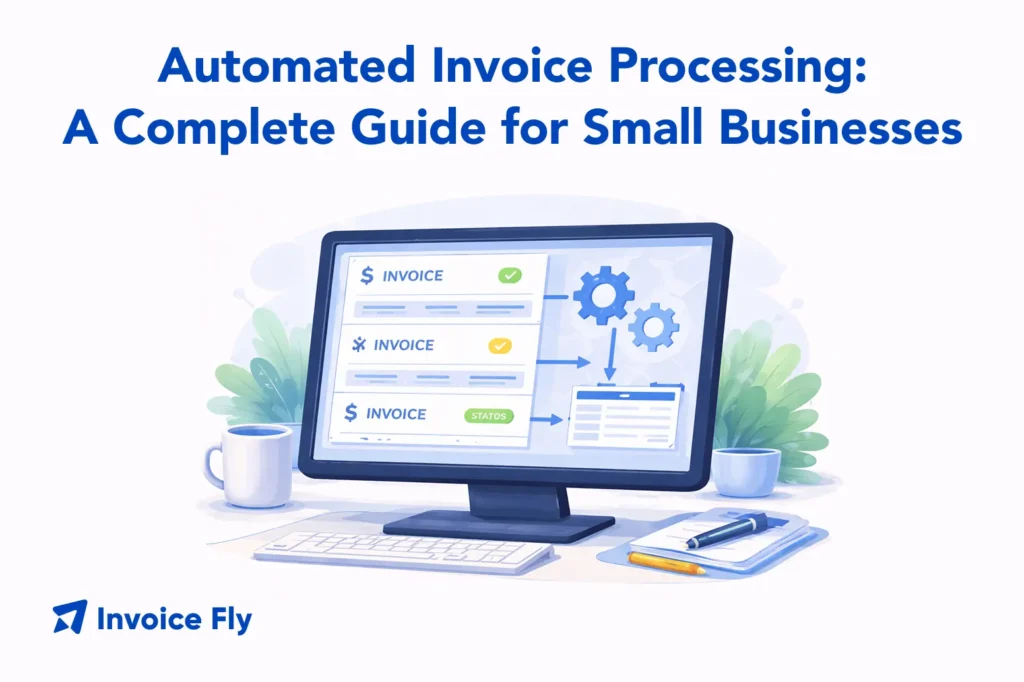
Table of Contents
Automated invoice processing uses AI and OCR to pull invoice details automatically, so you and your team don’t have to type everything in by hand. Instead of chasing invoices through emails, folders, and spreadsheets, the system captures the information for you and sends each invoice to the right place for review and sign-off. The result is less admin work, fewer mistakes, and a clearer, real-time view of your cash flow.
In this guide, we’ll explain what automated invoice processing is, how it works step by step, and how to choose the right software for your business.

What Is Automated Invoice Processing?
Automated invoice processing is the use of software — powered by AI, machine learning, and optical character recognition (OCR) — to handle the capture, validation, matching, approval, and storage of invoices without manual data entry. Instead of a staff member opening each invoice, typing in the details, and routing it for approval by hand, the system does all of that automatically.
It’s most commonly associated with accounts payable (AP), where businesses receive large volumes of invoices from suppliers and vendors. But the same principles apply to any business that processes a significant number of incoming or outgoing invoices on a regular basis.
To understand how automated processing fits into the broader invoicing picture, see our complete guide on what is an invoice.
Manual vs. Automated Invoice Processing
The difference between manual and automated invoice processing comes down to where the work happens and how much of it falls on your team.
| Manual Processing | Automated Processing | |
| Data entry | Done by hand | Captured automatically via OCR/AI |
| Error rate | High — human input is inconsistent | Low — system validates against rules |
| Processing speed | Hours to days per invoice | Minutes to seconds |
| Approval routing | Manual email or paper trail | Automatic routing by workflow rules |
| Visibility | Limited — hard to track status | Real-time dashboard view |
| Scalability | Bottlenecks as volume grows | Scales without adding headcount |
For small businesses managing a handful of invoices a week, manual processing is manageable. As volume grows, the cost of that manual work in time, errors, and delayed payments quickly outweighs the cost of automation.

The Benefits of Automated Invoice Processing
Switching to invoice process automation delivers advantages across your entire AP workflow, not just at the data entry stage.
Greater Scalability
Manual invoice processing hits a ceiling fast. When volume doubles, you need more staff hours to keep up. Automated invoice processing scales without that constraint — the same system handles ten invoices or ten thousand without slowing down or adding headcount. For growing businesses, that’s one of the most valuable things automation provides.
Cost Savings
Every manually processed invoice carries a real cost in staff time — opening, keying, routing, chasing, filing. Automation cuts the time spent on each invoice significantly and reduces the overtime, errors, and late payment fees that come with a slow process. The US Treasury’s Invoice Processing Platform was built specifically to modernize federal invoice workflows for the same reason: manual processing at scale is expensive and error-prone.
Improved Financial Visibility
Automated systems give you a live view of where every invoice stands — received, under review, approved, paid, or flagged for a discrepancy. That kind of real-time visibility makes cash flow forecasting more accurate and helps finance managers spot bottlenecks before they cause payment delays or supplier relationship problems.
Better Accuracy
Human data entry introduces errors such as wrong amounts, duplicate payments, mismatched vendor details. Automated invoice processing validates data against existing records and flags discrepancies before they create problems. The result is a cleaner, more reliable accounts payable ledger with fewer corrections and fewer disputes.

How Does Automated Invoice Processing Work?
Most automated invoice processing systems follow the same five-stage workflow, regardless of which platform you use.
1. Automated Invoice Capture
Invoices arrive in different formats: email attachments, scanned documents, EDI files, or uploads through a supplier portal. The system captures all of them in one place and uses OCR technology to read the document and extract key fields: vendor name, invoice number, date, line items, amounts, and payment terms.
AI-powered capture tools have become significantly more accurate in recent years and can handle structured and unstructured documents — including handwritten or non-standard invoice formats.
2. Automated Invoice Matching
Once data is captured, the system matches the invoice against existing records — typically a purchase order (PO) and a goods receipt. This is known as three-way matching: confirming that what was ordered, what was received, and what’s being billed all align before the invoice moves forward.
Invoices that match cleanly move to the approval stage automatically. Those with discrepancies (wrong quantities, price differences, missing PO references) are flagged for human review. This step alone eliminates a large proportion of the disputes and delays that slow down manual AP workflows.
3. Automated Approvals
Approved invoices don’t need a manager to manually forward them. The system routes each invoice to the right approver based on pre-set rules — by department, dollar threshold, vendor type, or cost center. Approvers receive a notification, review the invoice, and approve or flag it from within the platform.
Workflow rules can be configured to escalate invoices automatically if they haven’t been approved within a set timeframe, eliminating the common bottleneck of invoices sitting in someone’s inbox unnoticed.
4. Automated Payments
Once an invoice is approved, the system can trigger payment automatically via bank transfer, ACH, or integration with your accounting software. Payment timing can be configured to take advantage of early payment discounts or align with your standard payment terms.
For businesses that supply services to federal agencies, the Department of the Interior’s IPP platform uses this same automated payment model to process government invoices efficiently and compliantly.
5. Automated Data Storage
After payment, the invoice and all associated records — approval history, matched documents, payment confirmation — are stored automatically in a searchable digital archive. This makes audits straightforward, supports tax compliance, and eliminates the physical filing and storage costs that come with paper-based systems.
For a closer look at how invoice elements affect your processing setup, see our guides on professional invoice elements and invoice payment terms.

Choosing the Right Invoice Automation Software
With a wide range of tools available — from enterprise AP platforms to small business invoicing apps — the right choice depends on your volume, budget, and existing systems.
Use this checklist when comparing options:
| What to Look For | Why It Matters |
| Invoice volume | Some platforms are built for high-volume processing, while others are designed for small and mid-sized businesses. Choose one that fits how many invoices you handle each month. |
| Integration | Make sure the software connects with tools like QuickBooks, Xero, SAP, or your accounting system to avoid double entry and keep records accurate. |
| Capture accuracy | The system should reliably read PDFs, scanned invoices, and email attachments from different suppliers using AI and OCR. |
| Approval workflow flexibility | Look for software that lets you route invoices based on your real approval process, not a fixed template. |
| Reporting and visibility | A real-time dashboard helps you track invoice status, monitor cash flow, and spot delays early. |
| Ease of setup | The best solution is one your team will actually use. Choose software with simple onboarding and strong support. |
For small businesses and contractors who need professional invoicing without enterprise-level complexity, InvoiceFly’s invoice maker streamlines the creation, sending, and tracking of invoices in one place. For quick one-off invoices, the free invoice generator gets you a clean, professional document in minutes.

Conclusion
Automated invoice processing removes the manual work from accounts payable — capturing invoice data, matching it against purchase orders, routing it for approval, and storing records automatically. For small businesses and growing teams, that means fewer errors, faster payments, better cash flow visibility, and more time for the work that actually moves the business forward.
Start by identifying where your current invoicing workflow slows down — data entry, approvals, or follow-up — and choose a tool that solves that specific bottleneck first. As your needs grow, layering in more automation becomes straightforward once the core process is in place.
For a deeper look at invoicing best practices, revisit our guide on what is an invoice and explore our resources on how to write an invoice and invoice vs. receipt to make sure your invoicing foundation is solid before you automate it.
