
Sales Receipt: What It Is and When to Use It
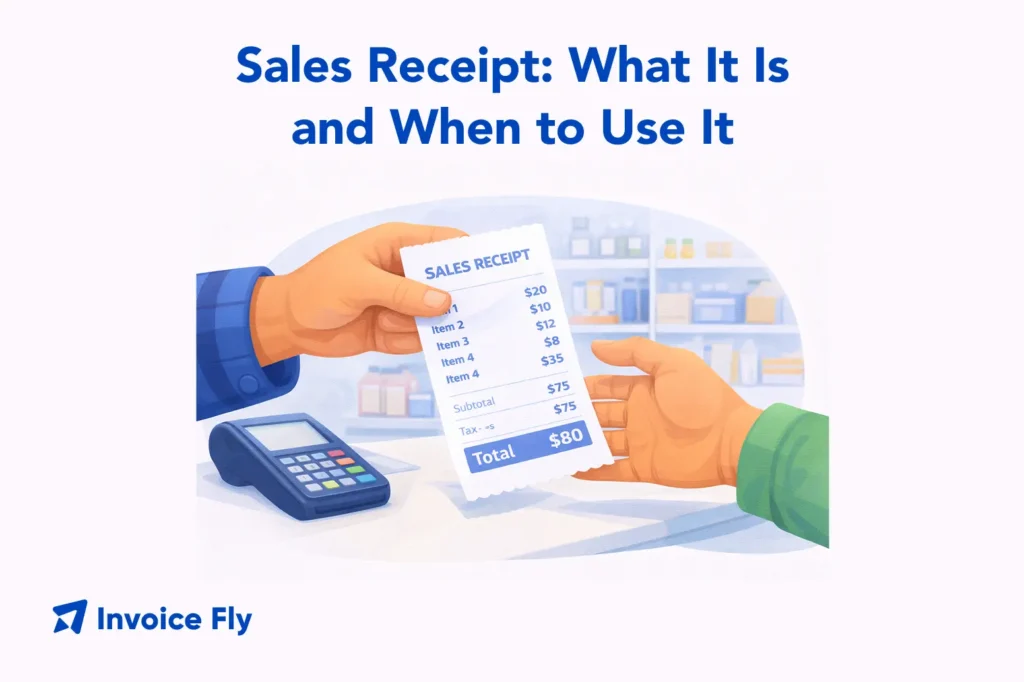
Table of Contents
A sales receipt is the document you give a customer after they’ve paid, confirming what they bought and that the payment has been completed. It usually includes your business details, the items or services provided, prices, taxes, the total amount, and the payment method so there’s a clear record of the transaction. For small business owners, retailers, and service providers, sales receipts help track daily sales, support returns or exchanges, and keep records organized for accounting and taxes.
In this guide, we’ll explain what a sales receipt is, what to include on one, how it differs from an invoice, and how to create professional receipts quickly using templates or software.

What Is a Sales Receipt?
A sales receipt is a written confirmation that a payment has been made and received. It’s issued by the seller at the point of sale and handed to the customer as proof of purchase. That can be at a retail shop, a service call, or an online transaction.
Unlike an invoice, which requests payment for work not yet paid, a sales receipt confirms that money has already changed hands. That distinction matters for both your accounting and your customer’s records.
According to the IRS, businesses are required to keep records that support income reported on tax returns. And sales receipts are one of the primary documents used to satisfy that requirement. Whether you’re running a retail shop, a trades business, or a service company, issuing consistent receipts keeps your books clean and your customers confident.
For a broader look at how receipts fit alongside invoices and other billing documents, see our complete guide on what is an invoice.

What Information to Include on a Sales Receipt
A complete sales receipt gives both you and your customer a clear record of the transaction. Use this checklist to make sure nothing important is missing:
| Section | What to Include |
| Business information | Your business name, address, phone number, email, and logo for branded receipts |
| Transaction details | A unique receipt number, the date and time of the transaction, and the payment method (cash, credit card, check, or online payment) |
| Itemized breakdown | A description of each product or service, quantity, unit price, and line totals |
| Financial summary | Subtotal before tax, applicable sales tax or VAT, discounts if any, and the total amount paid |
| Customer information (optional) | Customer name and contact details, useful for returns, warranties, or follow-up communication |
For a deeper look at what makes a billing document complete and professional, see our guide on professional invoice elements.
Why Sales Receipts Are Important
Sales receipts do more than confirm a payment. They protect your business, help customers, and keep your financial records in order.
Proof of purchase: Customers need receipts to return items, make warranty claims, or expense purchases through their employer. A clear, itemized receipt removes friction from all of those processes and reduces disputes.
Tax compliance: Every sales receipt is a record of revenue. Keeping accurate receipt records makes it straightforward to report income, calculate sales tax owed, and respond to any questions from tax authorities. The IRS recommends keeping business records for at least three years and often longer depending on your situation.
Cash flow tracking: Daily sales receipts give you a running total of what’s coming in. For retail businesses and service providers who take payment on the spot, receipts are the foundation of daily revenue tracking and end-of-day reconciliation.
Returns and disputes: A receipt is your first line of defense if a customer disputes a charge or requests a refund. Having a clear record of what was sold, at what price, and when protects you from fraudulent return claims and keeps return processes straightforward.

Invoice vs. Sales Receipt
These two documents are closely related but serve different purposes and are used at different points in the transaction.
| Sales Invoice | Sales Receipt | |
| When issued | Before or at time of payment | After payment is received |
| Purpose | Requests payment | Confirms payment was made |
| Payment status | Payment still outstanding | Payment completed |
| Used for | Billing clients for work done | Proof of purchase for buyer |
| Accounting entry | Creates accounts receivable | Records cash or card income |
The simplest way to remember the difference: an invoice says “you owe this” — a receipt says “you paid this.”
For service businesses that invoice clients on terms, the receipt comes after the invoice is settled. For retail and point-of-sale transactions, a receipt is often the only document issued because payment happens immediately.
For a full breakdown of how these documents compare, see our guide on invoice vs. receipt.
Sales Receipt Types
Sales receipts can look different depending on how and where you take payments. Most businesses use one of the following formats:
Printed receipt
Created automatically by a POS system or receipt printer at checkout. This is the standard option for retail stores, restaurants, and any business with a physical counter or register.
Handwritten receipt
Common for fieldwork, trades, market stalls, and low-volume sales. Receipt books with carbon-copy pages make it easy to give the customer one copy while keeping another for your records.
Digital receipt
Sent by email or SMS after payment. Many service businesses and modern retailers prefer digital receipts because they’re easy to store, harder to lose, and reduce paper use.
NCR (carbonless copy) receipt
A two- or three-part paper form where writing on the top sheet transfers to copies underneath. These are especially useful when you need an instant paper trail on-site but don’t have a printer available.
Online sales receipt
Generated automatically by e-commerce platforms or payment processors after a purchase is completed. Customers usually receive these immediately by email as confirmation of payment.

How to Make a Sales Receipt
Creating a sales receipt doesn’t have to be complicated. The best method depends on how often you issue receipts and how your business handles payments. Here are the most common options:
Use a receipt template: A printable or editable PDF or Word template is the quickest starting point. Fill in your business details once, save it as your master template, and update the transaction-specific fields for each sale. Our receipt templates are free to download and ready to customize.
Use an online receipt generator: For fast, one-off receipts, an online tool lets you enter the details and generate a clean, professional receipt in minutes — no software required. InvoiceFly’s free receipt generator handles this quickly and produces a receipt you can email or print on the spot.
Use invoicing software: For businesses that send receipts regularly, dedicated software saves time and keeps records organized. It stores customer details, tracks payments automatically, and creates branded receipts without extra formatting. InvoiceFly’s invoice maker lets you create both invoices and receipts from one platform, keeping all your billing records in one place.
Use a receipt book: If you work on-site or accept cash payments in the field, a carbon-copy receipt book is still a reliable option. You write the receipt once, give the customer their copy, and keep one for your records. It’s simple and dependable when you don’t have a printer or internet access.

Conclusion
A sales receipt is one of the most basic and most important documents that a small business issues. It confirms payment, protects both parties, and keeps your financial records accurate for bookkeeping and tax purposes. Whether you’re running a shop, providing a service, or selling online, building a consistent receipting habit into your daily workflow saves time, reduces disputes, and keeps your records clean.
Use InvoiceFly’s free receipt generator to create professional receipts in minutes, or browse our receipt templates to find a format that fits your business. For managing invoices and receipts together in one place, the invoice maker keeps everything organized from first quote to final payment.
For a deeper look at how receipts connect to your broader billing process, revisit our guide on what is an invoice and explore how an invoice vs. receipt applies at each stage of a transaction.
