Free Proforma Invoice Generator

Create professional proforma invoices in minutes with Invoice Fly’s free proforma invoice maker. Add your business details, list products or services, and share estimated costs with clients before confirming a sale or starting a project.

#
Item
Quantity
Unit Price
Amount

Item list

#
Subtotal €0.00
Tax
%
Discount %
Shipping

Total €0.00
Amount Paid
Balance Due €0.00

What Is a Proforma Invoice?

A proforma invoice is a preliminary invoice a seller sends to a buyer before delivering goods or services. It outlines the proposed transaction, including product or service descriptions, quantities, prices, and applicable taxes, so the buyer knows the expected cost upfront.

Unlike a final invoice, a proforma invoice is not a formal payment request. It acts as a price confirmation, helping both parties review and agree on the terms before the sale is finalized.

With Invoice Fly’s free proforma invoice maker, you can create professional proforma invoices online, calculate estimated totals automatically, and share a clear breakdown of costs with your clients before starting a project or completing a sale.
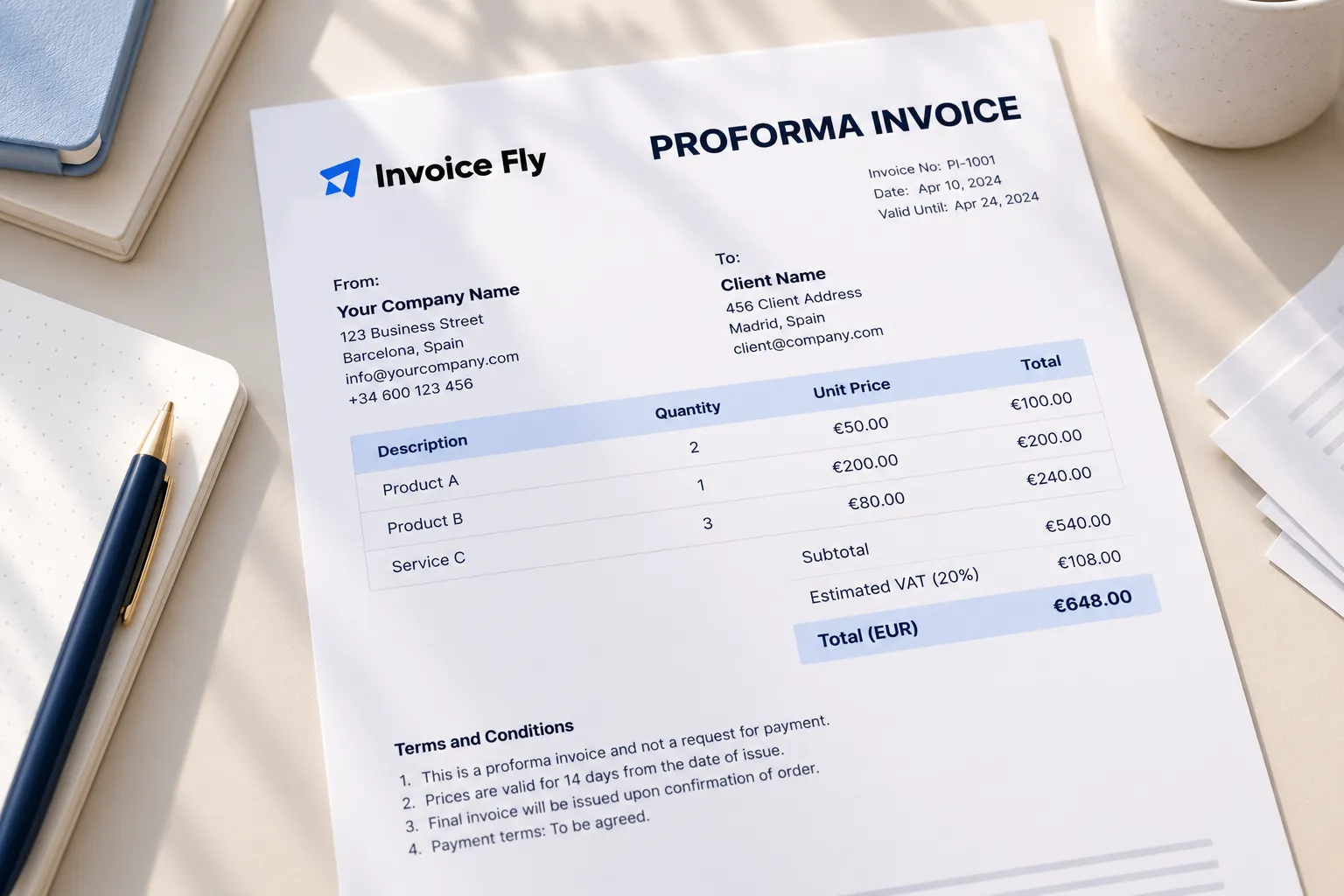
Invoice Fly proforma invoice on a desk listing products, quantities, unit prices, estimated VAT, a total in euros, and terms stating it is not a request for payment

Benefits of Using Invoice Fly’s Free Proforma Invoice Generator

Create professional proforma invoices online without manual formatting or complicated calculations. Invoice Fly’s free proforma invoice maker helps you prepare branded documents, calculate estimated costs, and share them with clients.

Invoice Fly proforma invoice on a desk showing line items, a subtotal, estimated VAT at 20%, and a total in euros
  • Create Professional Proforma Invoices

    Add your business logo and signature to create a polished proforma invoice that reflects your brand.

  • Save Time with a Free Online Proforma Invoice Maker

    Use a ready-made invoice format to enter your details and generate a proforma invoice without starting from scratch.

  • Share Clear Cost Estimates with Clients

    List products or services, quantities, prices, and applicable taxes so clients can review the estimated costs before confirming a purchase.

  • Calculate Taxes and Invoice Totals

    Work out subtotals, applicable VAT, discounts, and estimated totals to create a clear and accurate proforma invoice.

How to Generate a Proforma Invoice with Invoice Fly

Create a proforma invoice online in just a few steps with Invoice Fly’s free proforma invoice maker. Follow the steps below to generate your proforma invoice:

  1. Choose your currency.
  2. Enter your business details.
  3. Add your client’s details.
  4. Set the invoice issue date.
  5. Enter the relevant due or expiry date.
  6. Add your products or services.
  7. Apply taxes or discounts.
  8. Include payment information and special notes.
  9. Review and generate your proforma invoice.

What to Include in a Proforma Invoice

A professional proforma invoice should give your client a clear breakdown of the proposed sale before the transaction is finalized. When creating a proforma invoice with Invoice Fly, include these essential details to make your document clear, complete, and easy to understand.

  1. Proforma Invoice Number and Date

    Add a unique proforma invoice number and issue date to identify and track each document. You can also include an expiry date for your price estimate.

  2. Seller and Business Information

    Include your business name, address, phone number, email address, and other relevant contact details so your client knows who is providing the products or services.

  3. Client or Buyer Information

    Add your client’s name, company name, billing address, phone number, and email address to identify who the proforma invoice is intended for.

  4. Product or Service Description and Pricing

    List each product or service with a clear description, quantity, unit price, and line total. This gives your client a breakdown of what they’re purchasing and the associated costs.

  5. VAT, Taxes, Discounts, and Total Amount

    Show the subtotal, applicable VAT rate, tax amount, discounts, and estimated total. A clear cost breakdown helps clients understand the full expected price before confirming the order.

  6. Payment Terms and Additional Notes

    Include payment methods, expected payment terms, delivery details, and any special instructions relevant to the proposed transaction.
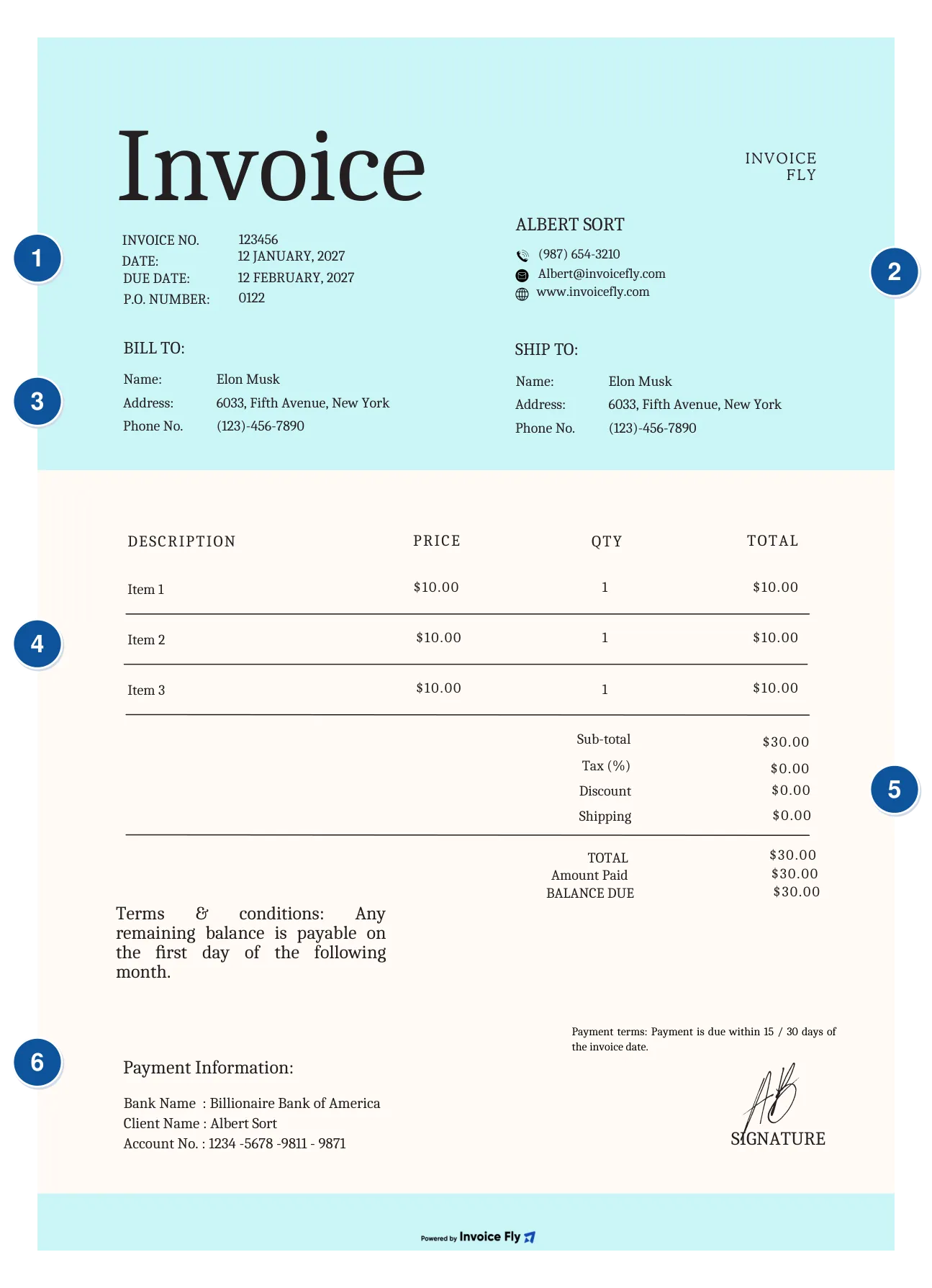
Sample invoice with six numbered elements: 1 number and date, 2 seller information, 3 client information, 4 products or services, 5 taxes, discounts and total, 6 payment terms and notes
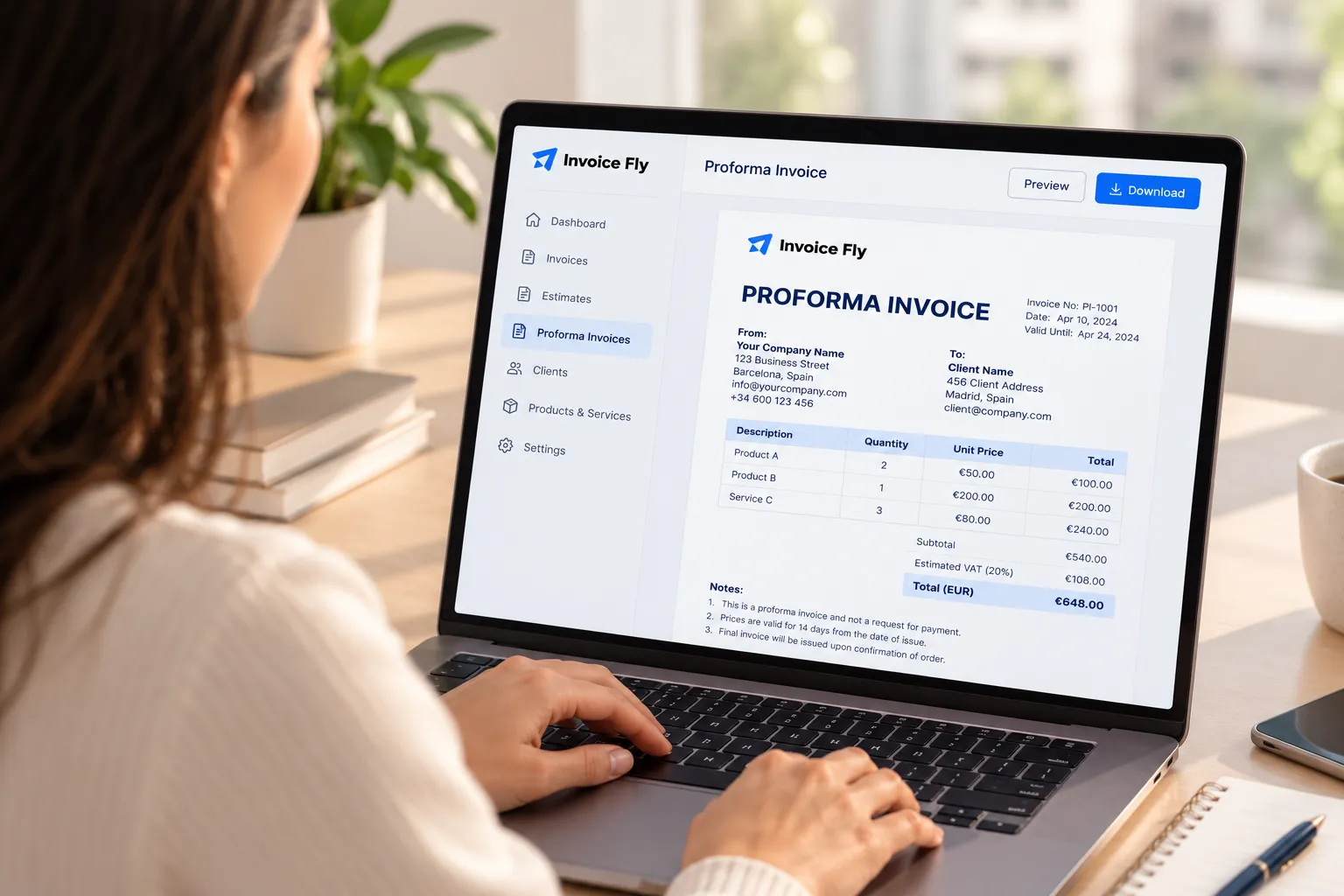
Person at a laptop reviewing a proforma invoice in Invoice Fly, with line items, estimated VAT, and a total before downloading it

When Should You Use a Proforma Invoice?

A proforma invoice is useful when you need to share estimated costs with a client before delivering products or starting work. Unlike a final invoice, which requests payment for goods or services provided, a proforma invoice outlines the expected costs so both parties can agree on the price and terms beforehand.

It’s particularly useful for freelancers, contractors, designers, architects, and event planners handling projects with multiple products or services.

For example, an event planner can use a proforma invoice to outline venue decorations, catering, entertainment, and other estimated expenses before the client approves the event budget. This gives the client a clear cost breakdown before the work begins.

Explore More Free Invoice Generators and Business Tools

Simplify your daily invoicing tasks with Invoice Fly’s free online invoice generators and business tools. Create professional invoices, prepare estimates, calculate taxes, and manage your business finances with ease.

FAQs about Free Online Proforma Software

A proforma invoice template includes the essential details of a proposed transaction before a sale is finalized. This typically includes your business information, client details, proforma invoice number, issue date, product or service descriptions, quantities, unit prices, applicable taxes, discounts, and estimated total. You can also include payment terms, delivery information, and additional notes to clarify the proposed transaction.

Yes! Here's an example of a completed proforma invoice to show you how the different details come together. It includes the seller and buyer information, invoice number, issue date, product or service descriptions, quantities, prices, applicable taxes, and estimated total. Use it as a reference when creating your own proforma invoice with Invoice Fly.

You can create and customize a proforma invoice using different formats depending on how you prefer to work. Common options include:

  • PDF proforma invoice: Ideal for sharing and printing a finalized document while preserving its layout.

  • Proforma invoice template Word: Edit text, business details, and formatting in a Word document.

  • Proforma Invoice Excel: Use spreadsheet formulas to organize quantities, prices, taxes, and totals.

  • Google Docs Proforma Invoice: Customize your proforma invoice online and collaborate on the document.

  • Google Sheets Proforma Invoice: Edit invoice details and use spreadsheet formulas to calculate totals.

These formats give you flexibility to create, edit, save, and share your proforma invoices.

Yes! Invoice Fly offers a collection of free invoice templates in different designs and styles. Choose from minimal, classic, floral, and other layouts to find a proforma invoice template that suits your business. Customize the design, add your business information and logo, and make it your own.

If you'd prefer a faster option, Invoice Fly's free proforma invoice generator takes things a step further by automatically calculating totals, taxes, and other amounts as you enter your details. You can create a professional proforma invoice without manually editing a template or working out the calculations yourself.

You can create a proforma invoice online with Invoice Fly in just a few steps:

  1. Open Invoice Fly's free proforma invoice generator.

  2. Choose your currency.

  3. Enter your business and client details.

  4. Add your products or services, quantities, and prices.

  5. Include applicable taxes, discounts, and payment information.

  6. Review your details and generate your proforma invoice.

You can also choose a customizable proforma invoice template if you prefer to work with a ready-made design. For more ways to manage your business, download the Invoice Fly app to access additional features, including sending invoices directly to clients, setting up recurring invoices, and tracking your business performance.

Invoice Fly app

Create proforma invoices on the go with Invoice Fly App