Best Estimating Software: Compare Tools and Win More Jobs
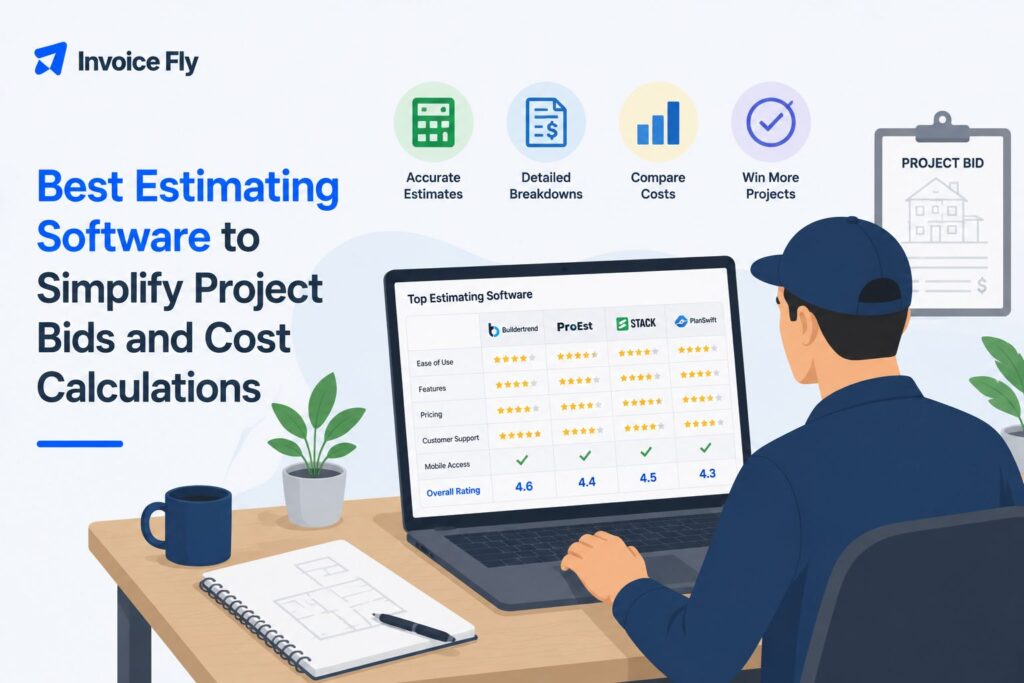
Table of Contents
The best estimating software should make it easier to price jobs, create professional estimates, and get them in front of customers without adding more admin to your day. The right choice depends on the kind of work you do and how much detail your estimates require. A self-employed electrician pricing jobs on-site may only need a simple, mobile-friendly app, while a construction company working from building plans may need advanced takeoffs, cost databases, and team collaboration.
In this article, we compare 10 estimating tools for contractors and service businesses, from straightforward estimating apps to more advanced construction platforms, so you can find the best fit for your business.

What makes the best estimating software?
Good estimating software should make your existing process faster and more reliable, not add Good estimating software should make your existing process faster and more reliable, not add unnecessary complexity. Look for easy estimate creation, reusable labor and material costs, professional proposals, mobile access, and integrations with the tools you already use.
Construction companies working from plans may also need digital takeoffs, cost databases, and project management integrations. Smaller contractors may get more value from a simpler tool that moves smoothly from estimate to approval, invoice, and payment.
If you’re still getting familiar with these tools, our guide to what estimating software is explains how estimating platforms work and where they fit into the job-pricing process.

Top 10 Best Estimating Software in 2026
| Software | Best for | Pricing |
| InvoiceFly | Small contractors and service businesses | $8.99/week or $98.99/year |
| ServiceTitan | Established home service businesses | Custom pricing |
| Buildxact | Residential builders and remodelers | Free plan; paid from $169/month billed annually |
| Clear Estimates | Remodelers and residential contractors | From $79/month or $59/month billed annually |
| STACK | Cloud-based construction takeoffs | Free limited version; paid from $249/user/month billed annually |
| PlanSwift | Desktop construction takeoffs | Annual subscription; 14-day trial |
| ProEst | Detailed construction estimating | Custom pricing as part of Forma for Preconstruction |
| Sage Estimating | Contractors using Sage | Contact Sage |
| Trimble WinEst | Data-driven construction estimating | Contact Trimble |
| Autodesk Forma Takeoff | 2D and 3D digital takeoffs | Per-user or custom unlimited-user pricing |
Pricing and product information checked in August 2026. Prices and plans may change.
1. InvoiceFly
Best for: Small contractors and service businesses
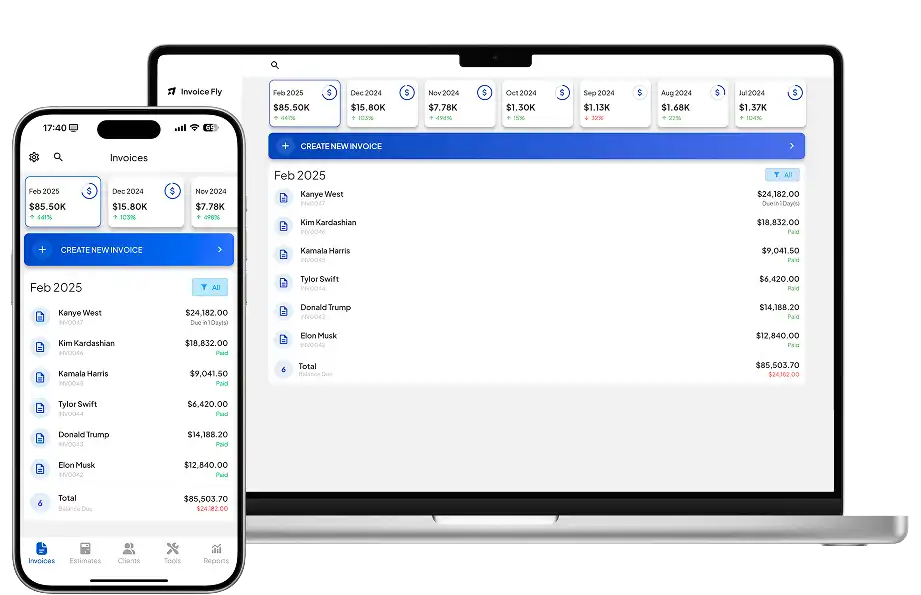
InvoiceFly is designed for contractors, freelancers, and small businesses that want to create estimates without learning complex construction software. Its estimates app lets you customize estimates, add markups, collect signatures and deposits, and send professional estimates from your phone. You can also manage invoices, online payments, expenses, and reports in the same platform.
Pros: Easy to use, mobile-friendly, unlimited estimates and invoices, connected estimate-to-payment workflow.
Cons: Not designed for complex blueprint takeoffs.
Price: $8.99/week or $98.99/year.
2. ServiceTitan
Best for: Established home service businesses
ServiceTitan combines estimating with field service management for trades such as HVAC, plumbing, electrical, and roofing. Teams can create estimates, use centralized pricebooks, offer customers different proposal options, and manage jobs within the wider platform.
Pros: Strong field-service workflow, mobile estimates, pricebooks, multiple proposal options.
Cons: Likely more software than a solo contractor needs.
Price: Custom pricing.
3. Buildxact
Best for: Residential builders and remodelers
Buildxact combines estimating with digital takeoffs, proposals, purchasing, and project management. Its free Go plan includes limited estimating capabilities, while paid plans add more advanced takeoffs, signatures, and purchasing tools.
Pros: Built for residential construction, AI estimating tools, free entry-level plan.
Cons: Full functionality costs considerably more than a basic estimate app.
Price: Free Go plan. Foundation starts at $169/month billed annually.

4. Clear Estimates
Best for: Remodelers and residential contractors
Clear Estimates combines a large line-item cost database with project templates and estimating tools for residential construction and remodeling.
Pros: Built-in cost data, remodeling templates, 30-day free trial.
Cons: Primarily focused on residential construction.
Price: Standard starts at $79/month, or $59/month when billed annually.
5. STACK
Best for: Cloud-based construction takeoffs
STACK combines estimating with digital takeoff tools so contractors can measure plans, calculate quantities, and build estimates online.
Pros: Cloud-based, strong takeoff features, suitable for multiple construction trades.
Cons: More complex than most small service businesses need.
Price: Limited free version available. Takeoff & Estimate starts at $249/user/month billed annually.
6. PlanSwift
Best for: Desktop construction takeoffs
PlanSwift is established construction takeoff software for contractors working from digital plans. It can measure areas, lengths, and counts and help calculate labor and material requirements.
Pros: Detailed digital takeoffs, customizable workflows, useful across many trades.
Cons: Desktop-focused rather than cloud-first.
Price: Annual subscription; 14-day trial available.
7. ProEst
Best for: Detailed construction estimating
ProEst combines cost estimating, 2D takeoffs, cost databases, custom proposals, and reporting for contractors that need more depth than a simple estimate generator.
ProEst is now sold as part of Autodesk’s Forma for Preconstruction rather than as a standalone product.
Pros: Detailed estimates, flexible cost databases, reporting and proposal tools.
Cons: Too complex for many small contractors.
Price: Custom pricing as part of Forma for Preconstruction.

8. Sage Estimating
Best for: Contractors using Sage construction software
Sage Estimating supports detailed cost estimating for general contractors, construction managers, and specialty contractors, particularly businesses already using Sage products and established cost databases.
Pros: Detailed construction estimates, historical cost information, Sage ecosystem.
Cons: More complex than most small service businesses require.
Price: Contact Sage.
9. Trimble WinEst
Best for: Data-driven construction estimating
WinEst uses database-driven estimating to help contractors turn historical cost information into conceptual budgets and detailed project estimates.
Pros: Strong cost database capabilities, standardized estimating, useful for complex projects.
Cons: Not designed for quickly creating simple customer estimates.
Price: Contact Trimble.
10. Autodesk Forma Takeoff
Best for: 2D and 3D digital takeoffs
Formerly Autodesk Takeoff, Forma Takeoff lets construction teams perform 2D and 3D takeoffs online and add unit costs to quantities for conceptual estimating.
Pros: 2D and 3D takeoffs, cloud collaboration, Autodesk integrations.
Cons: Focused on preconstruction rather than everyday service-business estimates.
Price: Per-user and custom unlimited-user pricing options are available.
What to look for in estimating software
The most advanced platform is not automatically the best estimating software for your business. Focus on what happens from the moment you inspect a job to the moment the customer accepts your price.
Consider:
- Business size: A solo handyman or electrician usually needs a simpler system than a general contractor with an estimating department.
- Type of estimate: Decide whether you need basic labor and material estimates or detailed construction takeoffs.
- Ease of use: Complicated software can create more admin instead of reducing it.
- Mobile access: If you estimate on-site, make sure the software works well on your phone or tablet.
- Cost data: Construction businesses may benefit from built-in or integrated labor and material databases.
- Workflow: Look at what happens after approval. Turning an accepted estimate into an invoice can eliminate duplicate work.
- Price: Pay for the features you’ll actually use rather than the longest feature list.
Software also cannot make a poor estimate accurate by itself. The U.S. Government Accountability Office emphasizes reliable data, clear assumptions, suitable estimating methods, risk analysis, documentation, and updating estimates with actual costs.
Why estimating software can save valuable work time
Estimating is essential, but the time spent preparing estimates, creating invoices, and following up with customers is usually time you cannot bill directly.
InvoiceFly’s Salary & Time Gap research explores how administrative work can cut into billable time and how more connected workflows can reduce repetitive tasks.
Estimating software can help by keeping pricing, customer details, estimates, approvals, and follow-up more organized. The U.S. Bureau of Labor Statistics notes that estimating software is improving estimator productivity.
For small contractors, one of the biggest benefits is connecting estimating with the next step. If an accepted estimate can become an invoice without entering the same information again, there are fewer manual tasks to manage. InvoiceFly connects estimates with invoicing software, payments, and other business tools in the same workflow.

Find estimating software that fits your business
There is no single best estimating software for everyone. Construction companies working from detailed drawings may need STACK, ProEst, Sage Estimating, PlanSwift, or Forma Takeoff. Residential builders may prefer Buildxact or Clear Estimates, while established home service companies may benefit from ServiceTitan.
For independent contractors and small service businesses, simpler can be better. InvoiceFly combines estimates with approvals, invoices, and payments without requiring a full construction management system.
Before choosing, identify the features you will actually use, compare current pricing, and test the workflow where possible. You can also revisit our guide to what estimating software is before making your decision.

