Zoho vs QuickBooks: Which Accounting Software Is Better?
Table of Contents
When choosing between Zoho Books and QuickBooks, the best choice comes down to your budget and accounting needs. Zoho offers affordable plans, including a free option for eligible businesses. QuickBooks costs more but is widely used by U.S. accountants and integrates with many other business tools. In this guide, we’ll deep dive into their features, pricing, and ease of use to help you decide which tool is right for your business with greater confidence.
Zoho vs QuickBooks: Overview
Zoho Books and QuickBooks Online both offer the accounting tools small businesses need, but they differ in pricing, features, and integrations.
Zoho Books is an affordable accounting option for freelancers and small businesses. Its free plan allows up to 1,000 invoices a year for businesses earning $50,000 or less annually. Paid plans start at $20 a month. Throughout this comparison, references to “Zoho” mean Zoho Books.
QuickBooks Online is more expensive, with paid plans starting at $38 a month. However, it’s widely used by U.S. accountants and offers a large selection of integrations, along with features such as bill management, project tracking, and inventory management.
The main difference? Zoho Books offers more affordable accounting tools, while QuickBooks has a larger network of accountants and third-party integrations.
Zoho vs QuickBooks Comparison Chart
Here’s how Zoho Books and QuickBooks Online compare on pricing, features, and plan limits.
| Feature | Zoho Books | QuickBooks Online |
|---|---|---|
| Best for | Value-focused small businesses and Zoho users | Businesses working with U.S. accountants and Intuit tools |
| Free plan | Yes, while revenue is $50,000 or less | Yes, with strict monthly limits |
| Free invoice limit | 1,000 per year | 2 per month |
| Starting paid price | $20/month, or $15/month billed annually | $38/month |
| Paid plans | Standard, Professional, Premium, Elite, Ultimate | Simple Start, Essentials, Plus, Advanced |
| Users on paid plans | 3 / 5 / 10 / 10 / 15 | 1 / 3 / 5 / 25 |
| Recurring invoices | All plans, including Free | All paid plans |
| Customer portal | All plans, including Free | Client-facing invoice payment links |
| Bank reconciliation | All plans; bank feeds from Standard | Paid plans; Free connects one bank account |
| Bills (accounts payable) | Professional and up | Simple Start and up |
| Time and project billing | Professional and up | Time on invoices from Essentials; project profitability from Plus |
| Inventory tracking | Professional and up | Plus and Advanced |
| Advanced inventory | Elite and Ultimate | Plus or Advanced, with additional apps where needed |
| Multi-currency | Professional and up | Essentials and up |
| Payroll | Zoho Payroll, sold separately | QuickBooks Payroll, sold separately |
| Advanced reporting | Ultimate adds advanced analytics | Advanced adds custom dashboards and KPIs |
| Mobile apps | iOS and Android | iOS and Android; features vary by plan |
The quick verdict: Pick Zoho Books if price and built-in features matter most. Pick QuickBooks Online if your accountant, payroll, or a must-have app already relies on Intuit products.

Zoho Books
Features
Zoho Books offers a full range of accounting tools, from invoicing and expense tracking to bank reconciliation and financial reporting.
The free plan includes:
- Quotes, invoices, and recurring invoices
- Expense and mileage tracking, plus receipt scanning
- Online payments, automatic reminders, and a customer portal
- Bank reconciliation and bank rules
- 1099 contractor tracking and more than 50 reports
As your business grows, you can upgrade to access additional features:
- Standard: Adds bank feeds, sales tax tools, custom reports, and progress invoicing, one of several types of invoices.
- Professional: Includes bill management, purchase orders, multi-currency support, timesheet billing, project profitability, and inventory tracking.
- Premium: Adds budgeting, cash-flow forecasting, fixed-asset management, and more customization options.
- Elite: Includes advanced inventory features such as warehouse management, serial-number tracking, and composite items.
- Ultimate: Adds advanced analytics and business intelligence tools.
Pricing
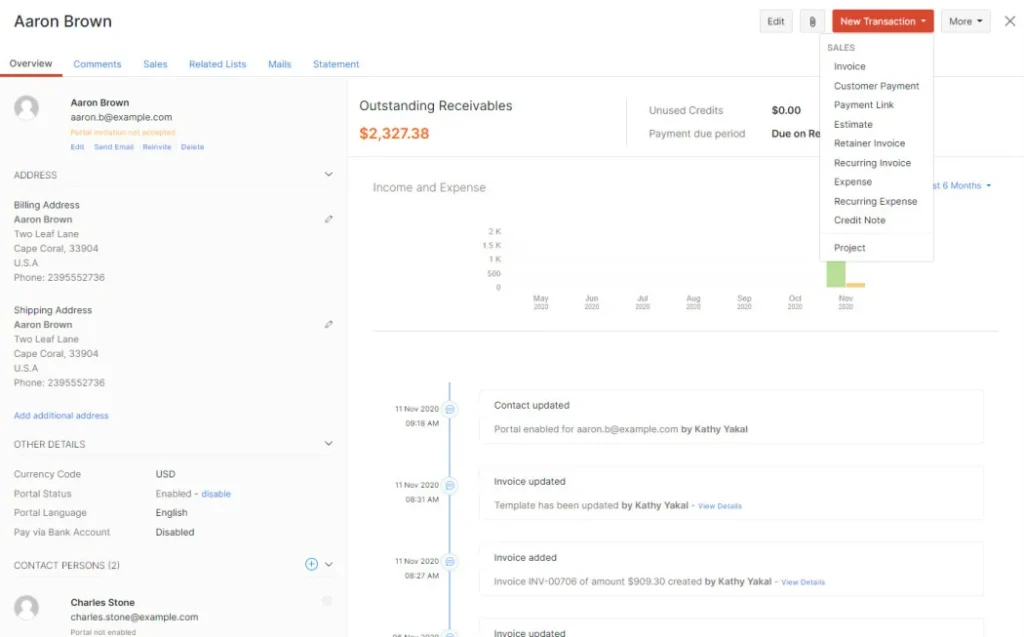
Zoho Books offers six plans, including a permanent Free plan for qualifying businesses.
| Plan | Monthly | Annual billing (per month) | Users | Invoices per year |
|---|---|---|---|---|
| Free | $0 | $0 | 1 + 1 accountant | 1,000 |
| Standard | $20 | $15 | 3 | 5,000 |
| Professional | $50 | $40 | 5 | 10,000 |
| Premium | $70 | $60 | 10 | 25,000 |
| Elite | $150 | $120 | 10 | 100,000 |
| Ultimate | $275 | $240 | 15 | 100,000 |
The Free plan stays free while your financial-year revenue is $50,000 or less. It is separate from the 14-day trial of paid plans. Additional users cost $3 each per month, or $2.50 with annual billing.
For the latest features and subscription options, check the official Zoho Books pricing page.
Pros and Cons
Pros
- Lower subscription prices across comparable tiers
- A free plan suitable for qualifying small businesses
- Recurring invoices and a customer portal on every plan
- Integrations with Zoho CRM, Zoho Analytics, Zoho Expense, and Zoho Payroll
Cons
- Six plans take time to compare
- Connected bank feeds require Standard
- Bills, projects, multi-currency, and inventory require Professional
- Your accountant may be less familiar with it
For feedback from users, read Zoho Books reviews on G2 and Capterra.
QuickBooks
Features
QuickBooks Online offers a range of accounting tools, including invoicing, estimates, expense tracking, bank reconciliation, receipt scanning, bill management, sales tax management, and financial reporting.
Each paid plan builds on these core features:
- Simple Start: Covers everyday bookkeeping and bill management for one user.
- Essentials: Supports up to three users and adds multi-currency transactions, accounts payable reports, and time tracking for invoicing.
- Plus: Supports up to five users and adds project profitability tracking, budgeting, inventory management, and reporting by class or location.
- Advanced: Supports up to 25 users and includes custom permissions, automated workflows, batch invoicing, customizable dashboards, and Excel integration.
QuickBooks also offers a free plan designed for freelancers and businesses with basic accounting needs. It includes one connected bank account and allows up to two invoices, one estimate, five mileage trips, and two receipt captures per month.
However, the free plan doesn’t include accountant access and has much tighter limits than the paid plans. Businesses that qualify for QuickBooks Payments may be able to send unlimited invoices once payments are enabled.
Pricing
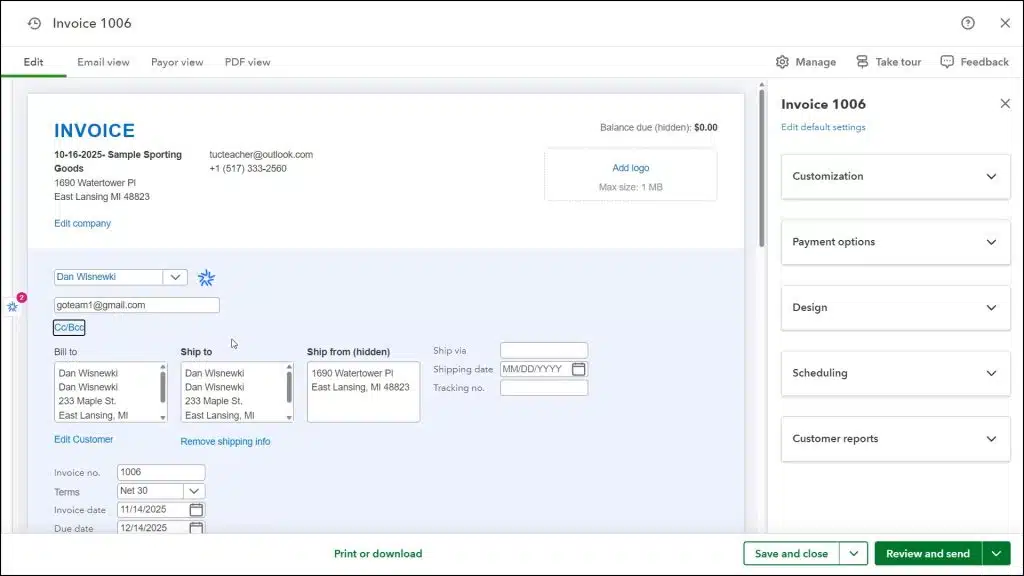
QuickBooks Online has four paid accounting plans, plus a separate Free plan with limited features.
| Plan | Regular price | Users | Accountant access | What it adds |
|---|---|---|---|---|
| QuickBooks Free | $0 | 1 | None | Basic books with monthly limits |
| Simple Start | $38/month | 1 | 2 accountant-firm users | Core accounting and bill management |
| Essentials | $85/month | 3 | 2 accountant-firm users | Multi-currency and time on invoices |
| Plus | $140/month | 5 | 2 accountant-firm users | Projects, budgets, and inventory |
| Advanced | $340/month | 25 | 3 accountant-firm users | Custom dashboards, permissions, and workflows |
QuickBooks often offers introductory discounts, but the prices listed above are the regular subscription rates. Paid plans also offer a 30-day free trial, which is separate from the ongoing QuickBooks Free plan.
You can confirm current subscription prices and promotions on the official QuickBooks pricing page.
Pros and Cons
Pros
- Familiar to many U.S. accountants and bookkeepers
- Large marketplace of business apps
- Bill management on the cheapest paid plan
- Up to 25 users on Advanced
Cons
- Higher subscription costs than Zoho Books
- Strict limits on the free plan
- Projects and inventory require Plus at $140 a month
- Payroll costs extra
You can also explore QuickBooks Online reviews on G2 and Capterra.
Zoho vs QuickBooks: Detailed Comparison
Zoho Books and QuickBooks Online can both handle your day-to-day accounting, but the differences become clearer when you look at what each plan includes and how much it costs.
Free Plans and Pricing
Zoho Books has the more generous free plan. You can send up to 1,000 invoices and record 1,000 expenses a year, with access for one accountant. The catch is that your business must earn $50,000 or less annually to qualify.
QuickBooks Free doesn’t have a stated revenue limit, but it restricts you to two invoices a month. That’s fine if you only bill occasionally, but a freelancer with eight regular clients would quickly outgrow it.
There’s also a significant price difference between paid plans. Zoho Books Professional costs $50 a month for five users, while QuickBooks Plus costs $140. Over a year, that’s $600 versus $1,680.
Still, the cheapest plan isn’t necessarily the best deal. QuickBooks includes bill management in Simple Start, for example, while Zoho Books doesn’t offer it until Professional. It’s worth checking which features you’ll actually use before comparing prices.
Accounting and Bookkeeping
Both platforms cover the essentials, including double-entry bookkeeping, transaction categorization, and financial reporting.
QuickBooks has an advantage if you work with an accountant. It’s widely used by U.S. accounting firms, so there’s a good chance your accountant already knows the software. Paid plans also let you give them access to your books.
Zoho Books is a good alternative if you handle most of your bookkeeping yourself. It offers plenty of accounting features at a lower price, and even the free plan lets you bring in an accountant when you need help.
Invoicing and Payments
You can create estimates, send invoices, accept payments, and follow up on overdue bills with either platform.
Zoho Books includes recurring invoices and a customer portal in every plan, even Free. That means you can use invoice automation without paying for a subscription.
QuickBooks also supports recurring invoices on all paid QuickBooks Online plans. Its invoicing tools work directly with QuickBooks Payments, so you can manage billing and accounting in the same place.
Both platforms charge payment processing fees separately. It’s also worth setting clear invoice payment terms and an invoice due date so customers know exactly when and how to pay.
Bank Reconciliation
Both Zoho Books and QuickBooks let you reconcile transactions against your bank statements, although the options differ between plans.
With Zoho Books Free, you can import bank statements manually and match transactions. If you want bank transactions imported automatically, you’ll need Standard or higher, starting at $20 a month.
QuickBooks includes bank feeds and reconciliation in its paid plans. QuickBooks Free also allows one connected bank account, but comes with fewer accounting features.
If you’re happy importing statements yourself, Zoho Books Free may be all you need. Otherwise, compare the paid plans based on how you prefer to manage your banking.
Expense Tracking
Both platforms let you record expenses, organize transactions, and scan receipts, making it easier to see where your money is going.
Zoho Books includes receipt scanning, although the number you can process depends on your plan. QuickBooks Free allows only two receipt captures per month, so businesses with regular expenses will probably need a paid subscription.
Whatever software you choose, keep the original documentation for your expenses. The IRS recordkeeping guide explains which records businesses should maintain to support their income and deductions.
Time Tracking and Projects
If you charge by the hour or work on multiple client projects, you’ll want software that connects your time records to your invoices.
Zoho Books Professional includes timesheet billing, retainers, and project profitability tracking for $50 a month.
QuickBooks Essentials lets you add employee time to invoices, but project profitability tracking requires Plus, which costs $140 a month.
That makes Zoho Books a more affordable option for consultants, agencies, and other project-based businesses. QuickBooks may make more sense if you’re already using its payroll or time-tracking products.
Inventory
Both platforms can track inventory, but the features available depend on your plan and how complex your stock management is.
Zoho Books Professional includes inventory tracking and price lists. If you need to manage multiple warehouses, track serial or batch numbers, or work with composite items, Zoho Books Elite offers those features.
QuickBooks includes inventory tracking with Plus and Advanced. For more complicated warehouse operations or serial-number tracking, you may need to connect a separate inventory app.
If you sell physical products, take a close look at the inventory features before choosing. Basic stock tracking may be enough for a small shop, while a business with several warehouses will have different needs.
Payroll
Payroll costs extra with both Zoho Books and QuickBooks, so you’ll need to factor it into your monthly budget.
Zoho Payroll Standard costs $29 per organization per month when billed annually, plus $5 per employee. Its Professional plan costs $49 per month when billed annually, plus $7 per employee, and adds features such as multi-state payroll.
QuickBooks Payroll starts at $50 a month plus $7 per employee at regular rates. Temporary promotional discounts may reduce the initial cost.
Both offer direct deposit, payroll tax services, and integration with their accounting platforms. Before signing up, check which features are included and whether the service is available in your state.
You can compare the latest rates on the official Zoho Payroll pricing and QuickBooks Payroll pricing pages.
Financial Reporting
Both platforms provide the standard financial reports you’d expect, including profit and loss statements and balance sheets.
Zoho Books offers more than 50 reports even on its free plan. Standard adds custom reporting, while Ultimate includes advanced analytics and KPI tracking.
QuickBooks Free has fewer reporting options, but its paid plans offer more detail. Advanced includes custom dashboards, KPIs, and Excel integration.
For a small business that wants detailed reports without spending much, Zoho Books is worth considering. QuickBooks may be more convenient if your accountant or lender already uses its reports.
Integrations and Ease of Use
If you’re already using other business software, check how well it connects with your accounting platform before making a decision.
Zoho Books works closely with other Zoho products, including Zoho CRM, Zoho Analytics, Zoho Expense, and Zoho Payroll. If you’re already using several Zoho tools, adding Zoho Books is a fairly natural choice.
QuickBooks has a larger selection of third-party integrations, which is useful if you rely on software from different providers.
As for ease of use, both platforms take some getting used to. Zoho Books has a lot of features spread across six plans, while QuickBooks may feel more familiar if you’ve worked with it before or your accountant already uses it.
The SBA’s business management resources can help you identify what your business needs before you commit to a subscription.
Zoho vs QuickBooks: Which Is Better?
The best choice depends on how you manage your finances, which features you need, and how much you’re willing to spend.
Best for Free Accounting: Zoho Books
Zoho Books is the clear winner if you’re looking for free accounting software. Its free plan allows far more invoices and expenses than QuickBooks Free, along with a wider selection of reports.
QuickBooks Free may be enough if you’re just starting out and only send a few invoices each month.
Best for Accounting and Bookkeeping: It Depends
If you work closely with an accountant, QuickBooks may be the better option. It’s widely used by U.S. accounting firms, making it easier to share records and collaborate.
If you manage your own books, Zoho Books offers many of the same accounting features for less money.
Best for Small Businesses: Zoho Books
For most small businesses watching their budgets, Zoho Books offers better value. You get a wide range of accounting tools without the higher monthly subscription costs.
QuickBooks is still worth considering if your accountant uses it or your business depends on apps that integrate with QuickBooks.
Best for Growing Businesses: It Depends
Both platforms can support a growing business, but they have different strengths.
Zoho Books Elite and Ultimate offer advanced inventory management, customization, and analytics at lower subscription prices than QuickBooks Advanced.
QuickBooks Advanced, however, supports up to 25 users, compared with 15 included in Zoho Books Ultimate. It may be a better fit if you’re expanding your team or already rely on QuickBooks payroll and third-party integrations.
Zoho vs QuickBooks: Alternatives
You may not need full accounting software to run your business. If you mainly need to create estimates, send invoices, track expenses, and get paid, a simpler tool could be a better fit.
- Invoice Fly: Built for contractors, freelancers, and service businesses that want to manage their day-to-day finances without the complexity of a full accounting platform. It offers invoicing software with unlimited invoices and recurring billing, estimate and quote software, time tracking, receipt scanning, expense tracking, client management, and online payments.
Invoice Fly plans cost $8.99 per week or $98.99 per year. While it doesn’t replace Zoho Books or QuickBooks for tasks like bank reconciliation, inventory, or payroll, it covers the essentials for businesses that don’t need those features. You can also read independent Invoice Fly reviews on Capterra. - Conclusion: Zoho Books is a good choice if you want affordable accounting software with plenty of features, especially if your business qualifies for the free plan. QuickBooks Online costs more but may be worth it if your accountant already uses it or you rely on other QuickBooks products.
If you run a service business and don’t need full accounting software, consider Invoice Fly. It offers a simpler way to handle estimates, invoices, payments, and expenses without paying for features you won’t use.

