Jobber vs Housecall Pro: Which Field Service Software Is Better?
Table of Contents
If you’re comparing Jobber vs Housecall Pro, you’ll find that both offer plenty of tools to help you run your service business. From scheduling jobs and dispatching technicians to managing customers and getting paid, they cover much of the same ground. The real differences come down to pricing and how they handle things like routing, job costing, and recurring services.
So which one is right for your business? We’ll take a closer look at what each platform offers, what it costs, and where one might be a better fit than the other.
Jobber vs Housecall Pro: Overview
Jobber and Housecall Pro both help contractors manage their day-to-day operations, from scheduling appointments and keeping track of customers to sending invoices and collecting payments. While they offer many of the same features, each has its own strengths.
Jobber is designed for a wide range of home and commercial service businesses, including landscapers, cleaners, and plumbers. It’s a good fit for contractors juggling recurring jobs, customer communications, and busy schedules with multiple stops. Its Core plan starts at $29 per month for one user with annual billing.
Housecall Pro is geared more toward home-service businesses, particularly HVAC, plumbing, electrical, and cleaning companies. In addition to scheduling and dispatching, it offers tools for tracking job costs, managing pricing, and building long-term customer relationships. Its Basic plan starts at $59 per month for one user with annual billing.
So what’s the biggest difference? Jobber gives you more flexibility when it comes to pricing and team size, while Housecall Pro includes job costing from the start and offers dedicated maintenance Service Plans on its MAX plan.
Jobber vs Housecall Pro Comparison Chart
Here’s how the two platforms compare on pricing, team size, and key features.
| Feature | Jobber | Housecall Pro |
|---|---|---|
| Best for | Solo contractors and teams with recurring jobs or busy routes | Home-service businesses needing job costing and maintenance tools |
| Lowest annual price | Core: $29/month, 1 user | Basic: $59/month, 1 user |
| Lowest no-commitment price | Core: $49/month, 1 user | Basic: $79/month, 1 user |
| Five-user annual option | Connect: $149/month; Grow: $229/month | Essentials: $149/month |
| Free trial | 14 days | 14 days |
| Scheduling and dispatch | Yes | Yes |
| Online booking | Yes | Yes |
| Customer portal | Client Hub | Customer Portal |
| Time tracking | Connect and higher | Available; plan requirements vary |
| Job costing | Grow and Plus | Basic and higher |
| Route optimization | Daily and multi-day tools; plan-dependent | Drive-time optimization on MAX |
| GPS tracking | Location tools; availability varies | Employee GPS on Essentials; vehicle GPS add-on |
| Recurring work | Recurring jobs and billing schedules | Recurring jobs; Service Plans on MAX |
| QuickBooks Online | Connect and higher | Essentials and higher |
| QuickBooks Desktop | No ongoing sync | Advertised integration |
| Advanced sales tools | Grow and Plus | MAX |
| Mobile apps | iOS and Android | iOS and Android |
The quick verdict: Jobber is generally the more affordable starting point, especially for solo contractors. Housecall Pro is worth considering if you need job costing immediately, employee GPS, QuickBooks Desktop integration, or formal maintenance agreements.

Jobber
Features
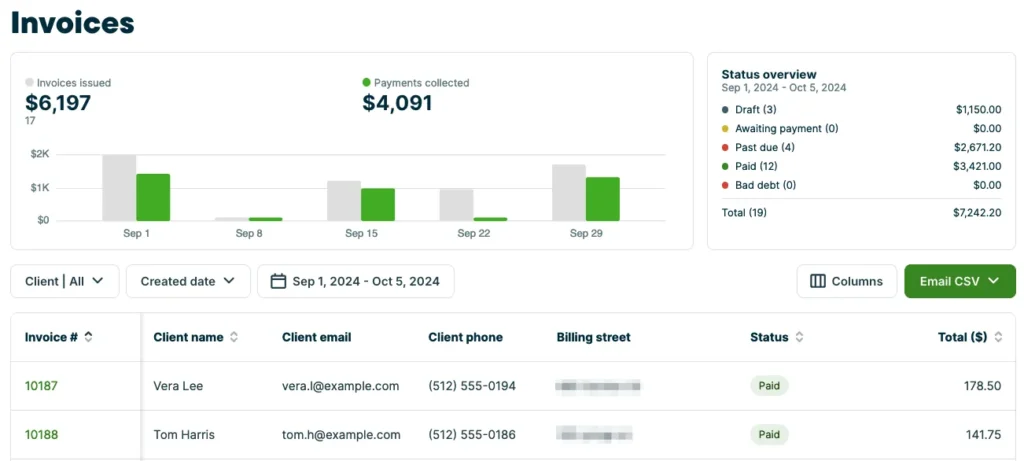
Jobber connects the different stages of a service job, helping you manage customer requests, appointments, quotes, and payments without switching between tools.
Its Core plan covers the essentials:
- Scheduling, online booking, and customer management
- Quotes, invoices, and online payments
- Client Hub for customer requests, quote approvals, appointments, and payments
- Reporting, website tools, and app integrations
As your business grows, higher plans introduce more automation and operational tools.
Connect adds automated reminders, payment collection, job checklists, invoice follow-ups, time tracking, expense tracking, and QuickBooks Online integration.
Grow builds on those features with job costing, automatic time tracking, two-way texting, customizable quotes, and workflow automation. For larger operations, Plus adds advanced job management, marketing tools, dedicated onboarding, and premium support.
Jobber also handles recurring work. You can schedule repeat visits and invoice customers after each appointment or on a separate billing schedule, which is useful for cleaning, landscaping, and maintenance businesses.
See Jobber’s official features for more details.
Pricing
Jobber’s pricing depends on your plan, team size, and billing commitment. You can pay annually, choose monthly payments with a one-year commitment, or pay month to month without a commitment.
| Plan | Users | Annual billing | One-year commitment | No commitment |
|---|---|---|---|---|
| Core | 1 | $29/month | $39/month | $49/month |
| Connect | 1 | $99/month | $119/month | $139/month |
| Connect | 5 | $149/month | $169/month | $199/month |
| Grow | 1 | $149/month | $169/month | $199/month |
| Grow | 5 | $229/month | $259/month | $299/month |
| Plus | 5 | $399/month | $439/month | $499/month |
Annual prices are monthly equivalents billed annually.
Plus also offers larger team packages, starting at $449 per month for 10 users or $529 for 15 users with annual billing. Optional tools may increase the total cost.
Jobber offers a 14-day free trial without requiring a credit card. You can review current plans and user allowances on the Jobber pricing page.
Pros and Cons
Pros
- Lower starting price than Housecall Pro
- Multiple pricing options and team sizes
- Online booking and Client Hub
- Recurring jobs and route-planning tools
Cons
- Pricing becomes complicated across team sizes
- Time tracking requires Connect or higher
- Job costing requires Grow or Plus
- No ongoing QuickBooks Desktop integration
For customer feedback, explore Jobber reviews on G2 and Capterra.
Housecall Pro
Features
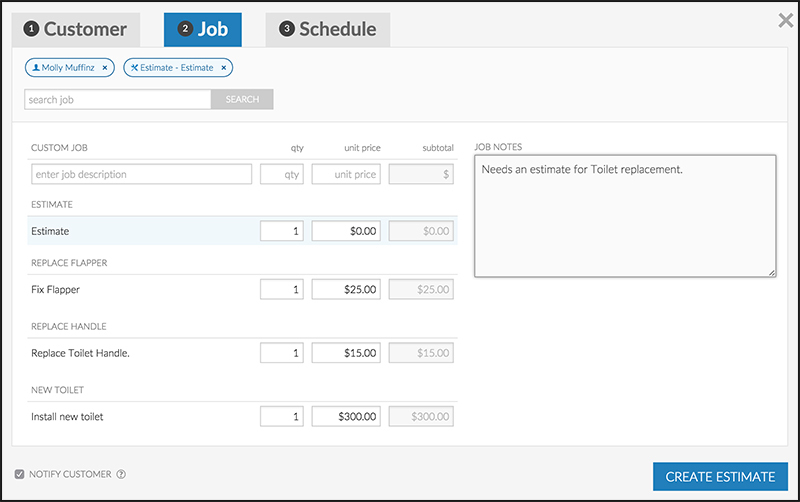
Housecall Pro brings scheduling, customer management, and financial tools together, with features aimed at the needs of home-service companies.
Even its Basic plan includes more than appointment scheduling:
- Online booking, scheduling, and dispatching
- Estimates, invoices, and payments
- Customer financing options
- Price book and job costing
- Review management
Essentials expands these capabilities for growing teams, adding route planning, flat-rate pricing, checklist automations, photo reports, employee GPS, commissions, and QuickBooks Online integration.
Businesses needing more advanced tools can move to MAX, which includes sales proposals, drive-time route optimization, recurring Service Plans, API access, dedicated onboarding, and additional support.
Housecall Pro also has a Customer Portal where customers can manage appointments, review estimates, and pay invoices. Combined with its Service Plans, this makes it particularly relevant for businesses that sell maintenance agreements and want to maintain long-term customer relationships.
Explore the official Housecall Pro features for more information.
Pricing
Housecall Pro has three main subscription tiers, with lower monthly rates when you commit to annual billing.
| Plan | Annual billing | Monthly billing | Included users |
|---|---|---|---|
| Basic | $59/month | $79/month | 1 |
| Essentials | $149/month | $189/month | 5 |
| MAX | $299/month | $329/month | 8 |
Annual prices are monthly equivalents billed annually.
Additional users and optional features may increase your subscription cost. Housecall Pro’s pricing page currently lists an additional-user charge of $35 per month for MAX, but you should confirm the rate for your chosen plan before subscribing.
Like Jobber, Housecall Pro offers a 14-day free trial without requiring a credit card. Promotional discounts may also be available, although the table above uses regular subscription prices.
See the official Housecall Pro pricing page for current rates.
Pros and Cons
Pros
- Job costing and price book on Basic
- Five users included with Essentials
- QuickBooks Online and advertised Desktop integrations
- Live phone and chat support
Cons
- Higher starting price for solo contractors
- Service Plans require MAX
- Advanced drive-time optimization requires MAX
- Vehicle GPS and certain other tools cost extra
You can find independent customer feedback in Housecall Pro reviews on G2 and Capterra.
Jobber vs Housecall Pro: Detailed Comparison
Both platforms offer the tools you need to manage a field service business, but the differences become clearer when you look beyond the basic features. Here’s how Jobber and Housecall Pro compare in the areas that matter most to contractors and service teams.
Pricing and User Limits
If you’re working on your own, Jobber is the more affordable option. Its Core plan starts at $29 per month with annual billing, compared with $59 for Housecall Pro Basic. That’s $348 versus $708 a year.
But price isn’t everything. Housecall Pro includes job costing in its Basic plan, while Jobber requires you to upgrade to Grow, starting at $149 per month with annual billing, to get that feature.
For a team of five, the price difference disappears at certain tiers. Jobber Connect and Housecall Pro Essentials both start at $149 per month with annual billing, although they offer different features. Jobber Connect includes time tracking and automated customer communications, while Housecall Pro Essentials provides employee GPS, flat-rate pricing, and commissions.
The best value depends on what your team needs. A cheaper plan won’t save you money if you’re constantly paying for additional tools.
Scheduling and Dispatching
Keeping jobs organized and technicians on schedule is a big part of running a service business, especially when last-minute changes come up.
Both platforms let you assign jobs, manage calendars, and keep your team updated. Jobber connects scheduling with online booking, customer requests, and recurring appointments, making it a good fit for businesses handling regular visits across multiple locations.
Housecall Pro offers drag-and-drop dispatching, job-status updates, and customer notifications. These tools can be particularly helpful when you’re juggling technician schedules or responding to urgent service calls.
Since both platforms cover the essentials, the best way to compare them is to try them out. During your free trial, see how easily you can reschedule a job, assign an emergency appointment, or handle a cancellation. You’ll get a much better sense of which one works for your team.
Routing and GPS Tracking
If your technicians spend much of the day driving between appointments, efficient routing can make a real difference.
Jobber offers route-planning and optimization tools for daily and multi-day schedules, although the features available depend on your plan.
Housecall Pro includes routing tools on Essentials, with more advanced options on MAX. Its Optimize by Drive Time feature can automatically reorder appointments based on travel times and current traffic conditions.
Both platforms also offer GPS-related features, but they work differently. Jobber provides location tools for field teams, with additional vehicle-tracking options available through compatible solutions. Housecall Pro includes employee GPS on Essentials and offers separate Vehicle GPS functionality.
For businesses with multiple technicians on the road, it’s worth testing both platforms using your actual service area. Look at how routes are organized, how easily you can make changes, and whether the GPS features meet your needs.
CRM and Customer Portals
When you’re dealing with repeat customers, multiple properties, or ongoing maintenance agreements, having everything in one place makes life easier.
Both Jobber and Housecall Pro let you keep track of customer details, service addresses, job histories, and communications. They also offer customer portals where clients can manage certain tasks themselves.
With Jobber’s Client Hub, customers can request work, approve quotes, check appointments, pay invoices, and access receipts. Housecall Pro’s Customer Portal offers similar functionality, including access to estimates, appointments, invoices, payments, and service agreements.
The difference comes down to how you work with customers. Jobber is well suited to businesses handling regular bookings, while Housecall Pro may be a better match for companies offering maintenance memberships and ongoing service agreements.
Quotes, Invoices, and Payments
Both platforms make it easier to move from an estimate to a completed job and, ultimately, a paid invoice.
Jobber Grow offers customizable quotes with optional line items, so you can give customers a choice of services or upgrades. Housecall Pro MAX takes a similar approach with more advanced sales proposal tools.
You can also accept payments through either platform, although processing fees are charged separately from your subscription.
Jobber publishes standard rates for card and bank payments, while Housecall Pro advertises rates that can vary depending on your payment arrangement. Before signing up, check what you’ll actually pay to process transactions.
And remember, software is only part of getting paid on time. Clear invoice payment terms and a reliable process for sending invoices can help you avoid misunderstandings and unnecessary payment delays.
Time Tracking and Job Costing
Knowing how much a job costs you is just as important as knowing how much you’re charging for it. Labor, materials, and unexpected expenses can quickly eat into your profit.
Housecall Pro includes job costing in its Basic plan, allowing you to track labor, materials, commissions, and other costs against what you earn from each job.
Jobber offers time tracking from Connect, while Grow and Plus add automatic time tracking and job costing. These tools help you monitor expenses, calculate profit margins, and identify jobs that aren’t as profitable as expected.
If job costing is a priority and you’re trying to keep subscription costs down, Housecall Pro has the advantage. Jobber may be a better fit if you also want its more advanced automation and workflow tools.
Whichever platform you choose, keeping accurate financial records is essential. The IRS recordkeeping guide explains which documents businesses should retain to support their income and expenses.
Recurring Jobs and Service Plans
If your business relies on repeat customers, you’ll want software that makes it easy to schedule regular visits and manage ongoing billing.
Jobber lets you set up recurring appointments and handle invoicing separately. For example, a cleaning company could schedule weekly visits but send customers a single invoice at the end of each month.
Housecall Pro also handles recurring work, but its MAX plan goes further with dedicated Service Plans. These are designed for maintenance agreements that include scheduled visits, recurring payments, customer benefits, and renewals.
For HVAC and plumbing businesses selling annual maintenance memberships, Housecall Pro’s Service Plans may be particularly useful. Jobber is a strong option for businesses that simply need regular appointments and flexible billing.
Either way, using invoice automation can save time on repetitive billing tasks.
QuickBooks and Integrations
If you already use QuickBooks for accounting, you’ll want to make sure your field service software works with it.
Both Jobber and Housecall Pro integrate with QuickBooks Online, although you’ll need Jobber Connect or Housecall Pro Essentials to access that functionality.
The bigger difference is QuickBooks Desktop. Jobber doesn’t offer ongoing synchronization with Desktop, while Housecall Pro advertises an integration. If your business still uses QuickBooks Desktop, check that your version is supported before making a decision.
Beyond accounting, Jobber has an app marketplace with connections to other business tools. Housecall Pro also offers integrations, with open API access available on MAX.
Before committing, find out exactly what information can sync between your systems, including customer records, invoices, and payments. This can save you a lot of manual work later.
Lead Management and Business Growth Tools
Getting new customers is important, but so is staying in touch with existing ones and making sure potential jobs don’t fall through the cracks.
Both platforms offer online booking and tools for managing customer requests. Jobber also provides features such as Pipeline, Marketing Suite, and AI Receptionist, although availability depends on your plan and selected add-ons.
Housecall Pro includes review-management tools and offers additional features for marketing and customer communication.
These extras can be useful as your business grows, but it’s worth looking at what you already use. If you’re paying for separate marketing or communication software, check whether either platform could replace it before adding another subscription.
Mobile Apps, Ease of Use, and Support
Your technicians may spend more time using the mobile app than the desktop software, so it’s important that they can find what they need without struggling through menus.
Both Jobber and Housecall Pro offer iOS and Android apps that let field teams check job details, update progress, and handle customer tasks while they’re out working.
When it comes to support, Housecall Pro offers live phone and chat assistance. Jobber provides dedicated onboarding and premium support with its Plus plan.
Both platforms also offer 14-day free trials, so take advantage of them. Have a few technicians complete a typical job, record their hours, and collect a payment using each app. Their feedback will probably tell you more than a long list of features.
For additional guidance on organizing your operations, the SBA’s business management resources are worth exploring.
Jobber vs Housecall Pro: Which Is Better?
So, which is better, Jobber or Housecall Pro? There’s no clear winner for every business. It really depends on the type of work you do, how many people are on your team, and which features will make your day-to-day operations easier.
Here’s where each platform stands out.
Best for Solo Contractors: Jobber
If you’re running your business on your own, Jobber is a good place to start. Its Core plan costs $29 per month for one user with annual billing and covers the essentials, including scheduling, quotes, invoices, and payments.
Housecall Pro Basic costs more, but it includes job costing. If tracking labor and material costs is important to your business, the extra expense may be worthwhile.
Best for Scheduling and Routing: It Depends
Both platforms can help you keep technicians on schedule, but they offer different advantages.
Jobber is a good fit for businesses managing lots of appointments, recurring routes, and multiple service locations. Housecall Pro, meanwhile, offers employee GPS on Essentials and advanced drive-time optimization on MAX, which can be helpful when you’re coordinating several technicians throughout the day.
If your team spends a lot of time on the road, compare the routing features included in each plan before making your choice.
Best for Recurring Service Businesses: Housecall Pro
If you sell ongoing maintenance agreements, Housecall Pro has the edge. Its MAX plan includes dedicated Service Plans that help you manage scheduled visits, customer benefits, and renewals. This makes it particularly useful for HVAC and plumbing companies offering annual maintenance memberships.
Jobber is still a strong choice if your business mainly needs to schedule repeat visits and manage recurring billing without the added complexity of formal service agreements.
Best for Growing Field Service Teams: It Depends
As your business grows, you’ll need software that can keep up with more employees, jobs, and customers.
Jobber offers several team-size options, so you can add users and move to more advanced features as you need them. Housecall Pro may be a better fit for growing home-service companies that rely on job costing, employee GPS, and maintenance plans.
Before deciding, look beyond the advertised monthly price. Compare how many users each plan includes, which features you’ll need as you grow, and what any additional users or add-ons will cost.
A Simpler Alternative to Jobber and Housecall Pro
If you mainly need to create estimates, send invoices, collect payments, and track expenses, a full field service management platform may be more than your business needs.
Invoice Fly offers a simpler option for independent contractors and service businesses that want to manage their finances without paying for advanced scheduling and dispatching tools.
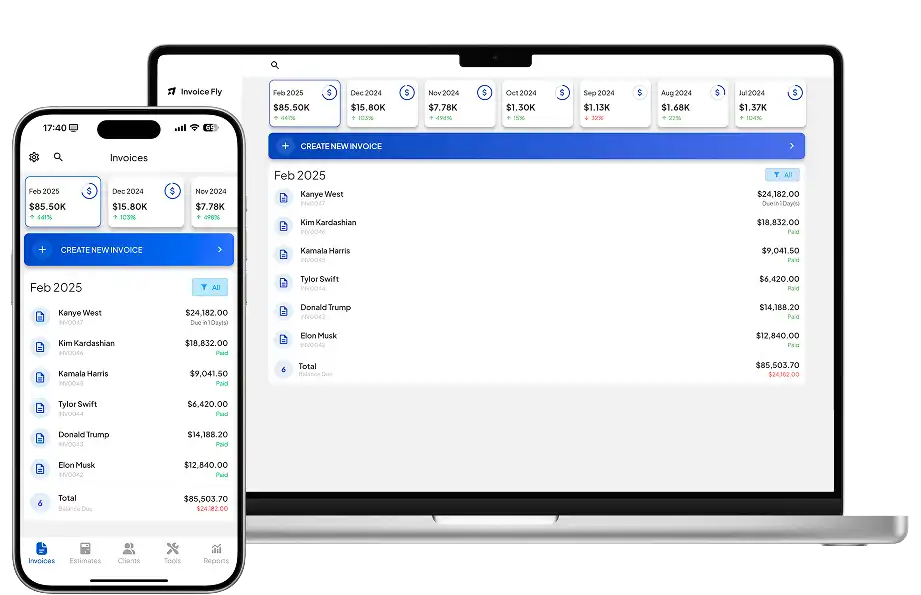
It combines invoicing software with unlimited invoices and recurring billing, estimate and quote software, time tracking, a receipt scanner, expense tracking, client management, and online payments.
Invoice Fly plans start at $8.99 per week or $98.99 per year. While it doesn’t replace Jobber or Housecall Pro for scheduling, dispatching, routing, or GPS tracking, it covers the everyday administrative tasks many independent contractors need.
For independent customer feedback, see Invoice Fly reviews on Software Advice.
The Bottom Line: Jobber vs Housecall Pro
Both Jobber and Housecall Pro can make running a service business easier, but the right choice depends on what matters most to you.
Jobber is a great option if you’re looking for affordable scheduling, flexible team plans, and tools to manage recurring jobs and busy service routes. Housecall Pro may be a better fit if you need detailed job costing, employee GPS, or maintenance agreements, especially if you run an HVAC or plumbing business.
Before making your decision, take advantage of the free trials. Testing both platforms with your actual jobs and team will give you a much better idea of which one works best.
And if you mainly need help with estimates, invoicing, payments, and expenses, Invoice Fly offers a simpler way to manage those tasks without paying for advanced field service features you won’t use.

