Calculating VAT on Invoice: Simple Step-by-Step Guide
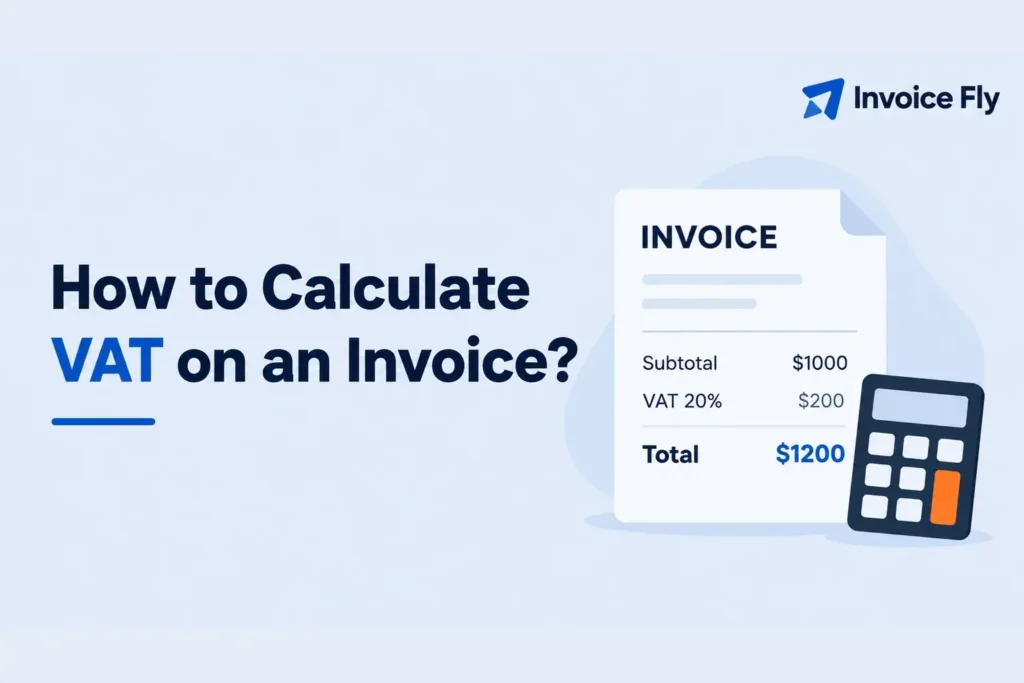
Table of Contents
- What Is VAT Calculation?
- When Do You Need to Calculate VAT on an Invoice?
- VAT Calculation Formula
- How to Calculate VAT on an Invoice: 8 Steps
- VAT Calculation Example
- How to Calculate VAT in Excel or Google Sheets
- Important VAT Concepts to Understand
- Tips for Calculating VAT on Invoices
- Getting Your VAT Calculations Right
- FAQs
Calculating VAT on an invoice starts with your agreed price, whether it includes tax, and the VAT rate that applies to the sale. Once you have those, you can work out the tax and the total your customer needs to pay.
The trickier part is knowing whether you need to charge VAT, especially if you run a US business and sell to customers abroad.
This guide walks you through the calculations, including how to add VAT to your prices and work out the tax when it’s already included.
What Is VAT Calculation?
Value-added tax (VAT) is a consumption tax used in many countries, including the United Kingdom, France, Germany, and Spain. VAT-registered businesses generally charge it on taxable sales and may be able to reclaim the VAT they pay on eligible business purchases.
VAT calculation means working out the tax due on a sale. It involves three amounts:
- Net amount: The price before VAT.
- VAT amount: The tax charged on the sale.
- Gross amount: The total price, including VAT.
The Tax Foundation explains how VAT is collected throughout the supply chain, with the final consumer generally bearing the tax.
The United States doesn’t have a federal VAT. However, US businesses selling internationally may encounter VAT obligations depending on where and what they sell. Learn more about VAT, sales tax, and other types of taxes in our separate guide.
When Do You Need to Calculate VAT on an Invoice?
You generally need to calculate VAT when you’re required to collect it on a taxable sale. Having an international customer doesn’t automatically mean you need to charge it.
Before adding VAT, check:
- Where your business and customer are located.
- Whether your customer is a business or an individual.
- What goods or services you’re selling.
- Whether the transaction is taxable, zero-rated, or exempt.
- Whether you must register for VAT.
- Whether reverse-charge rules apply.
The OECD explains that international VAT systems generally follow the destination principle, which aims to tax consumption where it occurs. The specific rules still vary by jurisdiction.
If you’re unsure, check the relevant country’s tax authority or speak with a qualified tax professional before sending your invoice.
VAT Calculation Formula
Before choosing a formula, check what you agreed to charge your customer. Does your estimate or quote say “plus VAT” or “including VAT”?
- VAT-exclusive (“plus VAT”): Adding 20% VAT to a $500 fee brings the invoice total to $600.
- VAT-inclusive (“including VAT”): A $500 fee including 20% VAT consists of $416.67 for your services and $83.33 in VAT.
In the UK and EU, prices quoted to consumers generally include VAT, while business-to-business quotes may show prices before VAT. GOV.UK explains this distinction for UK pricing.
Make the tax treatment clear in your estimate or quote so your customer knows what to expect.
The examples in this guide use dollars and hypothetical VAT rates. In the formulas, express the rate as a decimal: 20% becomes 0.20, and 5% becomes 0.05.
How to Add VAT to a Net Price
If your price doesn’t include VAT, multiply it by the applicable rate, then add the tax to your price.
VAT amount = Net price × VAT rate
Gross price = Net price × (1 + VAT rate)
For a $100 service subject to 20% VAT:
| Calculation | Amount |
|---|---|
| Net price | $100 |
| VAT ($100 × 0.20) | $20 |
| Gross price | $120 |
You can also calculate the total in one step:
$100 × 1.20 = $120
At a 5% VAT rate, you’d multiply by 1.05 instead, bringing the total to $105.
How to Remove VAT From an Inclusive Price
If your agreed price already includes VAT, work backward to separate the tax from the price of your goods or services. The total your customer owes stays the same.
Net price = Gross price ÷ (1 + VAT rate)
VAT amount = Gross price − Net price
Using a VAT-inclusive price of $120 at 20%:
- Net price: $120 ÷ 1.20 = $100
- VAT amount: $120 − $100 = $20
Don’t take 20% directly from the $120 total. That gives you $24, which isn’t the VAT included in the price.
If you’d rather skip the calculations, Invoice Fly’s free VAT calculator lets you add VAT to a price or separate it from an inclusive total. You’ll still need to confirm which tax rate applies to your transaction.
How to Calculate VAT on an Invoice: 8 Steps
Once you’ve confirmed that VAT applies, work through your invoice one step at a time.
1. Confirm That You Need to Charge VAT
Check the tax treatment of the sale. Even if your business is VAT-registered, a transaction may qualify for a reduced rate, zero rate, exemption, or reverse-charge treatment.
For international sales, confirm the applicable rules before collecting tax.
2. Find the Correct VAT Rate
Identify the rate that applies to each product or service. Some countries apply different rates to categories such as food, books, and transportation.
If items have different VAT rates, calculate the tax separately for each group.
3. Calculate the Net Amounts
Multiply each item’s quantity by its net unit price. Then group the amounts by VAT rate and keep exempt items separate.
For example:
| Invoice item | Net amount | VAT treatment |
|---|---|---|
| Consulting services | $800 | 20% |
| Printed materials | $100 | 5% |
| Exempt service | $200 | Exempt |
| Net subtotal | $1,100 |
These rates and classifications are hypothetical. They demonstrate why you can’t apply one VAT rate to the entire invoice.
4. Account for Discounts
Check whether a discount changes the amount subject to VAT. In many VAT systems, tax is calculated on the price after applicable discounts.
Early-payment discounts, rebates, and adjustments after a sale may follow different rules. Show the discount clearly and confirm the correct treatment before calculating tax.
5. Calculate VAT for Each Rate
Multiply each taxable subtotal by its corresponding rate:
- Consulting services: $800 × 20% = $160
- Printed materials: $100 × 5% = $5
- Exempt service: no VAT charged
Total VAT = $165
Keep exempt sales identified as exempt rather than labeling them as zero-rated. They are different tax treatments.
6. Add VAT to the Net Total
Add the calculated VAT to the net subtotal:
| Invoice summary | Amount |
|---|---|
| Net subtotal | $1,100 |
| Total VAT | $165 |
| Total payable | $1,265 |
Your customer owes $1,265, assuming no other charges or adjustments apply.
7. Check Your Rounding
VAT calculations can produce fractions of a cent. Local rules may require rounding by line item, VAT-rate subtotal, or invoice total.
Follow the relevant tax authority’s method and apply it consistently. Small differences between your spreadsheet and invoicing software may come from different rounding methods.
8. Show VAT Clearly on the Invoice
A VAT invoice commonly includes:
- A unique invoice number and issue date.
- Your business and customer details.
- Descriptions, quantities, and prices.
- Applicable VAT rates and amounts.
- The final amount payable.
- VAT registration numbers where required.
Requirements vary by country and invoice type. HMRC provides guidance for UK VAT invoices.
For help organizing the document, see our guide to what an invoice is.
VAT Calculation Example
Suppose you’re a freelance designer billing a client for a logo and two sets of branded templates.
| Description | Quantity | Net unit price | Net total |
|---|---|---|---|
| Logo design | 1 | $750 | $750 |
| Brand templates | 2 | $125 | $250 |
| Subtotal | $1,000 |
Assume both services are subject to a hypothetical 20% VAT rate and your quote excluded VAT.
VAT: $1,000 × 0.20 = $200
Total due: $1,000 + $200 = $1,200
Your invoice shows $1,000 for the work, $200 in VAT, and $1,200 payable. The VAT collected is separate from your sales revenue.
If you prepare invoices regularly, Invoice Fly’s invoice maker can help you organize customer billing and keep your invoices in one place.
How to Calculate VAT in Excel or Google Sheets
Enter your starting price in cell B2 and the VAT rate in C2. Then use the formula that matches your calculation:
| Calculation | Formula |
|---|---|
| VAT on a net price | =B2*C2 |
| Gross amount including VAT | =B2*(1+C2) |
| Net amount from an inclusive price | =B2/(1+C2) |
| VAT included in a gross price | =B2-(B2/(1+C2)) |
Format C2 as a percentage and enter 20%, not 20. Entering 20 in a percentage-formatted cell represents 2,000%.
Apply any rounding required by the relevant tax authority. A spreadsheet can calculate amounts, but it can’t determine the correct VAT treatment.
For a starting layout, explore Invoice Fly’s free invoice templates.
Important VAT Concepts to Understand
Beyond the calculations, these terms help explain what you collect, what you may reclaim, and who accounts for the tax.
Output VAT and Input VAT
Output VAT is the VAT you charge customers. Input VAT is the VAT you pay on business purchases.
A VAT-registered business may be able to subtract eligible input VAT from output VAT on its tax return.
For example, $500 in output VAT minus $150 in deductible input VAT leaves $350 payable, assuming no other adjustments.
Not every purchase qualifies. Eligibility and documentation requirements vary by country.
Reverse-Charge VAT
Under a reverse-charge arrangement, the customer accounts for VAT instead of the supplier collecting it.
These rules apply to certain domestic and international transactions. Your invoice may need specific wording and VAT identification details. Read our reverse-charge VAT guide for an overview.
VAT Numbers and Self-Billing
A VAT number identifies a business registered for VAT. Depending on the transaction, your invoice may need your number, the customer’s number, or both.
With self-billing, the customer prepares the supplier’s invoice under an agreed arrangement. Check the applicable requirements before accepting this process.
Tips for Calculating VAT on Invoices
A few habits can help you avoid mistakes:
- Verify customer details. Check location and VAT registration status where relevant.
- Separate tax treatments. Keep different rates and exempt items clearly identified.
- Keep supporting records. Retain invoices, receipts, and credit notes for the required period.
- Review before sending. Check your agreed price, rates, calculations, and total.
Invoice Fly’s free invoice generator includes a VAT-number field and lets you enter tax details. Use it alongside the VAT calculator to prepare your figures before billing.
You’ll still need to confirm the legal requirements that apply to your business.
Getting Your VAT Calculations Right
Before sending an invoice, confirm whether VAT applies, which rate to use, and whether your agreed price includes tax. Then check that the invoice clearly separates your charges from the VAT amount.
Getting those details right makes your bill easier to understand and helps prevent payment disputes. For more on how business taxes differ, explore our guide to common tax types.