How to Make a Landscaping Website That Wins More Clients
Table of Contents
- Why Your Landscaping Business Needs a Website
- How to Make a Landscaping Website
- What Should a Landscaping Website Include?
- Landscaping Website Design Best Practices
- 6 Landscaping Website Examples and Ideas
- SEO and GEO for Landscaping Company Websites
- How to Turn Website Visitors Into Landscaping Leads
- DIY Website Builder vs. Professional Designer
- Build a Landscaping Website That Works for Your Business
- FAQs
Your landscaping website is often the first place a potential customer goes to decide whether your business feels like the right fit. Great photos help, but people also want to quickly understand what you do, where you work, and how to get a quote without having to hunt for the information.
In this guide, we’ll show you how to build a landscaping website that looks professional, works well for local search, and makes it easier for visitors to become real leads.
Why Your Landscaping Business Needs a Website
Your website is often the first real impression a potential customer gets of your landscaping business. Think of it as your digital storefront. It gives people a place to see your work, understand the services you offer, check whether you serve their area, and decide if they want to get in touch.
It can also help more local customers find you in the first place. A well-structured website gives search engines clear information about your services, location, and service area, which can support your visibility in local search results.
Most importantly, your website should make the next step easy. Whether that means calling, filling out a contact form, or requesting a landscaping estimate, visitors should never have to wonder what to do next.
A professional website is only one part of building a strong landscaping company. If you’re still setting up the business itself, our guide to how to start a landscaping business covers the wider process.

How to Make a Landscaping Website
You don’t need a complicated website to make a strong impression. Focus first on the information potential customers actually need.
1. Choose a Domain Name and Website Platform
Choose a domain that’s short, memorable, and closely connected to your business name.
Next, decide how you’ll build the site. DIY website builders such as Wix, Squarespace, and GoDaddy can work well for straightforward small business sites. WordPress offers more flexibility but may require more setup and maintenance.
2. Define Your Services and Service Area
Make it immediately clear what type of landscaping work you do and where you do it.
Instead of simply saying “landscaping services,” identify important services such as lawn care, landscape design, planting, irrigation, patios, hardscaping, outdoor lighting, and seasonal cleanups.
3. Gather Strong Project Photography
Landscaping is highly visual, so use clear photos of completed work rather than relying heavily on stock imagery.
Before-and-after photos can be especially effective. Add a short explanation to important projects, including the type of work completed and location where appropriate.
4. Build the Essential Pages
Start with a clear homepage, service pages, project gallery, about page, and contact or estimate-request page. You can expand the site as your business grows.
5. Give Visitors a Clear Next Step
Every important page should make it easy to contact you. Use straightforward calls to action such as Request an Estimate, Get a Quote, or Schedule a Consultation.
Tip: Once a lead comes in, a clear estimating process can help turn the inquiry into paid work. Our guide to landscaping estimates explains what to include and how to price landscaping jobs.

What Should a Landscaping Website Include?
A simple structure often works better than a large website that’s difficult to navigate.
| Page or feature | Why it matters |
|---|---|
| Homepage | Explains what you do, where you work, and how to contact you |
| Service pages | Give customers details about the landscaping work you provide |
| Project gallery | Shows the quality and style of your previous work |
| About page | Introduces your business and helps build trust |
| Reviews/testimonials | Provide social proof from previous customers |
| Service areas | Show potential customers where you work and support local search |
| Estimate/contact form | Turns interested visitors into leads |
| Contact details | Make it easy to reach your business |
Landscaping Website Design Best Practices
Good landscaping website design should showcase the quality of your work while making it easy for visitors to find what they need and get in touch. That combination of visual appeal and ease of use is what designers call a good user experience, or UX.
Let Your Projects Do the Talking
Use your strongest landscaping photos prominently. Real projects show what you can deliver and help potential customers picture similar work on their own property.
Don’t make your portfolio a wall of photos, though. Add useful text explaining the project or service so visitors understand what they are looking at.
Design for Mobile Visitors
Potential customers may find your business while searching from their phone. Make sure text is readable, buttons are easy to tap, images resize properly, and forms work well on smaller screens.
Make Contact Options Obvious
Place a clear call to action near the top of important pages and repeat it naturally where someone may be ready to contact you.
Build Trust
Include genuine reviews, certifications, licenses where relevant, years of experience, awards, or other trust signals you can substantiate, such as customer ratings or industry memberships.
A simple trust bar can also work well near the top of the homepage or close to a contact form. Keep it short and factual with details such as years of experience, licensing, insurance, review ratings, or professional certifications.
6 Landscaping Website Examples and Ideas
Looking at real landscaping websites can help you see what works in practice. You do not need to copy another company’s design, but you can borrow ideas for organizing services, showcasing projects, and encouraging visitors to take action.
1. Landscape East & West: Make Your Services Easy to Understand
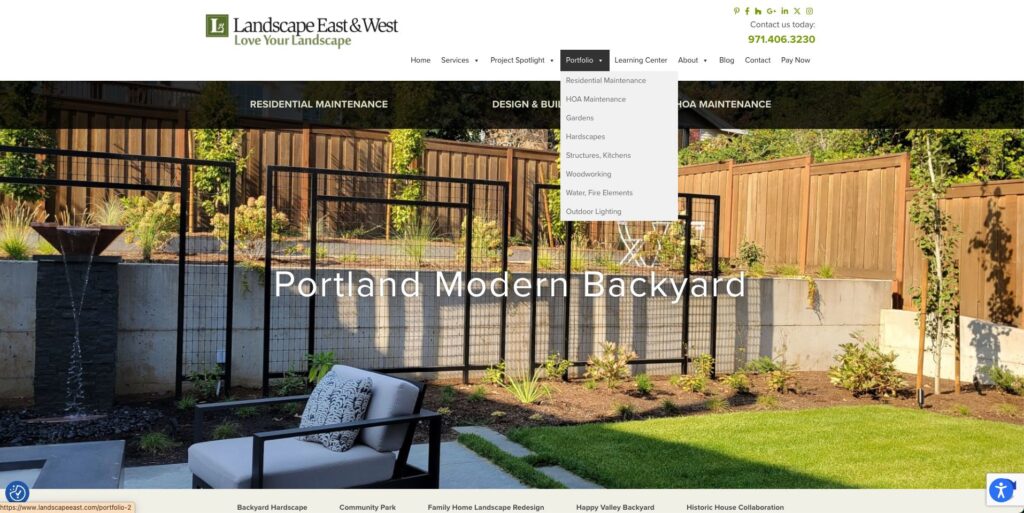
Landscape East & West makes its main services easy to find and supports them with strong project photography.
Idea to borrow: Make your main services obvious from the homepage so visitors do not have to dig through your navigation.
2. Dennis’ 7 Dees: Guide Different Customers to the Right Place
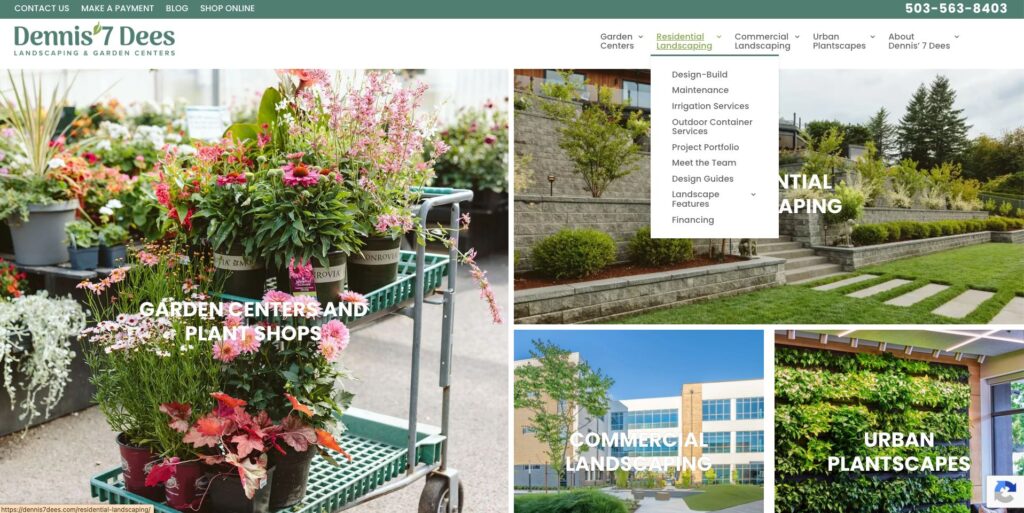
Dennis’ 7 Dees serves several audiences, including residential, commercial, and garden center customers, and gives each a clear route through the site.
Idea to borrow: If you serve different types of customers, create clear paths for each.
3. Yardzen: Show Visitors What Happens Next
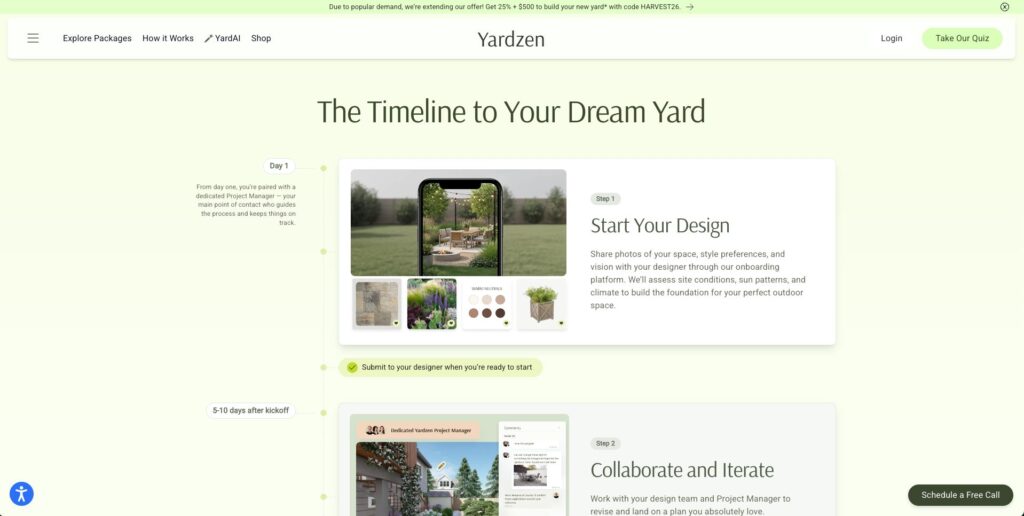
Yardzen explains its process clearly and makes the next step easy to understand.
Idea to borrow: Show visitors what happens after they contact you so requesting a consultation or estimate feels simple.
4. Gibbs Landscape Company: Put Your Credibility Up Front

Gibbs Landscape Company prominently highlights its awards, experience, testimonials, and opportunities to request a quote.
Idea to borrow: Make meaningful awards, reviews, and credentials easy to see rather than burying them on an About page.
5. Altizer Lawn & Landscape: Keep a Local Service Website Simple
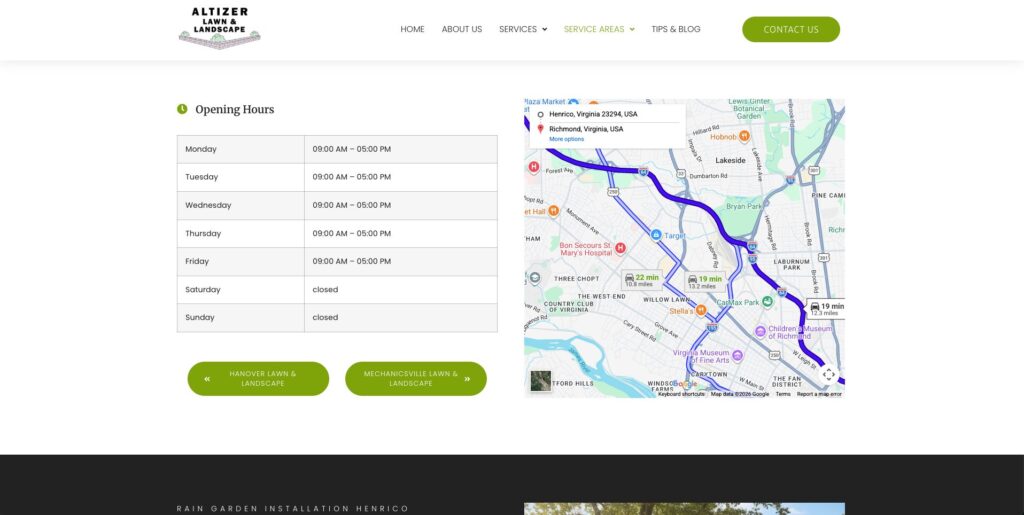
Altizer Lawn & Landscape keeps the focus on services, location, and a clear path to requesting an estimate.
Idea to borrow: Prioritize what local customers actually need: what you do, where you work, and how to contact you.
6. Tepe Landscape & Design Group: Use Your Work to Demonstrate Expertise
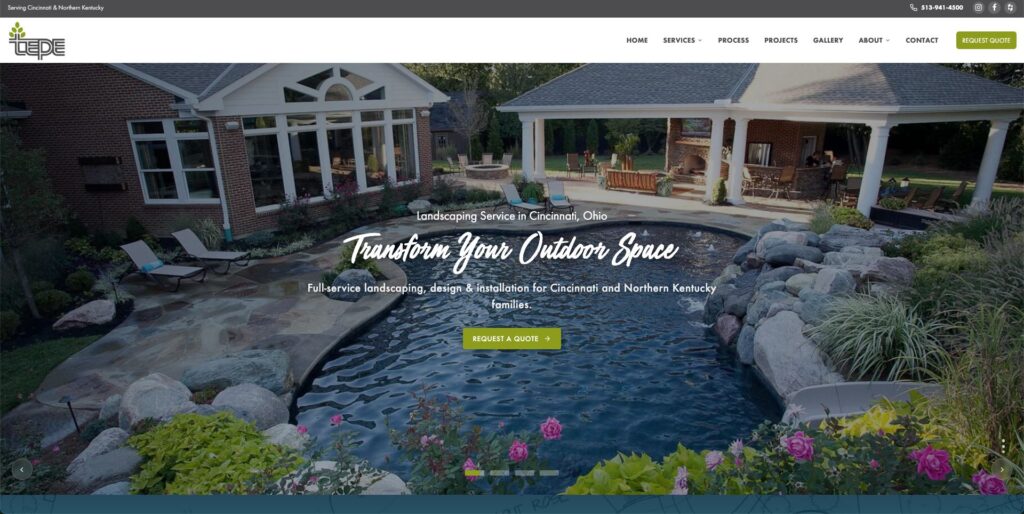
Tepe combines strong project imagery with clear information about landscape design, installation, irrigation, lighting, and other services.
Idea to borrow: Use photography to show what you can achieve, but support it with enough service information to explain how you can help.
SEO and GEO for Landscaping Company Websites
Good landscaping website SEO helps local customers find you when they search for the services you offer. Start with clear pages for your main services, use the terms customers actually search for, and make it obvious which cities or areas you serve. Google’s SEO Starter Guide also recommends clear site organization, useful content, descriptive titles, and relevant images.
Your Google Business Profile is another important part of local visibility. Keep your services, hours, contact details, photos, and service areas accurate, and encourage genuine customer reviews. If you travel to customers rather than serving them at a storefront, follow Google’s service-area business guidance when setting up your profile.
SEO now also overlaps with GEO, or generative engine optimization, which focuses on helping your business appear in AI-powered search results. The basics are similar: create useful, specific content that clearly explains what you do, where you work, and why customers can trust you.
For a deeper look at keywords, local search, and Google Business Profile optimization, see our guide to landscaping SEO.
How to Turn Website Visitors Into Landscaping Leads
Getting traffic to your website is only half the job. Once someone arrives, make it easy for them to take the next step.
Use clear calls to action such as Request an Estimate, Get a Quote, or Call Now on key pages. A simple landscaping inquiry form can also help you collect useful information without making the visitor work too hard.
You might ask for:
- name and contact details
- property or service address
- service needed
- brief project description
- preferred timing
- project photos, if supported
- approximate budget for larger projects
Keep the form short enough to complete quickly. You can always gather more details later by phone or during a site visit.
Once a lead comes in, respond promptly and make the next step clear. That might be scheduling a consultation, visiting the property, or preparing a professional estimate. Estimating software can help turn the project details into a polished estimate, while InvoiceFly’s landscaping software can help keep the process organized from first inquiry through invoicing and payment.
DIY Website Builder vs. Professional Designer
A DIY website builder such as Wix, Squarespace, or GoDaddy can work well if you need a simple site and want to keep costs down. These platforms have improved a lot in recent years, and you may be surprised by how easy it is to build a polished, professional-looking site yourself using templates and drag-and-drop tools. WordPress offers more flexibility, but it usually requires a little more setup and maintenance.
A professional designer may be worth it if you want a custom site, need help with SEO or copy, or simply do not have time to build it yourself.
Whichever route you choose, focus on a site that is easy for customers to use and easy for you to keep updated.
Build a Landscaping Website That Works for Your Business
Your landscaping website does not need to be complicated to be effective. If it clearly shows what you do, where you work, the quality of your projects, and how to get in touch, it is already doing the most important jobs.
From there, focus on making the rest of the customer journey feel just as professional. When a new lead is ready to move forward, clear landscaping estimates can help set expectations around scope, pricing, and terms before the work begins.
If you’re building or growing the business alongside the website, our guide to how to start a landscaping business covers the other foundations you’ll need.

