10 Best Invoice Apps for Small Businesses and Contractors
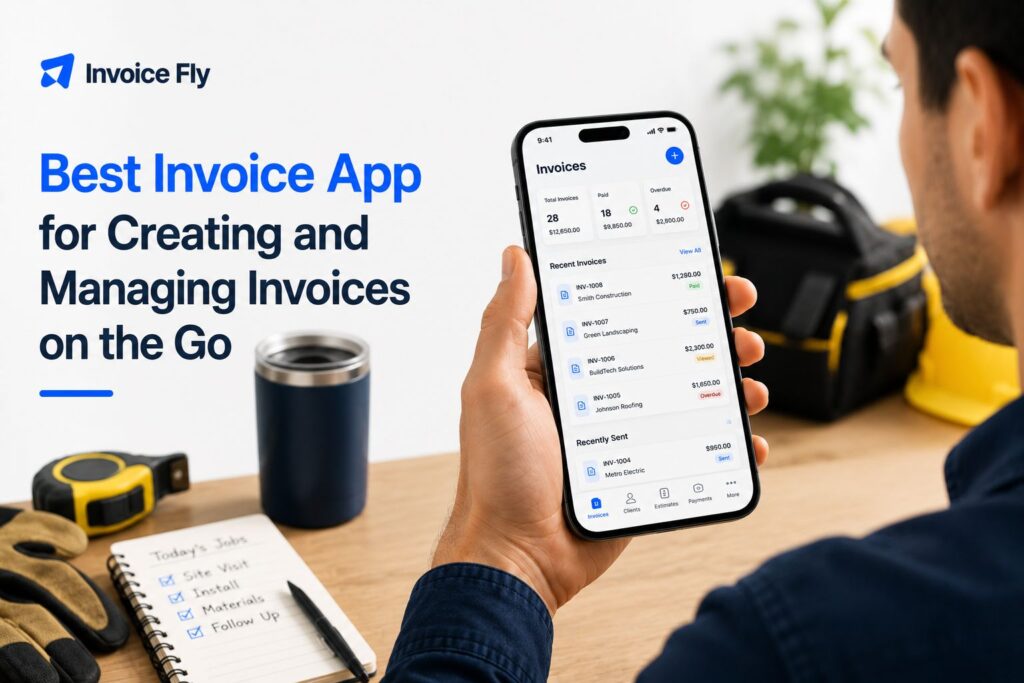
Table of Contents
The best invoice apps make billing easier, not add another complicated system to manage. For small businesses, freelancers, and contractors, that means being able to create and send invoices quickly, keep track of unpaid bills, accept payments, and handle everyday billing without wasting time on admin.
In this guide, we compare 10 of the best invoice apps for 2026, including their main features, pricing, free options, mobile tools, and the types of businesses each one is best suited for.

Why You Need the Best Invoice App
Creating invoices manually can work when you only send a few each year. As your business grows, an invoice app can make it easier to save customer details, reuse services and prices, track payments, send reminders, and keep your billing records together.
Good records matter beyond day-to-day billing. The IRS says organized business records help you monitor your business, prepare financial statements, track expenses, and prepare tax returns.
If you are new to invoicing, start with our guide to what an invoice is.
How We Evaluated the Best Invoicing Apps
There is no single best invoicing app for every business. We compared each option based on the features small businesses are most likely to need:
- mobile invoice creation
- estimates and quotes
- online payment options
- payment and overdue-invoice tracking
- recurring invoices and reminders
- free plans or trials
- accounting and expense features
- ease of use for freelancers and contractors

10 Best Invoice Apps Compared
| Invoice app | Best for | Free option | Starting price* |
|---|---|---|---|
| InvoiceFly | Contractors and service businesses | Free trial | $8.99/week or $98.99/year |
| Square Invoices | Free invoicing with payments | Yes | $0/month |
| Moon Invoice | Affordable invoicing and estimates | 7-day trial | $6.67/month |
| Zoho Invoice | Free feature-rich invoicing | Yes | $0 |
| QuickBooks Online | Full accounting and invoicing | 30-day trial | $38/month |
| FreshBooks | Freelancers and service businesses | 30-day trial | $23/month |
| Wave | Free accounting and invoicing | Yes | $0 |
| Xero | Growing businesses needing accounting | Trial available | $25/month |
| Invoice2go | Mobile invoicing for service businesses | 30-day trial | $5.99/month |
| Hiveage | Freelancers with a small client list | Yes | $0 |
Pricing is based on US plans available in August 2026 and may change. Payment-processing fees and plan limitations may apply.
1. InvoiceFly
Best for: Contractors, freelancers, and service businesses
InvoiceFly combines mobile invoicing with estimates, payment tracking, online payments, expenses, reports, and receipt scanning. Its invoice maker is particularly practical for contractors who want to create an estimate or invoice while they are still with the customer.
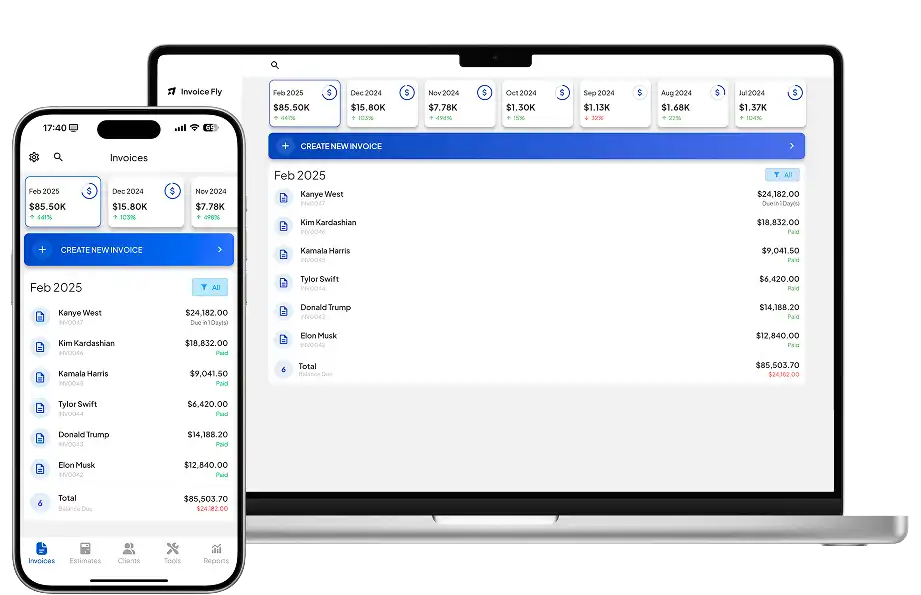
Pros: Unlimited invoices and estimates, mobile app, online payments, expense tracking and reports.
Cons: Businesses needing full double-entry accounting may prefer a broader accounting platform.
Price: $8.99/week or $98.99/year.
2. Square Invoices
Best for: Free invoicing with integrated payments
Square Invoices works well for businesses that want to send invoices without a monthly subscription and already use, or plan to use, Square for payments.
Pros: Free invoicing plan, estimates, online payments, useful mobile tools.
Cons: Payment-processing fees apply, and some advanced features require paid Square plans.
Price: Square Free costs $0/month. Processing fees apply to payments.
3. Moon Invoice
Best for: Affordable invoicing with plenty of billing features
Moon Invoice supports invoices, estimates, purchase orders, expenses, time tracking, customer management, and several payment options.
Pros: Broad feature set, unlimited invoicing on paid plans, several payment integrations.
Cons: No permanent free plan.
Price: Starts at $6.67/month, with a 7-day free trial.
4. Zoho Invoice
Best for: Free invoicing
Zoho Invoice stands out because its core invoicing software is free. It includes invoices, estimates, payment reminders, recurring invoices, expense tracking, time tracking, a customer portal, and online payment options.
Pros: Free, strong automation, iOS and Android apps, time and expense tracking.
Cons: Businesses needing full accounting will need another Zoho product or accounting platform.
Price: Free.
5. QuickBooks Online
Best for: Full bookkeeping and accounting
QuickBooks Online is more than an invoice maker. Invoicing connects directly with income, expenses, bank transactions, financial reports, and broader accounting records.
Pros: Strong accounting features, invoice tracking, online payments, useful financial reporting.
Cons: Expensive if you only need simple invoicing.
Price: Simple Start is $38/month before promotional discounts. A 30-day trial may be available.

6. FreshBooks
Best for: Freelancers who bill clients and track time
FreshBooks combines invoicing with time tracking, expenses, estimates, online payments, and accounting tools. It works especially well for service businesses that bill clients by project or hour.
Pros: Strong invoicing and time tracking, recurring invoices, automatic reminders, mobile apps.
Cons: The entry-level Lite plan only supports five billable clients.
Price: Lite is normally $23/month, with a 30-day free trial. Promotional pricing may be lower.
7. Wave
Best for: Free invoicing plus basic accounting
Wave offers unlimited invoices and estimates on its free Starter plan, along with basic accounting and a mobile invoicing app.
Pros: Free invoicing and accounting, unlimited invoices, online payment option.
Cons: Some automation and advanced features require Wave Pro.
Price: Starter is free. Wave Pro is $19/month or $190/year in the US.
8. Xero
Best for: Growing businesses that need accounting
Xero combines invoicing with bank reconciliation, bills, reporting, expense tools, and broader accounting features. Its Early plan includes invoicing but limits the number of invoices you can send.
Pros: Strong accounting, online payments, unlimited users, useful reporting.
Cons: More software than businesses need if they only want an invoice generator.
Price: Early is $25/month.
9. Invoice2go
Best for: Mobile-first service businesses
Invoice2go focuses on invoicing, estimates, payments, client communication, and simple business management. Its iPhone and Android apps make it useful for businesses working away from an office.
Pros: Affordable entry plan, strong mobile focus, estimates and payments included.
Cons: Starter is limited to 30 invoices per year.
Price: Plans start at $5.99/month, with a 30-day trial.
10. Hiveage
Best for: Freelancers with a small client list
Hiveage offers unlimited invoices, estimates, time tracking, expense tracking, and payment gateways even on its free plan.
Pros: Useful free plan, unlimited invoices, time and expense tracking.
Cons: The free plan is limited to five clients, and advanced automation requires a paid tier.
Price: Free for up to five clients. Paid plans start at $16/month when billed annually.
How to Choose the Best Invoice App
Start with the way you actually bill customers. A contractor may need an estimate and invoice app for creating quotes on-site and turning approved work into invoices. A freelancer may care more about time tracking and recurring invoices. A business already using Square may prefer keeping invoices and payments in the same system.
Consider:
- Mobile access: Can you create invoices easily on iPhone or Android?
- Payment options: Can customers pay directly from an invoice?
- Invoice limits: Does a free or entry plan cap the number you can send?
- Automation: Are recurring invoices and payment reminders included?
- Accounting: Do you need full bookkeeping or just invoice management?
- Client limits: Does the plan restrict how many customers you can bill?
- Processing fees: Will you pay extra when customers pay online?
The SBA also recommends keeping a close eye on your business finances, including money coming in and going out. Choosing invoicing software that makes income and outstanding balances easier to monitor can support that wider financial-management process.
For help setting up your invoices correctly, review our guides to how to write an invoice, invoice payment terms, and invoice tracking.
Choose an Invoice App That Fits the Way You Work
The best invoice app is the one that fits the way your business actually operates. InvoiceFly is a practical choice for contractors and service businesses that want invoices, estimates, expenses, and payments together. Zoho Invoice, Square, Wave, and Hiveage offer useful free options, while QuickBooks, FreshBooks, and Xero make more sense if you also need accounting.
Before choosing, think about how many invoices you send, where you create them, how customers prefer to pay, and whether you need features such as estimates, recurring invoices, time tracking, or bookkeeping.
For more background, see our guide to what an invoice is.

