What Is Estimating Software: Explained
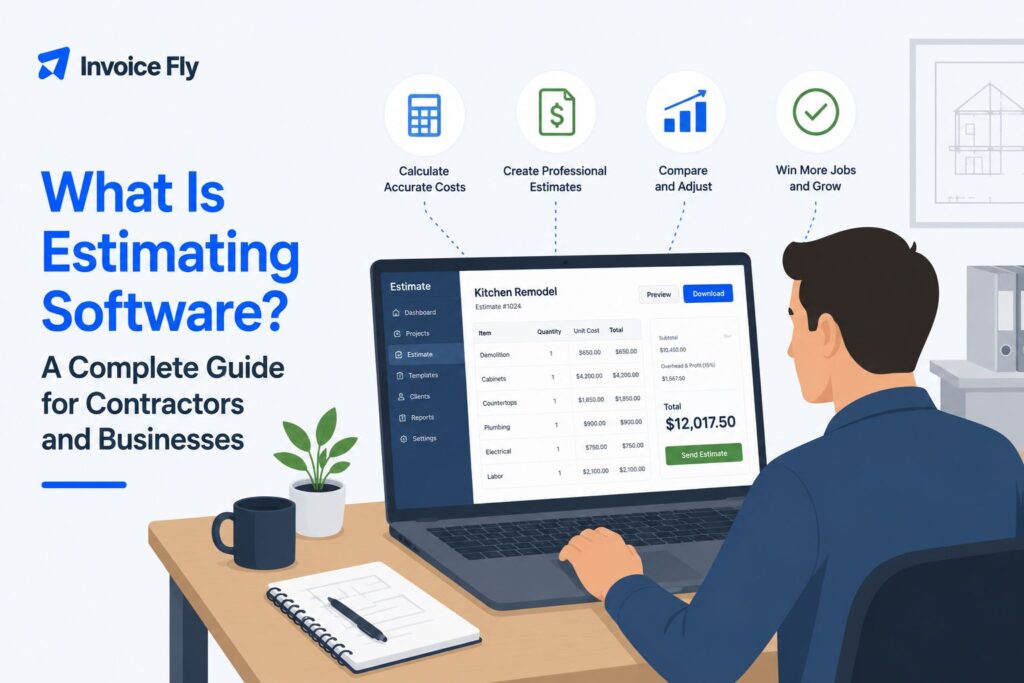
Table of Contents
- What Is Estimating Software?
- How Does Estimating Software Work?
- Key Features of Estimating Software
- What Are the Benefits of Estimating Software?
- Types of Estimating Software
- How AI Is Changing Estimating Software
- Who Uses Estimating Software?
- How to Choose the Right Estimating Software
- Is Estimating Software Worth It?
- Make Estimating Easier for Your Business
- FAQs
Creating an accurate estimate can take more time than you expect, especially when you have to factor in labor, materials, equipment, taxes, and your profit margin. Estimating software makes that process faster and easier by helping you organize those costs, calculate a realistic price, and turn it into a professional estimate you can send to a customer.
In this article, we’ll explain how estimating software works, the features and benefits to look for, the different types available, and how to choose the right option for your business.

What Is Estimating Software?
Estimating software helps you work out what a job or project is likely to cost before the work begins. Instead of calculating everything manually in a spreadsheet or on paper, you can enter your expected costs and let the software organize the numbers for you.
A reliable estimate needs to account for much more than materials alone. According to the Bureau of Labor Statistics, cost estimators consider the time, money, materials, and labor needed to complete a project or provide a service. Depending on the job, you may also need to allow for equipment, overhead, taxes, waste, delays, and other costs that can affect your final price.
Estimating software brings these calculations together in one place. You might enter labor hours and rates, material quantities, equipment costs, overhead, taxes, and your desired markup. The software uses that information to calculate an estimated project cost and, in many cases, turn it into a professional estimate you can send directly to the customer.
The level of detail depends on the type of work you do. A painter or landscaper might use a simple estimating app to price a two-day residential job. A general contractor may need more advanced software with digital takeoffs, cost databases, and tools for estimating a much larger construction project.
An estimate is still a projection, not the final amount a customer owes. Our guide to what an estimate is explains the difference between an estimate and a final bill in more detail.

Estimating Software vs. Spreadsheets
You can create estimates in Excel or Google Sheets, and a spreadsheet may be enough when you’re starting out. But there are important differences between a spreadsheet and purpose-built estimating software.
| Spreadsheets | Estimating software |
| Flexible and inexpensive | Purpose-built for estimating |
| Requires formulas and manual setup | Automates common calculations |
| Easy to customize | Can offer reusable items and templates |
| Can become difficult to manage as estimates increase | Designed to organize multiple estimates |
| Good for occasional, simple estimates | Better suited to frequent estimating workflows |
Neither option is automatically better. A freelancer creating a few straightforward estimates may be perfectly comfortable with a spreadsheet. Dedicated estimating software becomes more valuable when you’re repeatedly entering the same information, managing multiple customers, or moving estimates into invoices and payments.
The important thing is to use a consistent process. The GAO emphasizes that reliable estimates should be comprehensive, well documented, accurate, and credible. Its guidance also stresses the importance of documenting assumptions, using appropriate data, and updating estimates as actual costs become available.
How Does Estimating Software Work?
The exact process varies between tools and industries, but most project estimating software follows a similar basic workflow:
- Add the job details. Enter the client, project scope, dates, and other important information.
- Calculate the costs. Add labor, materials, equipment, subcontractor costs, and other expenses.
- Apply pricing. Include your markup, taxes, discounts, or other adjustments.
- Create the estimate. Turn the calculations into a clear document showing the client what the job is expected to cost.
- Send and manage it. Depending on the software, you may be able to send the estimate digitally, get approval, request a signature or deposit, and move an accepted estimate into your invoicing workflow.
For example, InvoiceFly’s estimate app lets businesses add clients and items, apply discounts and taxes, request deposits and signatures, duplicate estimates, and manage estimates alongside other billing tasks.

Key Features of Estimating Software
Not every business needs the same estimating tools. A solo contractor preparing five estimates a week has very different requirements from a construction company bidding on multimillion-dollar projects.
Still, there are several features worth understanding.
Cost Calculations and Reusable Pricing
Basic estimating software lets you enter costs and calculate totals consistently. Saving frequently used products, services, labor rates, or job items can make repeat estimates much quicker.
This also gives you a consistent place to apply discounts, taxes, and markup instead of relying on mental math or separate calculations.
Templates and Saved Job Information
Templates are useful when many of your projects follow a similar pattern. A painter, for example, might create separate templates for interior rooms, exterior painting, and cabinet refinishing.
You can then customize the quantities, labor, materials, and price for the individual customer rather than starting from a blank document.
If you’re not ready for dedicated software, an estimate template can give you a structured starting point while still allowing you to enter the costs for each individual job.
Digital Takeoffs and Cost Databases
A digital takeoff uses project plans or models to calculate the quantities of materials or work required. More advanced construction platforms can connect those takeoffs with cost databases, helping estimators turn quantities into projected project costs.
These tools are useful for complex construction projects, but they’re unnecessary for many freelancers and service businesses.
Proposals and Estimate-to-Invoice Workflows
Creating an accurate estimate is only part of the job. You also need to present it to the customer and move the project forward when they accept.
Some estimating tools connect estimates with proposals, approvals, deposits, invoices, and payments. That can reduce the need to re-enter the same customer and job information at every stage.
For example, after a customer accepts a job, you may want to convert the agreed costs into an invoice rather than creating another document from scratch. InvoiceFly’s invoice maker provides the next step in that billing workflow.
What Are the Benefits of Estimating Software?
The main benefit is not simply replacing paper with a screen. Good estimating software can make the process more consistent from one job to the next.
Save Time on Repetitive Estimates
If you frequently offer similar services, saved items, pricing, and templates can reduce repetitive data entry.
That’s especially helpful for contractors who need to prepare estimates while also doing the actual work. Instead of returning to the office to build a document from scratch, contractor estimating software with mobile functionality can let you create and send an estimate from the field.
For small businesses managing multiple customers and jobs, that can make estimating easier to fit into the working day.
Reduce Manual Calculation Errors
A missed line item or incorrect spreadsheet formula can affect the profitability of an entire project.
Software won’t fix inaccurate inputs, but automatic calculations can reduce some of the errors associated with manual arithmetic. It also gives you a consistent framework for checking that you’ve included labor, materials, overhead, and other costs before sending a price.
That distinction matters. Estimating software doesn’t automatically make an estimate accurate. Your estimate is still only as reliable as the quantities, prices, labor assumptions, and other information you put into it.
Protect Your Margins
A low estimate might win a job but leave little or no profit once the work is finished.
Breaking a project into individual cost components makes it easier to see where the money is going and apply the appropriate markup. More advanced cost estimating software can also help organize large numbers of cost items and complex project expenses.
The GAO’s Cost Estimating Guide identifies comprehensiveness as one of four characteristics of a high-quality estimate, including accounting for relevant costs and avoiding omissions or double counting.
Look More Professional
A well-presented estimate gives customers confidence in your business and makes it clear what they’re agreeing to.
Including your business details, itemized costs, payment terms, and clear approval options creates a more professional experience than sending a price in a text or informal message. It also gives the customer something they can easily review and refer back to.
Types of Estimating Software
“Estimating software” covers a wide range of tools. The right level of complexity depends on the work you do.
| Type | Best suited to | Typical features |
| Basic estimating software | Freelancers and small service businesses | Templates, labor and material costs, markup, taxes, client estimates |
| Trade-specific estimating software | Painters, electricians, plumbers, HVAC and other trades | Job templates, trade-specific pricing, field estimates, customer management |
| Construction estimating software | Builders and general contractors | Cost databases, assemblies, bid management, project costing |
| Takeoff and advanced estimating software | Larger and more complex construction projects | Digital plans, quantity takeoffs, 2D/3D models, cost libraries, collaboration |
Remember: the most advanced option isn’t automatically the best one. If you mainly need to price jobs quickly and send professional estimates to customers, straightforward estimating software for small businesses may be more useful than a construction platform with features you’ll never use.
How AI Is Changing Estimating Software
AI is starting to automate more parts of the estimating process, particularly in construction software. Depending on the platform, AI tools may help identify quantities from plans, organize project information, suggest cost items, or speed up the first draft of an estimate.
That does not remove the need for human review. Material prices, labor rates, project conditions, scope, and assumptions still need to be checked before a price goes to a customer. AI is most useful as a way to reduce repetitive work, not as a replacement for accurate job information or professional judgment.
Who Uses Estimating Software?
Estimating tools are used across construction, manufacturing, home services, and many other industries.
The Bureau of Labor Statistics reports that specialty trade contractors and building construction are among the largest employers of professional cost estimators. But you don’t need a dedicated estimator on staff to benefit from estimating software.
Common users include:
- General contractors
- Electricians
- Plumbers
- HVAC contractors
- Painters
- Landscapers
- Handymen
- Cleaning businesses
- Freelancers and other service providers
A solo contractor may handle the entire estimating process personally, while a larger construction company may have dedicated estimators working alongside project managers, architects, engineers, and subcontractors.
How to Choose the Right Estimating Software
Start with the way you actually work rather than the longest feature list.
- Your industry. A residential cleaner doesn’t need the same tools as a commercial construction estimator.
- Project complexity. Simple jobs may only require labor, materials, taxes, and markup. Complex construction projects may require takeoffs, assemblies, cost databases, and multiple contributors.
- Where you create estimates. Contractors working in the field may benefit from a mobile app that lets them prepare and send estimates from the job site.
- Ease of use. Software doesn’t save time if your team struggles to use it. Look for a workflow that matches the way you already estimate jobs.
- Your next step after approval. Consider whether you want estimates, signatures, deposits, invoices, and payments within the same system.
- Cost and scalability. Compare the price with the features you genuinely need today, while considering whether the software can still work for you as the business grows.
Don’t assume that more features automatically mean better software. The best option is the one that solves the problems in your current estimating process without creating unnecessary complexity.

Is Estimating Software Worth It?
Estimating software is most valuable when manual estimates are starting to take too much time, become difficult to track, or create inconsistencies between jobs.
If you only prepare an occasional simple estimate, a spreadsheet or template may still work perfectly well. But as you take on more customers, dedicated software can help create a more repeatable process for calculating, sending, and managing estimates.
For small businesses and contractors, the goal isn’t necessarily to automate every part of estimating. It’s to spend less time rebuilding the same documents and more time checking that the numbers make sense.
Once you have the fundamentals down, our guide to how to create an estimate walks through the process in more detail.
Make Estimating Easier for Your Business
Estimating software gives you a structured way to calculate project costs, apply pricing, and communicate the expected price of a job to your customer. The right tool might be a simple mobile estimate app or a more advanced platform with digital takeoffs and cost databases.
Choose based on the complexity of your work and the problems you actually need to solve. If your biggest challenge is creating professional estimates quickly and moving approved jobs into billing, a straightforward tool may be all you need.
InvoiceFly’s estimate app lets contractors, freelancers, and small businesses create and send professional estimates while keeping estimates and invoicing within the same workflow.
And if you’re still getting comfortable with the basics, revisit our guide to what an estimate is to understand what an estimate should include and how it differs from other pricing documents.

