10 Best Quotation Software Tools to Win More Work in 2026

Table of Contents
When a customer asks for a quote, you want to respond quickly, price the work accurately, and make a professional impression. The best quotation software helps you do all three without spending more time than necessary on admin. The right tool depends on how you work, from a contractor pricing jobs on-site to a larger sales team managing CRM integrations, approval workflows, and e-signatures.
In this article, we compare 10 quotation software tools for small businesses, contractors, and sales teams, from straightforward quoting and invoicing apps to more advanced CPQ platforms.

What makes good quotation software?
Good quotation software should make it easier to create professional quotes and keep track of what happens after you send them.
For small businesses, that might mean reusable products and services, automatic taxes and discounts, digital approvals, mobile access, and the ability to turn an accepted quote into an invoice. Larger sales teams may need more advanced features such as CRM integrations, approval workflows, product catalogs, flexible pricing, and analytics.
The key is choosing software that matches the complexity of your sales process without making everyday quoting harder than it needs to be.
Tip: If you want a refresher on the basics, our guide to what a quotation is explains what a quotation should include and how it works.

10 Best Quotation Software Tools in 2026
| Software | Best for | Starting price |
|---|---|---|
| InvoiceFly | Contractors and small service businesses | $8.99/week or $98.99/year |
| Quote IQ | Home service contractors | $29.99/month |
| Quotient | Small teams that want dedicated quoting | $28/month |
| PandaDoc | Quotes, proposals, and e-signatures | Free; paid plans from $19/user/month annually |
| Proposify | Sales proposals and interactive pricing | From $19/user/month annually |
| QuoteWerks | Complex product and vendor pricing | From $50/month per concurrent user |
| Zoho Invoice | Free quoting and invoicing | Free |
| HubSpot Revenue Hub | CRM-connected sales quoting | Professional or Enterprise plans |
| Salesforce Revenue Cloud | Enterprise CPQ | Paid per-user plans |
| DealHub | Complex B2B CPQ workflows | Custom pricing |
Pricing and product information checked in August 2026. Plans, features, and prices may change.
1. InvoiceFly
Best for: Contractors and small service businesses
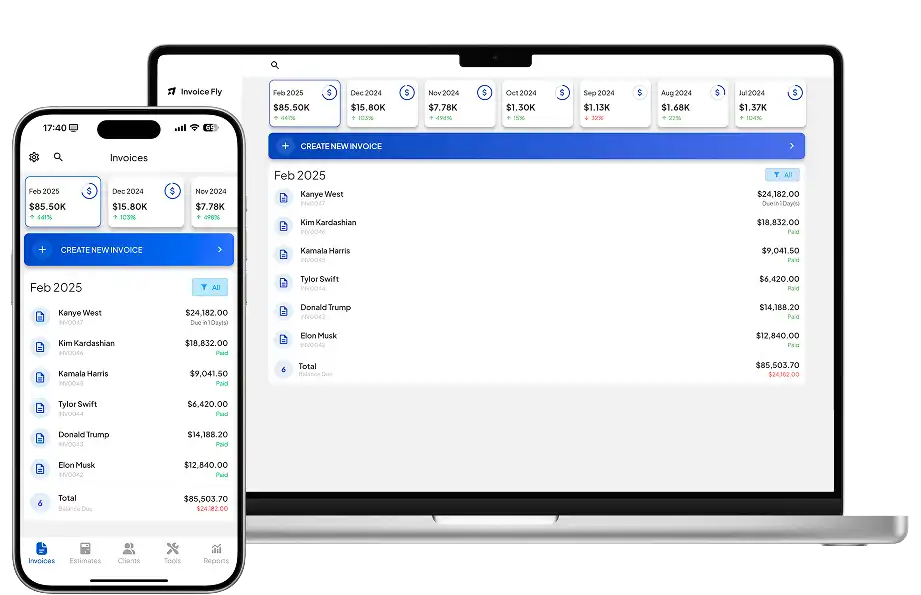
InvoiceFly is a practical choice for contractors, freelancers, and service businesses that want straightforward quoting without a complicated sales platform. Its estimating app lets you create and send estimates, add customer and job details, and request signatures or deposits.
Accepted work can then move into billing and payments using the same platform’s invoice maker. InvoiceFly also offers a free quote generator for occasional quotes.
Pros: Easy to use, mobile-friendly, contractor-focused, connected quote-to-invoice workflow.
Cons: Larger sales organizations may need more advanced CPQ features.
Price: $8.99/week or $98.99/year.
2. Quote IQ
Best for: Home service contractors
Quote IQ is designed for home service businesses and combines estimates and invoices with scheduling, payments, customer management, and contractor-specific tools such as property measurements.
Higher plans add more advanced automation and AI-powered features.
Pros: Contractor-specific tools, scheduling, estimating, invoicing, and payments.
Cons: Some features are highly specific to home service businesses.
Price: From $29.99/month.

3. Quotient
Best for: Small teams that want dedicated quoting software
Quotient focuses specifically on online quotes. You can create professional quotations, offer optional items and customer-selectable quantities, track activity, and manage quotes as a team.
Its focused approach suits businesses that want quotation management without a full CRM or accounting platform.
Pros: Simple quoting experience, customer interaction, quote tracking, team tools.
Cons: Fewer broader business-management features.
Price: $28/month for Solo or $48/month for Team, with a 21-day trial.
4. PandaDoc
Best for: Quotes, proposals, and e-signatures
PandaDoc combines quoting with broader document automation. Sales teams can use templates, product catalogs, Quote Builder tools, discounts, taxes, e-signatures, and approval workflows to create polished sales documents.
It makes sense when the quote is part of a larger proposal or agreement rather than a simple price document.
Pros: Strong proposal tools, Quote Builder, e-signatures, CRM integrations.
Cons: More functionality than businesses needing basic quotes may require.
Price: Free plan available. Starter begins at $19/user/month billed annually, while Business starts at $49/user/month annually.
5. Proposify
Best for: Sales proposals and interactive pricing
Proposify focuses on sales proposals, combining pricing with branded content, e-signatures, analytics, and interactive quote options.
It is particularly useful for sales teams that want prospects to choose quantities, add-ons, or other options directly within a proposal.
Pros: Interactive quoting, polished proposals, e-signatures, analytics.
Cons: Less suited to quick contractor quotes.
Price: Basic starts at $19/user/month billed annually or $29 monthly.
6. QuoteWerks
Best for: Complex product and vendor pricing
QuoteWerks is designed for businesses that need more detailed product, vendor, purchasing, or procurement information in their quotes.
It supports CRM and PSA integrations, product configuration, approval processes, and more advanced quoting workflows, making it especially relevant to IT providers and product-based businesses.
Pros: Detailed quoting, strong integrations, purchasing and vendor tools.
Cons: More complex than most small service businesses need.
Price: QuoteWerks Web starts at $50/month per concurrent user, or $45.83/month when billed annually.
7. Zoho Invoice
Best for: Free quoting and invoicing
Zoho Invoice offers free invoicing with a useful quote-to-invoice workflow for freelancers and small businesses. Users can create quotes, allow customers to respond through a portal, convert accepted quotes into invoices, track expenses, and accept payments.
Pros: Free, quote-to-invoice conversion, customer portal, invoicing and expense tools.
Cons: Not designed for complex CPQ or large sales teams.
Price: Free.
8. HubSpot Revenue Hub
Best for: CRM-connected sales quoting
HubSpot’s quoting tools connect directly with its CRM, allowing sales teams to use existing customer, deal, product, and pricing information when creating quotes.
Features include line items, pricing options, approvals, e-signatures or click-to-accept options, billing, and payment workflows.
Pros: Strong CRM connection, centralized deal data, quoting and payment workflows.
Cons: Likely excessive for businesses that only need simple quotes.
Price: Quoting capabilities are available within paid Revenue Hub plans.
9. Salesforce Revenue Cloud
Best for: Enterprise CPQ
Salesforce Revenue Cloud is built for complex sales and revenue workflows. Its CPQ tools support product configuration, advanced pricing, approvals, quotes, contracts, subscriptions, and billing.
For smaller businesses, that level of functionality can be unnecessary. For larger organizations with complicated product catalogs and approval processes, it can be a strong fit.
Pros: Advanced CPQ, pricing rules, approvals, Salesforce integration.
Cons: Cost and complexity make it unsuitable for many small businesses.
Price: Paid per-user plans, with pricing varying by edition and requirements.

10. DealHub
Best for: Complex B2B CPQ workflows
DealHub combines CPQ with contract management, subscriptions, e-signatures, and broader quote-to-revenue workflows.
Guided selling and pricing rules help teams manage complex products, discounts, and approvals consistently.
Pros: Advanced CPQ, guided selling, approvals, contracts, and e-signatures.
Cons: More complex than most small businesses need.
Price: Custom pricing.
What to Look for in Quotation Software
The best software for quoting should fit the way your business already sells. Before choosing a platform, consider:
- Ease of use: Can you create a professional quote without extensive training?
- Mobile access: Can you quote from your phone or tablet on-site?
- Pricing tools: Do you need simple line items or advanced product configurations?
- Approvals: Can customers accept, sign, or respond digitally?
- Tracking: Can you see which quotes are still waiting for a response?
- Integrations: Does it connect with your CRM, accounting, payment, or business tools?
- Quote-to-invoice workflow: Can an accepted quote become an invoice without entering everything again?
- Cost: Are you paying for features you will actually use?
Keeping quote and customer records organized can also support the financial side of your business. The IRS recommends maintaining good business records, while the SBA provides guidance on managing business finances.
For contractors in particular, admin time matters. InvoiceFly’s Salary & Time Gap explores how tasks such as estimates, invoices, and payment follow-up can reduce the hours available for paid work.

Choose Quotation Software That Fits Your Workflow
The best quotation software is the one that makes quoting simpler, not more complicated. It should help you respond to customers faster, keep pricing consistent, and move approved work smoothly into invoicing and payment.
A contractor may only need mobile quotes, customer approvals, and an easy quote-to-invoice workflow. A larger sales team may need CRM integrations, pricing rules, approvals, and more detailed tracking.
Whatever you choose, focus on the features you will genuinely use. The right software should save time, reduce admin, and make it easier to move a customer from an initial inquiry to approved work.
If you want a refresher on what the document itself should contain, our guide to what a quotation is covers the essentials.

