Cleaning Business App: Best Apps for Managing Your Company
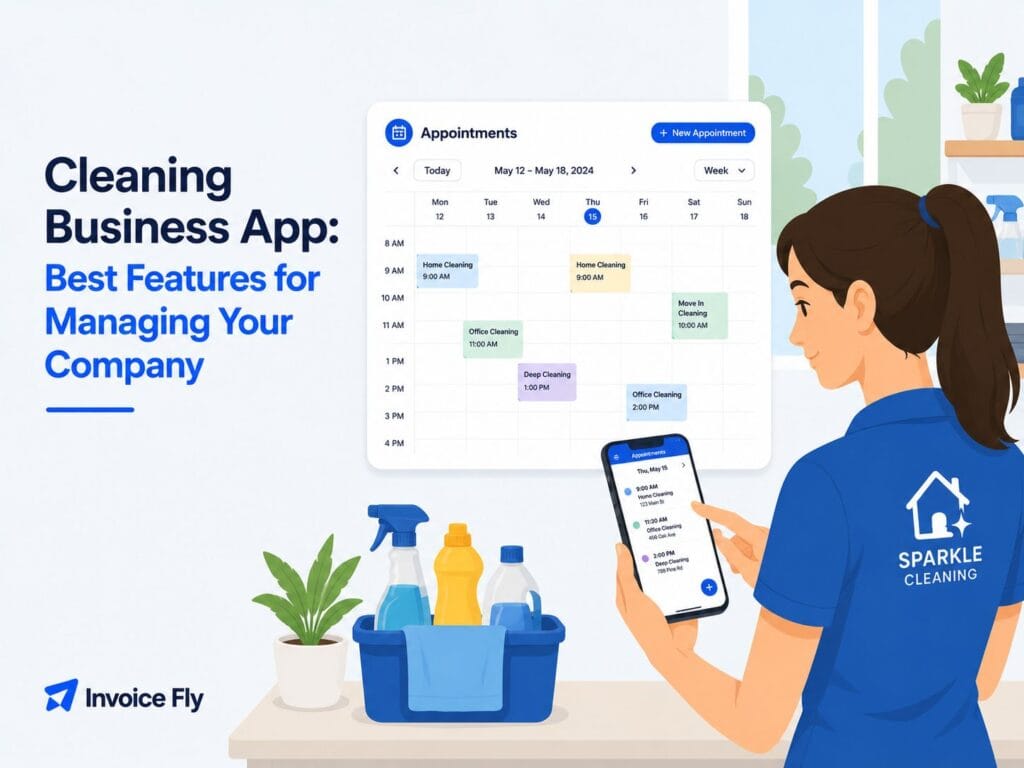
Table of Contents
Running a cleaning business means keeping track of a lot of moving parts: who’s cleaning which house today, when the next invoice is due, and whether that new lead ever got a callback. A cleaning business app brings all of that together in one place instead of relying on a messy mix of paper calendars, texts, and sticky notes. Whether you run a solo house cleaning service or manage a team of janitorial workers across several buildings, the right app can save you hours every week and make your business look a lot more put together.
Here’s what these apps actually do, what they cost, and which ones are worth your time in 2026.
What Is a Cleaning Business App?
A cleaning business app is software that helps owners manage scheduling, client details, quotes, invoices, and staff, all in one place. Instead of juggling a paper calendar for bookings and a separate spreadsheet for client contact info, everything is organized in a single dashboard.
For a small house cleaning service, that might mean an app that tracks recurring bookings and sends automatic reminders to clients. For a larger commercial cleaning or janitorial operation, it often means more, like GPS tracking for crews, digital checklists for site inspections, and team messaging built right in. Many of these apps also work well for window cleaning businesses, carpet cleaning companies, and other field service contractors who juggle similar scheduling and billing needs.
If you’re still launching your company, choosing the right software early can save you from switching systems as your client list grows.
Before picking software, it helps to know your pricing. Reviewing how much to charge for house cleaning first makes it much easier to set up accurate quotes once you start using an app.
If you’re still planning your company, our guide on how to start a cleaning business walks through licensing, pricing, equipment, and the tools you’ll need from day one.
How Do Cleaning Business Apps Work?
Most cleaning business apps work by connecting a few core functions:
| Feature | What It Does |
|---|---|
| Scheduling | Organizes recurring and one-time jobs |
| Client management | Stores customer details and service history |
| Estimates & invoices | Creates quotes and bills customers |
| Team communication | Shares job details with cleaners |
| Payment processing | Accepts online payments |
Many of these apps also function as a lightweight cleaning business CRM, storing client history and notes alongside your scheduling and billing.
A house cleaner working solo might use a simple scheduling app just to avoid double-booking herself. A commercial cleaning company managing ten office buildings, on the other hand, needs something that can dispatch multiple crews and confirm each site was actually cleaned on schedule.
The Benefits of Cleaning Business Software
Switching from paper and spreadsheets to a real cleaning business scheduling app comes with a few clear upsides:
- Fewer no-shows and scheduling mix-ups, since automated reminders go out to clients before each appointment
- Faster payments, because clients can pay through the app instead of waiting to write a check
- A more professional look, which matters when you’re competing against other local cleaning companies
- Time saved on admin work, which adds up fast over a full year
That last point matters more than people expect. According to InvoiceFly’s Salary & Time Gap Report 2026 and research from Paychex, home service professionals lose more than 850 hours each year to non-billable administrative work like quoting and invoicing. For a cleaning business owner already stretched thin between jobs, an invoice maker built into your daily workflow can free up real hours for actual paid cleaning work.

How Much Does Cleaning Business Software Cost?
Pricing for cleaning business apps varies a lot depending on features and team size. Some tools offer a free plan for solo cleaners handling a small number of jobs, while others charge a monthly fee per user once you add a full crew.
| Business Size | Typical Monthly Software Cost |
|---|---|
| Solo cleaner | Free–$25 |
| Small team | $20–$60 |
| Growing company | $60–$150 |
| Enterprise | Custom pricing |
Generally speaking, simpler scheduling apps aimed at solo operators or small house cleaning businesses cost less, while all-in-one platforms with route optimization, team management, and advanced reporting cost more as you scale. It’s worth comparing a few options against your actual client volume rather than picking the most expensive tool just because it has more features.

Compare the Best Cleaning Business Apps
| App | Best For | Mobile App | Free Plan | Starting Price |
|---|---|---|---|---|
| InvoiceFly | Small cleaning businesses | ✓ | No | Affordable |
| ZenMaid | Residential cleaning | ✓ | No | ~$19/mo |
| Connecteam | Crew management | ✓ | ✓ | Tiered |
| Housecall Pro | Field service | ✓ | No | Tiered |
| Swept | Commercial cleaning | ✓ | No | ~$24/mo |
| Hubstaff | Time tracking | ✓ | ✓ | Tiered |
| CleanGuru | Cleaning operations | ✓ | No | Custom |
| Aspire | Enterprise | ✓ | No | Enterprise |
| ClickUp | Workflow management | ✓ | ✓ | Free + paid |
| FieldVibe | Solo cleaners | ✓ | ✓ | Free |
Quick takeaways:
- Great option for small businesses: InvoiceFly
- Best free option: FieldVibe
- Best for residential cleaners: ZenMaid
- Best for commercial cleaning: Swept
- Best enterprise option: Aspire
Best Cleaning Business Apps
Here’s a rundown of some of the most commonly used apps for cleaning businesses today.
1. InvoiceFly
Overview: InvoiceFly is built for home service businesses, including house cleaning, carpet cleaning, and commercial cleaning companies. It handles client management, quotes, invoicing, and payments in one simple system.
Pros: Easy to set up, strong invoicing tools, mobile-friendly for cleaners on the go.
Cons: Fewer built-in extras compared to large enterprise platforms.
Price: Affordable plans designed for small and growing cleaning businesses.
2. ZenMaid
Overview: Built specifically for maid services and residential cleaning companies, with automated client reminders and cleaner hour tracking.
Pros: Purpose-built for residential cleaning, sends automatic SMS reminders.
Cons: Less suited for larger commercial or janitorial operations.
Price: Plans typically start around $19 a month plus per-user fees.
3. Connecteam
Overview: A team management app that tracks daily operations, letting cleaners clock in and out from their phones with real-time location tracking.
Pros: Strong for managing larger cleaning crews and commercial teams.
Cons: More features than a solo cleaner would typically need.
Price: Tiered pricing based on team size.
4. Housecall Pro
Overview: A field service management platform used across several home service industries, including cleaning.
Pros: Solid all-around scheduling, invoicing, and customer management tools.
Cons: Not cleaning-specific, so some features may feel general-purpose.
Price: Tiered monthly plans.
5. Swept
Overview: Designed specifically for commercial cleaning teams, with tools for quality control, site checklists, and on-site messaging.
Pros: Strong fit for janitorial and commercial cleaning operations.
Cons: Less useful for small residential cleaning businesses.
Price: Plans starting around $24 a month.
6. Hubstaff
Overview: A time tracking and workforce management tool sometimes used by cleaning businesses to monitor staff hours and productivity.
Pros: Detailed time tracking and reporting.
Cons: Not built specifically for the cleaning industry.
Price: Tiered plans based on features and team size.
7. CleanGuru
Overview: A software suite built specifically for cleaning businesses, covering bidding, scheduling, and operations.
Pros: Cleaning-industry specific tools, including bid calculators.
Cons: Learning curve for smaller operations just starting out.
Price: Custom pricing based on business needs.
8. Aspire
Overview: A business management platform often used by larger commercial cleaning and facility service companies.
Pros: Strong for large-scale operations with complex scheduling needs.
Cons: Likely more than a small cleaning business needs.
Price: Enterprise-level pricing.
9. ClickUp
Overview: A general project management tool that some cleaning businesses adapt for scheduling and task tracking.
Pros: Flexible and customizable for different workflows.
Cons: Not built specifically for field service or cleaning businesses.
Price: Free tier available, with paid plans for more features.
10. FieldVibe
Overview: A free scheduling app popular with solo cleaners and small businesses just starting out.
Pros: Free plan for unlimited jobs and client scheduling.
Cons: Fewer advanced features as your business grows.
Price: Free, with the option to upgrade later.
If you aren’t ready for full software yet, a free cleaning business estimate template can help you send professional quotes, and a free cleaning business invoice template can help you get paid once the job is done.

How to Choose Cleaning Software
The best app for your cleaning business depends on where your business is today. A solo house cleaner just starting out might only need basic scheduling and a free invoice generator, while a growing team benefits from route optimization, staff tracking, and more advanced reporting.
Before you commit to a tool, ask:
- Does it fit residential cleaning, commercial cleaning, or both?
- Can your team actually use it easily from their phones?
- Does the pricing make sense for your current number of clients, not just future goals?
- Does it handle invoicing and payments, or will you need a separate tool for billing?
- Does it store your cleaning contracts alongside job details, or will you still need a separate system for recurring commercial agreements?
Good software keeps your business organized, but it’s only one piece of the puzzle. It’s also worth making sure you have the right cleaning business insurance in place, since even the best app won’t protect you from on-site accidents or liability claims.
If you want to compare more industry-specific tools built for cleaning businesses, this guide to cleaning business software is a good next step.
Conclusion
The right cleaning business app helps you spend less time on paperwork and more time serving clients. Whether you’re comparing InvoiceFly, ZenMaid, Swept, or one of the bigger enterprise platforms, the right choice comes down to your team size and how much you’re currently managing by hand. If you’re still working out the basics of your business, learning how to start a cleaning business the right way makes it much easier to know which software is actually worth paying for as you grow.

