Invoice vs. Quote: What’s the Difference?

Table of Contents
- What is a Quote vs What is an Invoice?
- Key Differences: Invoice vs Quote
- When to Use an Invoice vs Quote
- How to Create Quotes vs Invoices
- Tools for Creating Invoices and Quotes
- Calculate What To Put On Quotes & Invoices
- Service Price Calculator
- Total Summary
- Example: How a contractor uses a quote and an invoice
- Estimate vs quote vs bid
- Invoice vs Quote FAQs
Running a business typically involves managing various financial documents, but two of the most common ones often cause confusion: quotes and invoices. Confused as well? Don’t worry. Many business owners and clients alike find themselves googling, “What is a quote vs an invoice?”
While both are crucial for managing business transactions, they serve distinct purposes, supporting different stages of the sales process. In this article, we’ll clear up any confusion and explain when and how to use each document in your business transactions.
Read on to learn the essentials, or visit Invoice Fly to access useful tools like our invoice maker and quote generator.
What is a Quote vs What is an Invoice?
A quote and an invoice are both essential documents, but they have different uses. In short, a quote is typically provided at the beginning of a potential sale, offering an estimate of the cost. Meanwhile, invoices are often issued after the goods or services have been delivered.
But let’s break it down further.
Quotes are helpful for clarifying the scope and total cost of a service/product before the transaction takes place. Think of it as an overview, allowing potential customers to review your offering, its price, and any additional terms or conditions involved.
Invoices, on the other hand, are usually created and shared after the service/product has been provided. It’s a formal request for payment, outlining what exactly was provided, a detailed breakdown of the cost, how to pay, and any payment terms.
So, while the two are very different, they still complement each other, helping businesses maintain clarity and professionalism throughout the entire transaction process. A quote is a financial document issued by a business to a prospective customer, offering an estimated price for goods or services before the sale is made. It outlines the scope, expected cost, and any terms or conditions, helping customers make informed decisions.
Looking for an easy way to make quotes? Try Invoice Fly’s free quote generator.
Create and Send Invoices with Invoice Fly
Whether you’re billing clients weekly, monthly, or per project, Invoice Fly helps you create professional invoices, track payments, and stay organized from anywhere.
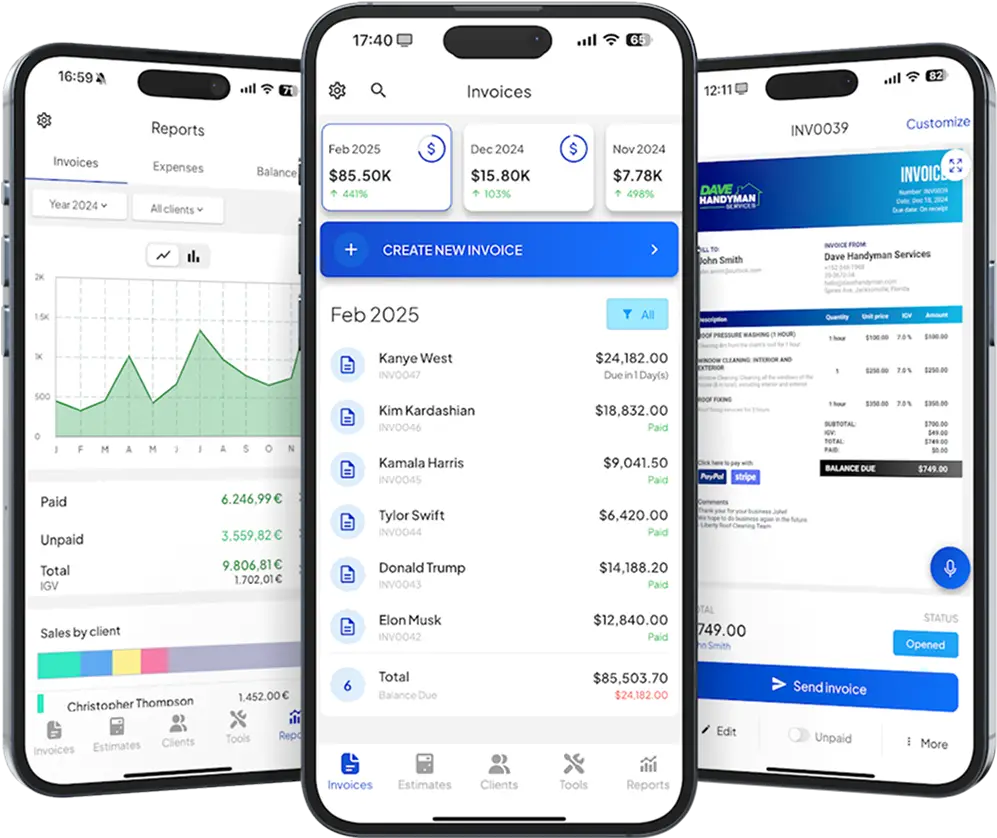
Key Differences: Invoice vs Quote
Feature | Quote | Invoice |
|---|---|---|
Purpose | Sets out a proposed price | Requests payment |
When it’s sent | Usually before work starts | Based on the agreed payment schedule |
Who sends it | Contractor, seller, or service provider | Contractor, seller, or service provider |
What it includes | Scope of work, proposed costs, and conditions | Work or products billed, total due, and payment terms |
Payment | Usually doesn’t request payment | Requests payment under the agreed terms |
Changes | Can be revised before acceptance, depending on the terms | Changes should be recorded and explained |
Customer approval | May need approval before work begins | Usually follows an agreed purchase or service |
Main use | Agreeing on the work and price | Billing the customer |
A quote sets out what the customer can expect to pay, while an invoice tells them what they owe. An accepted quote can also form part of a binding agreement, depending on its terms and applicable law.
And invoices aren’t always sent at the end of a job. Contractors may invoice for deposits or completed stages of work before the entire project is finished.
When to Use a Quote
Before a sale:
Providing a quote to customers who inquire about specific services or products is an effective way to clearly outline important details, ensuring the customer is aware of the scope, pricing, and any key terms or conditions.
During negotiations:
Quotes are excellent for facilitating discussions and adjustments. For example, if the initial price or scope isn’t quite right, the quote can act as a shared document that both parties can use to refine before any commitment is made.
For custom or variable pricing:
If the services or products you offer vary in price based on the customer’s specific needs, quotes are incredibly helpful, providing an opportunity to outline custom details to ensure both parties are on the same page.
To outline terms and conditions:
Terms and conditions are crucial for most businesses, as they help prevent misunderstandings and provide protection against potential disputes. By issuing a quote, you can clearly define these details upfront, ensuring both parties are aligned from the start.
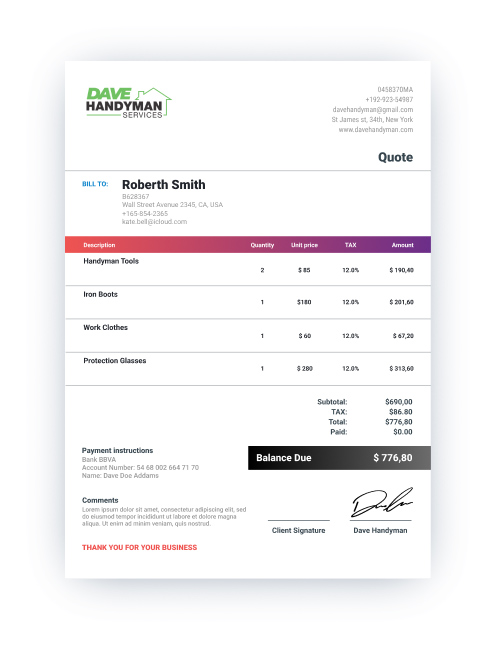
When to Use an Invoice
An invoice is a formal document issued by a business to request payment for goods or services provided. It serves as a record of the transaction, detailing the amount due and payment terms.
- After delivering the service/product: Once you’ve fulfilled the order, an invoice can be issued to formally request payment for the goods or services provided. This step signifies the completion of the transaction and the start of the payment process.
- For financial record-keeping: Invoices are legally binding documents that serve as an official record of the transaction, making them essential for tracking sales, managing accounts, and maintaining accurate financial documentation for tax purposes.
- To facilitate on-time payments: In some cases, businesses may direct customers to make payments directly, bypassing the need to send invoices. While this approach can save time upfront, it can also lead to payment delays and complications, as there may be no clear due date or payment terms outlined. To avoid these issues, it’s best to clarify all payment details in a formal invoice.
Need help generating invoices? Try Invoice Fly’s invoice maker, the easiest way to create professional invoices and share them in seconds.
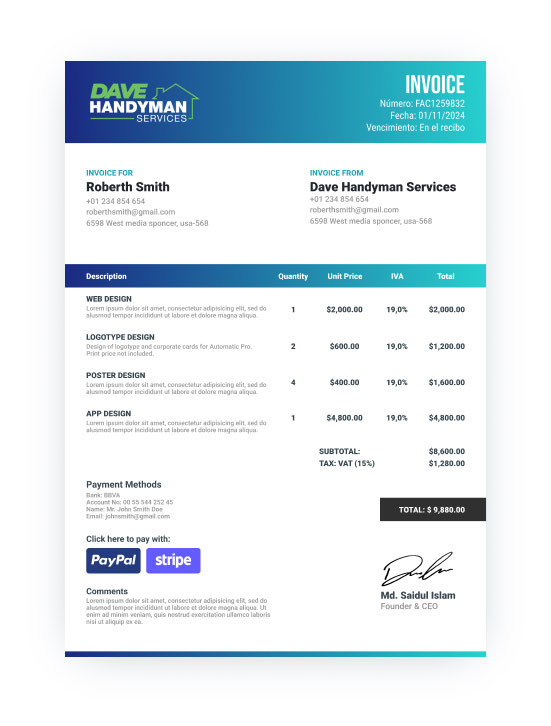
How to Create Quotes vs Invoices
Back in the day, creating quotes and invoices often meant manually writing or typing them out, then mailing or faxing them to customers.
While that process may still be used in some industries, advanced technology (like Invoice Fly’s software) has made it easier than ever to create and send quotes and invoices.
Businesses can now produce professional financial documents with great efficiency, sharing them with clients in a matter of seconds. And moreover, these tools are often able to track payments in real-time, providing immediate updates and ensuring better cash flow management.
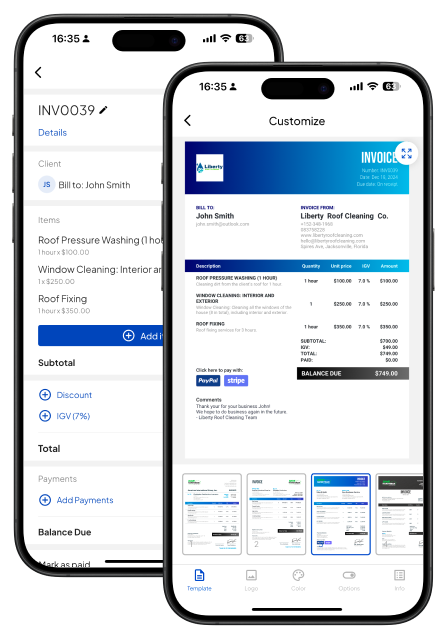
Tools for Creating Invoices and Quotes
Today, there are endless tools available for making invoices and quotes. Some are simple and straightforward, while others offer advanced features and customization options. Which is best depends entirely on what your business is looking for.
Do you want the ability to fully customize your invoices and quotes? Or are you looking for something quick and easy to set up? And what about integration with payment systems or accounting tools? Once you know the answers to these questions, it will be much easier to choose the right tool for your business.
As for those looking for advanced support, Invoice Fly was built for businesses like yours. With customizable templates, online payment support, and income tracking, it’s the perfect solution for small to medium businesses that need more than just a basic invoicing tool.
Calculate What To Put On Quotes & Invoices
A service price calculator helps you work out what to charge before creating a quote. Enter your labor, business expenses, material costs, and desired profit to calculate a price that covers your costs.
Service Price Calculator
Number of workers needed for the job
Total hours required to complete the job
Average hourly rate per worker
Total monthly business expenses (rent, utilities, insurance, etc.)
Total working hours per month
Total hours needed to complete this specific job
Total cost of all supplies used for the job
Net amount your business gets to keep after costs and expenses

Total Summary
Once you know your price, you can send the customer a quote before the work begins. After the job is complete, you can send an invoice to request payment.
Invoice Fly’s estimate app helps you create clear, professional quotes in minutes. Once the work is approved and completed, you can turn the quote into an invoice in a few clicks with Invoice Fly’s invoice software.
Create and Send Invoices with Invoice Fly
Whether you’re billing clients weekly, monthly, or per project, Invoice Fly helps you create professional invoices, track payments, and stay organized from anywhere.
Invoice Fly’s on our platforms:
★ 4.8/5.0 · +180,000 reviews
★ 4.8/5.0 on Trustpilot, Capterra, GetApp, and Software Advice.
★ App Store (+88.000 positive reviews) and Google Play (+90.000 positive reviews)
★ Over 125,000 businesses trust us.
What users say about Invoice Fly:
“Easy to use, has all features that small businesses need.”
— Alicia Dykes · Trustpilot · ★★★★★ · 2026-06-07
Example: How a contractor uses a quote and an invoice
Say a plumber is called out to replace a leaking pipe. Before starting the repair, they need to agree on the work and price with the customer. Here’s how the paperwork might look from the initial quote to the final payment.
Step 1: Send the quote
After assessing the job, the plumber puts together a quote covering the site visit, three hours of labor, and the materials needed for the repair.
The quote includes a description of the work, a breakdown of the costs, a total price of $525 including example sales tax, and any conditions or exclusions. It also explains how long the price is valid.
Contractors can use quote templates to keep these details consistent or create quotes using an estimates app.
For more detailed jobs, our guides on how to write an estimate and preparing a construction quotation explain what to include.
Step 2: Get the customer’s approval
The customer reviews the quote and agrees to the proposed work and price.
It’s worth keeping a record of this approval, particularly if the job involves several stages or materials that need to be ordered in advance. Whether accepting a quote creates a binding agreement depends on its wording, the acceptance process, and applicable law.
Step 3: Request the deposit
The plumber and customer agree on a $150 deposit before work begins.
The contractor sends a deposit invoice and records the payment against the job. This means the $150 will be deducted from the final amount owed rather than charged again.
Step 4: Send the final invoice
Once the repair is complete, the plumber sends an invoice showing the work carried out, the agreed labor and materials, applicable tax, and the deposit already received.
Here’s how the figures carry over from the original quote.
Item | Quote | Final invoice |
|---|---|---|
Site visit | $75 | $75 |
Labor: 3 hours at $85 | $255 | $255 |
Materials | $170 | $170 |
Subtotal | $500 | $500 |
Example sales tax (5%) | $25 | $25 |
Total | $525 | $525 |
Deposit received | — | −$150 |
Remaining balance | — | $375 |
Note: The 5% sales tax is just for this example. Actual rates vary by location.
Step 5: Collect the remaining payment
The customer pays the outstanding $375 according to the agreed payment terms.
The quote and invoice both relate to the same repair, but they serve different purposes. The quote helped the customer approve the work and pricing, while the invoices requested the deposit and final payment.
If you’re preparing documents for several jobs, estimate templates can also help you organize costs before sending a quote.
Estimate vs quote vs bid
Estimates, quotes, and bids all help customers understand what a job might cost, but they’re not necessarily interchangeable.
Document | What it means | Example |
|---|---|---|
Estimate | An approximate cost based on the information available | A plumber estimates around $600 for a pipe replacement before inspecting the full system |
Quote | A proposed price for a defined job, subject to stated terms | An electrician quotes $750 to replace a specified number of light fixtures |
Bid | A formal offer to complete a project, often submitted as part of a competitive process | A contractor submits a $25,000 bid for a commercial renovation |
The main difference is how the price is presented and what the customer is being asked to approve.
An estimate gives the customer an idea of the likely cost, particularly when the full scope isn’t clear. A quote sets out a proposed price for specific work, while a bid is often used when several contractors are competing for the same project.
In practice, businesses sometimes use these terms differently. Whether a document creates a binding commitment depends on its wording, how it’s accepted, and the agreement between the parties.
Read more about what an estimate is and what a quotation is, or create your own using Invoice Fly’s free estimate generator and free quote generator.
Invoice vs Quote FAQs
A business invoice is a document that asks customers for payment after they receive a product or service. Invoices are bills that help you track accounts receivable so you know how much money customers owe your business. Unlike an estimate, an invoice is final. The amount it asks customers for will not change.
The invoice should match the final quote exactly in terms of services or products provided, pricing and final cost, and terms. It is crucial that there are no discrepancies between the quote and the invoice to avoid confusion or disputes.
As a contractor, you juggle every aspect of your business every day. Something that you never want to drop is invoicing. A strong invoicing process is important to ensure you get paid on time and maintain cash flow.
Yes. You can use the customer details, work description, quantities, and agreed prices from an accepted quote to prepare an invoice. Just make sure any changes or deposits already paid are reflected in the final amount.
A quote can form part of a binding agreement when accepted, depending on its terms and applicable law. Clearly state the scope, price, conditions, validity period, and how the customer should accept it. An e-signature can help record that acceptance.

Courteney Searle is a content strategist and SEO copywriter with more than six years of experience creating educational and search-optimized content for SaaS companies, technology businesses and digital brands.
She holds a Bachelor of Arts in Writing Studies from the University of Waikato and has held editorial leadership roles including Managing Editor at ArchiPro and Head of Copy at Neon Hive. Her work has appeared in Country & Town House and Wiltshire Living.
At Invoice Fly, Courteney writes about invoicing software, small business management, productivity tools and entrepreneurship for U.S. small business owners and independent contractors.
