What Is Invoicing Software? Features, Benefits, and How It Works
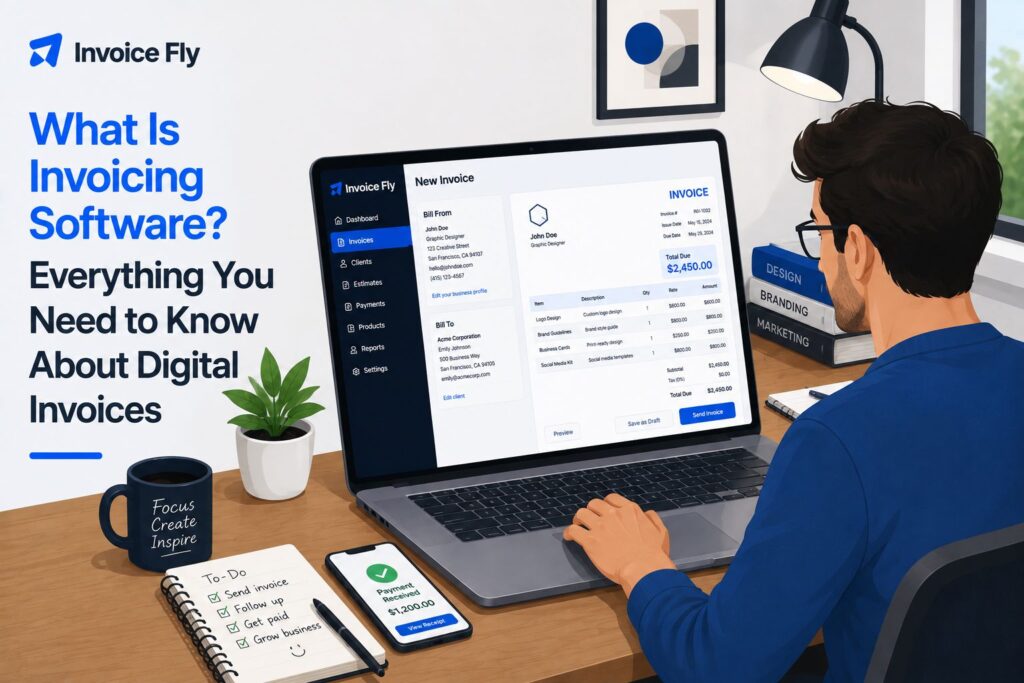
Table of Contents
- What is invoicing software?
- How does invoicing software work?
- Benefits of using invoicing software
- Invoicing software vs. spreadsheets and templates
- What is invoice processing software?
- How much does invoicing software cost?
- What to look for in invoicing software
- Make invoicing easier for your business
- FAQs
Invoicing software makes it easier to bill customers, track payments, and stay on top of what you’re owed. Instead of piecing the process together across documents, spreadsheets, emails, and payment records, you can manage more of it from one place.
In this guide, we’ll explain how invoicing software works, the features that matter most, its main benefits, typical costs, and what to look for when choosing a platform for your business.

What is invoicing software?
Invoicing software is a digital tool for creating and managing invoices you send to customers. It can help you add customer and business details, list products or services, calculate totals, set payment terms, send invoices, and track whether you have been paid.
More advanced features may include online payments, automatic reminders, recurring invoices, customer records, reports, and integrations with other business tools.
For small businesses, contractors, and freelancers, the main advantage is having the invoicing workflow in one system instead of creating documents manually and maintaining a separate record of what is outstanding.
If you are new to invoicing, start with our guide to what an invoice is and what information it should contain.

How does invoicing software work?
Most invoicing software follows a similar process:
- Create the invoice. Add your business and customer details, products or services, prices, taxes, payment terms, and due date.
- Send it. The software generates a professional digital invoice you can share with the customer.
- Track its status. Depending on the platform, you may be able to see whether an invoice has been sent, viewed, paid, or is overdue.
- Collect payment. If online payments are supported, customers can pay using the available payment methods.
- Follow up. Automatic reminders can reduce the need to manually chase unpaid invoices.
This creates a clearer path from completed work to payment and reduces the amount of manual tracking involved.
5 Key Features of Invoicing Software
Not every platform offers the same tools, but these five features are especially useful for freelancers and small businesses.
1. Customizable Invoices
Good invoicing software should make it easy to create clear, professional invoices with your business details, customer information, line items, prices, taxes, payment terms, and due dates.
Many platforms also let you add your logo, brand colors, notes, and payment instructions.
2. Automatic Calculations
Invoicing software can calculate subtotals, taxes, discounts, and the final amount due automatically as you build the invoice.
That saves time and reduces the risk of basic calculation mistakes.
3. Online Payments
The easier you make it for customers to pay, the better. Many invoicing platforms let customers pay directly from the invoice using supported online payment methods.
InvoiceFly, for example, lets businesses accept online payments without sending customers through a separate payment process.
4. Payment Tracking and Reminders
Sending the invoice is only part of the job. You also need to know what has been paid, what is still outstanding, and what is overdue.
Invoicing software can keep those statuses organized and, in many cases, send automatic reminders when payment is due or late.
5. Recurring and Scheduled Invoices
If you bill the same customers regularly, recurring invoices can remove a lot of repetitive work.
They are especially useful for retainers, maintenance contracts, ongoing consulting, subscriptions, and other services with predictable billing schedules.

Benefits of using invoicing software
nvoicing software can save time by taking repetitive billing tasks off your plate and keeping everything more organized.
It can help you:
- create professional invoices faster
- reduce repetitive data entry
- automate calculations
- make it easier for customers to pay
- identify unpaid and overdue invoices
- automate payment reminders
- manage recurring invoices
- keep invoice and customer records organized
Better organization can also make the financial side of your business easier to manage. The IRS says businesses can use a recordkeeping system that clearly shows income and expenses, including electronic systems.
The U.S. Small Business Administration also highlights bookkeeping and managing accounts receivable and payable as important parts of business financial management.
Perhaps the biggest benefit is simply getting some time back. InvoiceFly’s Salary & Time Gap explores how unpaid administrative work can eat into the hours you could otherwise spend serving customers and earning revenue.
Invoicing software vs. spreadsheets and templates
You do not always need dedicated invoicing software. If you only send a few invoices now and then, a spreadsheet, Word document, or invoice template may be perfectly adequate.
The difference becomes more noticeable when invoicing becomes a regular part of your week.
| Feature | Spreadsheet or Template | Invoicing Software |
|---|---|---|
| Create invoices | Yes | Yes |
| Automatic calculations | Possible with formulas | Usually built in |
| Send invoices | Usually manual | Often built in |
| Online payments | Usually not | Often available |
| Payment tracking | Manual | Often automated |
| Payment reminders | Manual | Can be automated |
| Recurring invoices | Manual setup | Often automated |
| Customer records | Managed manually | Usually kept in one place |
If you only need to create an occasional invoice, InvoiceFly’s free invoice generator gives you a simple way to create a professional document without setting up your own spreadsheet or template.
Dedicated invoicing software starts to make more sense when you send invoices regularly and want to spend less time checking payment status, sending reminders, and updating records by hand.
What is invoice processing software?
“Invoicing software” and “invoice processing software” sound almost identical, but they usually refer to opposite sides of the payment process.
- Invoicing software helps you create and send invoices to customers and track the money they owe you. In accounting terms, this is part of accounts receivable.
- Invoice processing software usually deals with invoices your business receives from suppliers or vendors. It can capture invoice details, check the information, route invoices for approval, and help manage payment as part of accounts payable.
Some larger financial platforms handle both workflows, but most freelancers and small service businesses looking to bill customers will need invoicing software rather than an accounts payable processing system.

How much does invoicing software cost?
Invoicing software can range from free to several hundred dollars per month, while enterprise systems with more advanced invoice management or processing features may cost more or use custom pricing.
- Free invoice generators and templates can work well if you only send invoices occasionally and do not need ongoing payment tracking or automation.
- Small business invoicing software typically costs around $10 to $100 per month, depending on features such as online payments, reminders, recurring invoices, customer management, reporting, and mobile access.
- Accounting and business management platforms can cost around $30 to $300+ per month as you add features such as bookkeeping, payroll, inventory, reporting, and additional users.
- Enterprise invoice management and processing systems may cost hundreds or even thousands of dollars per month, or use custom pricing based on transaction volume, users, integrations, and workflow complexity.
When comparing options, think about how often you invoice and which manual tasks you want the software to replace. Paying more can be worthwhile if it saves significant time or makes billing easier, but there is little benefit in paying for features you will rarely use.

What to look for in invoicing software
The best invoicing software should fit the way you actually work. Focus on the features you will use regularly rather than the longest feature list.
Consider:
- Ease of use: Can you create and send an invoice quickly?
- Customization: Can you add your business details, logo, payment terms, and the information a professional invoice should contain? Our guide to what an invoice is covers the essential elements.
- Payment options: Can customers pay in convenient ways?
- Tracking and automation: Can you identify overdue invoices, send reminders, and schedule recurring invoices?
- Mobile access: Can you manage invoices while you are away from your desk?
- Customer management: Can you keep invoice history and customer details together?
- Price: Does the cost make sense for the amount you invoice?
InvoiceFly’s invoicing and billing app combines invoicing with estimates, payments, reminders, recurring invoices, and customer management for contractors and small service businesses.
Make invoicing easier for your business
Good invoicing software should do more than help you send a bill. It should make the whole process feel more manageable, from creating the invoice to knowing what has been paid and what still needs attention.
The best choice is the one that fits the way you work, saves you time, and helps you stay organized without adding unnecessary complexity. For a small business, even a few simple automations can make invoicing feel like less of a chore and getting paid a lot more straightforward.

