What Is Receipt Software? Scan and Organize Receipts Easily
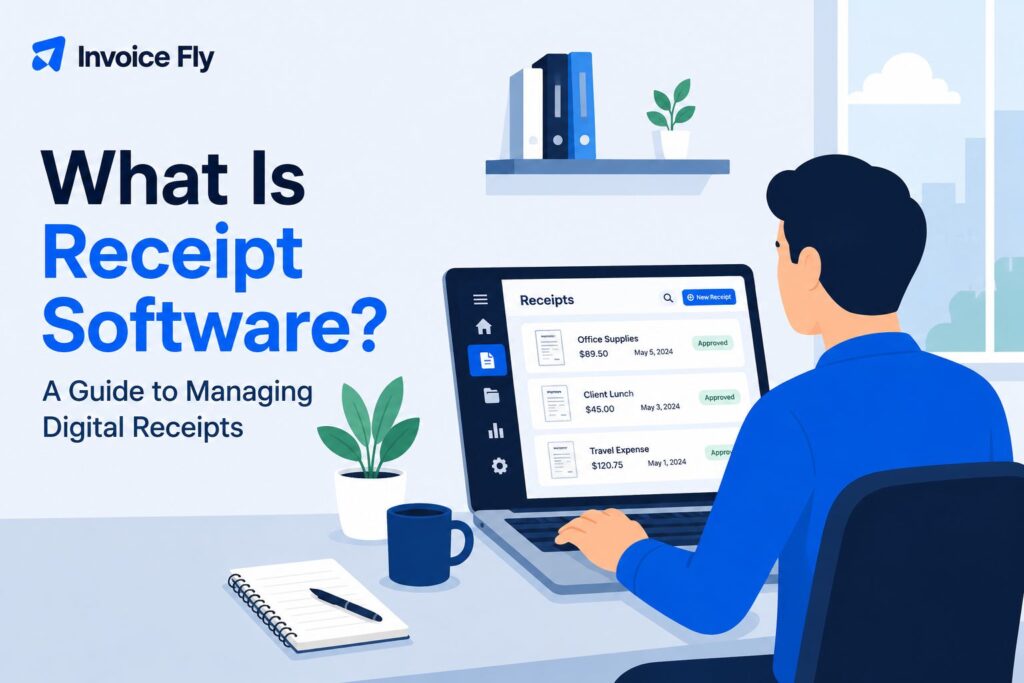
Table of Contents
Receipt software helps you get business receipts out of your wallet, glove compartment, or desk drawer and into one organized digital system. Instead of saving every paper receipt and entering the details by hand, you can scan or upload them, store them digitally, and often let the software pull out key information such as the date, merchant, and total automatically.
In this guide, we’ll explain how receipt software works, the features that are most useful, the main benefits, and what to look for when choosing the right option for your business.
What Is Receipt Software?
Receipt software helps you manage receipts digitally instead of relying on paper slips, folders, or manual spreadsheets. Depending on the tool, you may be able to photograph a receipt, use optical character recognition (OCR) to pull out details such as the merchant, date, and total, categorize the expense, search past purchases, export records, or connect the data with bookkeeping software.
Receipt scanning software is mainly designed to capture receipts your business receives when it spends money. A receipt maker or receipt template does something different: it helps you create a sales or cash receipt for a customer after payment. Some platforms offer both functions.
Tip: If you want a refresher on the document itself, start with our guide to what a receipt is.
How Receipt Software Works
Most receipt scanning tools follow the same basic process:
- Capture the receipt. Take a photo, upload a digital copy, or enter the expense manually.
- Extract the details. OCR reads the receipt and pulls out information such as the merchant, date, and total.
- Check and organize it. Review the details, correct anything that was missed, and add a category if needed.
- Store or export it. Keep the receipt searchable, export it for bookkeeping, or sync it with other financial software if the tool supports integrations.
OCR can save a lot of time, but it is not always perfect. Faded ink, crumpled paper, poor lighting, or handwritten notes can affect accuracy, so it is worth checking the extracted details before you save or export them.
Many tools also let you add notes, assign expenses to a project or client, and keep emailed receipts alongside paper ones. That can be especially useful if receipts are coming in from several places and you want one organized record.
InvoiceFly’s receipt scanner app lets you scan receipts, organize expenses by category and merchant, and export business expenses for bookkeeping or tax preparation.

Common Types of Receipt Software

Receipt software comes in a few different forms, from simple scanning apps to broader expense and accounting platforms.
| Type of receipt software | What it does | Best for |
|---|---|---|
| Receipt scanning software | Digitizes receipts and extracts key details with OCR | Freelancers and small businesses tracking expenses |
| Receipt and expense management software | Adds categories, reports, approvals, reimbursements, and integrations | Businesses managing larger volumes of expenses |
| Receipt makers and templates | Creates receipts to give customers after payment | Service businesses, freelancers, and sellers |
| Accounting or invoice software with receipt tools | Combines receipt tracking with invoicing, expenses, or other financial tasks | Businesses that want fewer separate tools |
You may also come across the term Receipt Bank software when researching receipt management tools. Receipt Bank was the former name of Dext Prepare, so the older name still appears in some articles, searches, and integrations.
If you need to create receipts for customers rather than scan expenses, a receipt generator or editable receipt templates can provide a simple starting point.
Key Features of Receipt Software
Not every receipt program includes the same functions. Useful features to compare include:
- OCR scanning to reduce manual typing
- Search and filters for finding receipts by merchant, date, category, or amount
- Expense categories for bookkeeping and budgeting
- Digital storage for keeping receipts together and reducing paper clutter
- Export options for sharing records with your accountant or moving data into a spreadsheet
- Accounting integrations if you already use bookkeeping software
- Mobile access for scanning receipts away from the office
- Multi-user access if employees need to submit or review expenses
- Notes and project tagging for connecting purchases to jobs, clients, or work categories
Check how the features actually work before choosing a tool. Some software categorizes expenses automatically, while other apps require you to select the category yourself. Integrations, storage, and employee approval features may also only be available on certain plans.

5 Benefits of Using Receipt Software
Here are the biggest reasons you should use receipt software.
1. Less Paper Clutter
Scanning receipts means you do not have to depend on envelopes, drawers, or boxes full of paper. A digital receipt organizer also makes it easier to sort records by month, project, merchant, or expense type.
2. Faster Data Entry
OCR can capture common receipt details for you, reducing the amount of information you need to type. You should still review scanned data for errors, especially if a receipt is faded, damaged, or photographed in poor light.
3. Easier Expense Tracking
Keeping receipts in one searchable system gives you a clearer record of business spending. Categories can also make bookkeeping and budgeting easier throughout the year.
This can be particularly useful when you need to check what you spent on a specific job or review recurring costs such as fuel, materials, subscriptions, or travel.
4. Better Tax Recordkeeping
Receipts are important supporting documents for many business transactions. The IRS says businesses should keep records such as receipts, invoices, paid bills, and sales slips because they support entries in business books and tax returns.
The IRS says the general rule is to keep tax records for three years, although some records need to be kept longer depending on what they relate to.
Tip: If a receipt does go missing, other documentation may sometimes help support the expense. Our guide to claiming deductions without receipts explains what records may be useful and why keeping receipts organized in the first place can make tax time much easier.
5. Easier Collaboration
Digital receipts are easier to share with a bookkeeper, accountant, or employee than a stack of paper. Export and integration features can also reduce duplicate data entry.
For a small team, this can mean employees submit receipts as expenses occur instead of handing over a pile of paperwork at the end of the month.
Who Should Use Receipt Software?
Receipt software is useful for anyone who wants a simpler way to keep track of business spending, especially:
- freelancers and solopreneurs managing their own expenses
- contractors and service businesses collecting receipts on the go
- small business owners who want more organized bookkeeping records
- businesses with employees who submit expenses for reimbursement
- bookkeepers and accountants managing receipt records for clients
How much software you need depends on how complex your setup is. A freelancer scanning a few receipts a week may only need a simple mobile app. A growing business with several employees may benefit from shared access, approval workflows, expense categories, and accounting integrations.
Choosing the Right Receipt Software
Before choosing receipt software, think about how many receipts you handle, who needs access, and what happens to the data after you scan it.
Key things to compare include:
- Receipt volume: Make sure the plan can handle the number of receipts you process.
- OCR accuracy: Check how reliably the software captures dates, merchants, totals, and other details.
- Ease of use: The faster it is to scan and categorize a receipt, the more likely you are to use the system consistently.
- Search and organization: Look for filters such as merchant, date, amount, category, or project.
- Exports and integrations: Make sure receipt data can move easily into your bookkeeping or accounting workflow.
- Storage and security: Check where documents are stored and who can access them.
- Pricing and limits: Watch for receipt limits, user caps, storage restrictions, or important features reserved for higher-priced plans.
Also be clear about what you actually need. Scanning receipts you receive and creating receipts for customers are different tasks, even though some platforms can do both.
A simple tool that fits your routine and gets used consistently is usually more valuable than software packed with features you rarely touch.

Keep Your Receipts Organized Without the Paper Clutter
Receipt software can make one of the more tedious parts of running a business much easier. By scanning, storing, and organizing receipts digitally, you can spend less time searching for paperwork and keep better records for bookkeeping and tax time.
The right tool depends on how much you need to manage. A freelancer may only need quick mobile scanning, while a growing business may benefit from shared access, expense controls, and accounting integrations.
If you want a refresher on the document itself, see our guide to what a receipt is. And if you are worried about missing records, our guide to what happens if you get audited without receipts explains what to know.

